Pay instructors

A payout adds up a payee's earnings for a period and takes off VAT, TDS and charges.

Where: Billing → Payout

Steps

  1. Open Billing → Payout and click Initiate Payout.
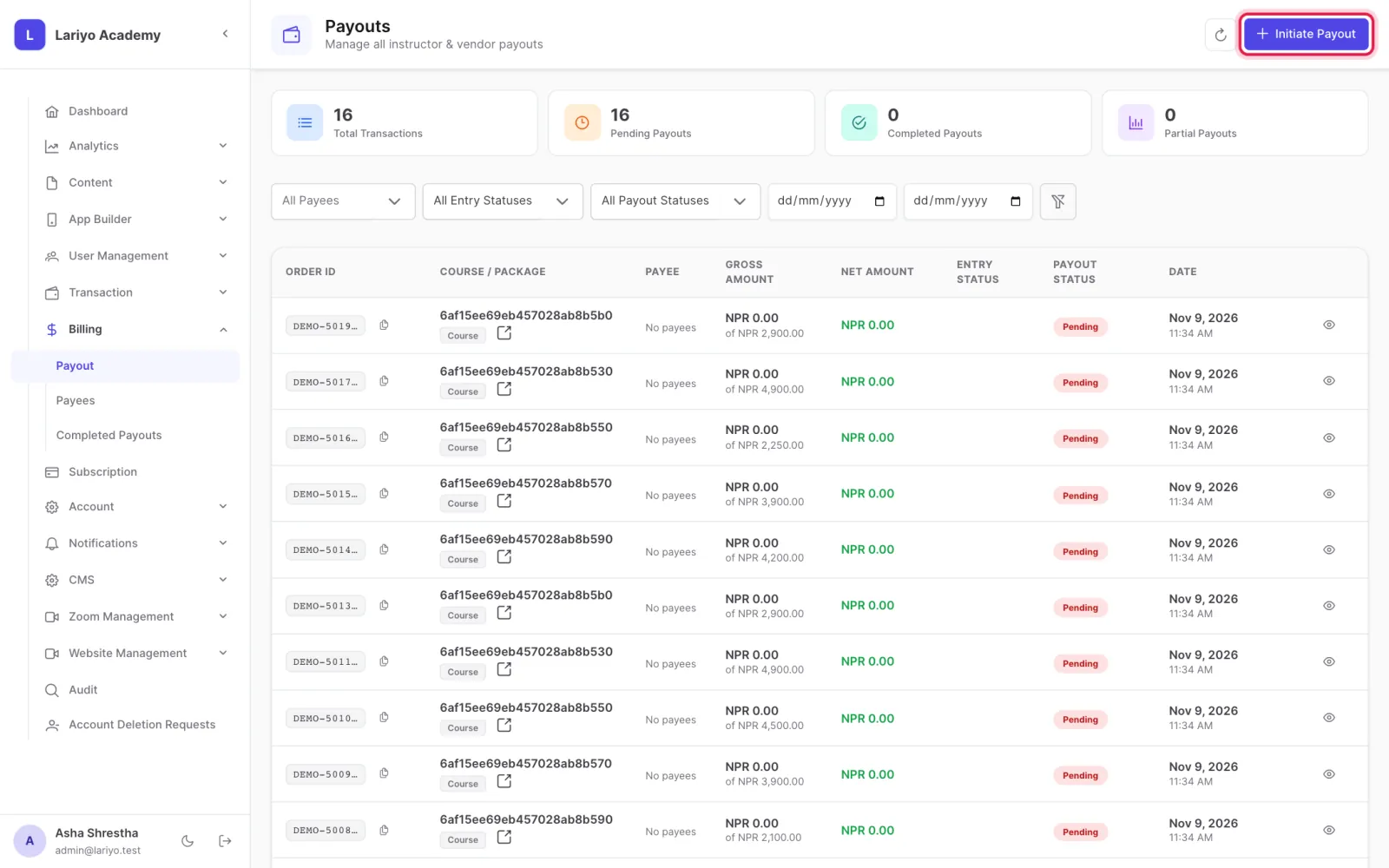
    Step 1 of 5 in the Lariyo admin panel (Billing → Payout): Open Billing → Payout and click Initiate Payout. The control to use is outlined in red.
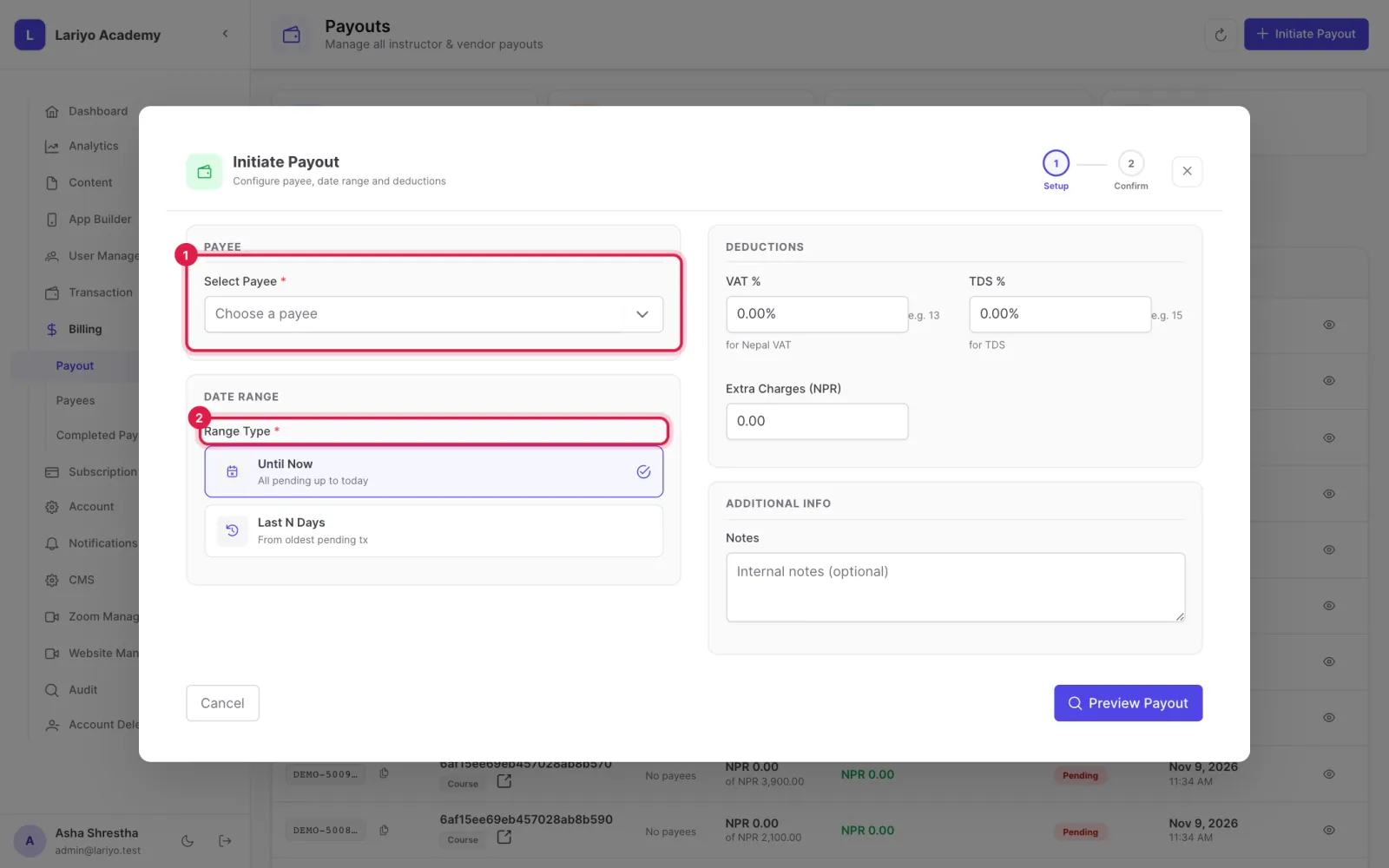
  2. Choose the payee and the period.
    Step 2 of 5 in the Lariyo admin panel (Billing → Payout): Choose the payee and the period. The control to use is outlined in red.
  3. Check VAT, TDS and any extra charges, then click Preview Payout.
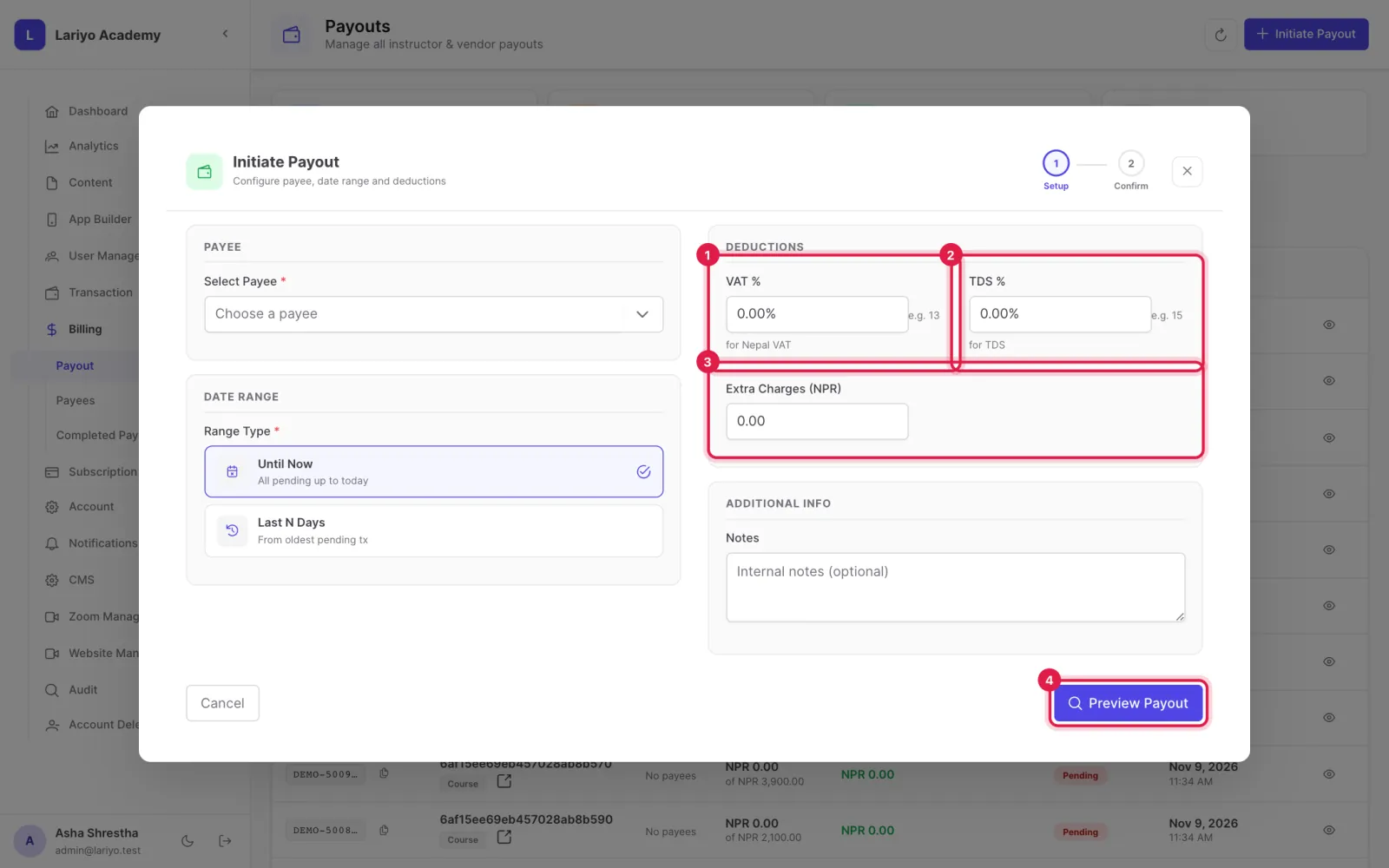
    Step 3 of 5 in the Lariyo admin panel (Billing → Payout): Check VAT, TDS and any extra charges, then click Preview Payout. The control to use is outlined in red.
  4. Record the method and upload the payment proof to confirm.
  5. Find it later under Completed Payouts, with Excel and invoice exports.
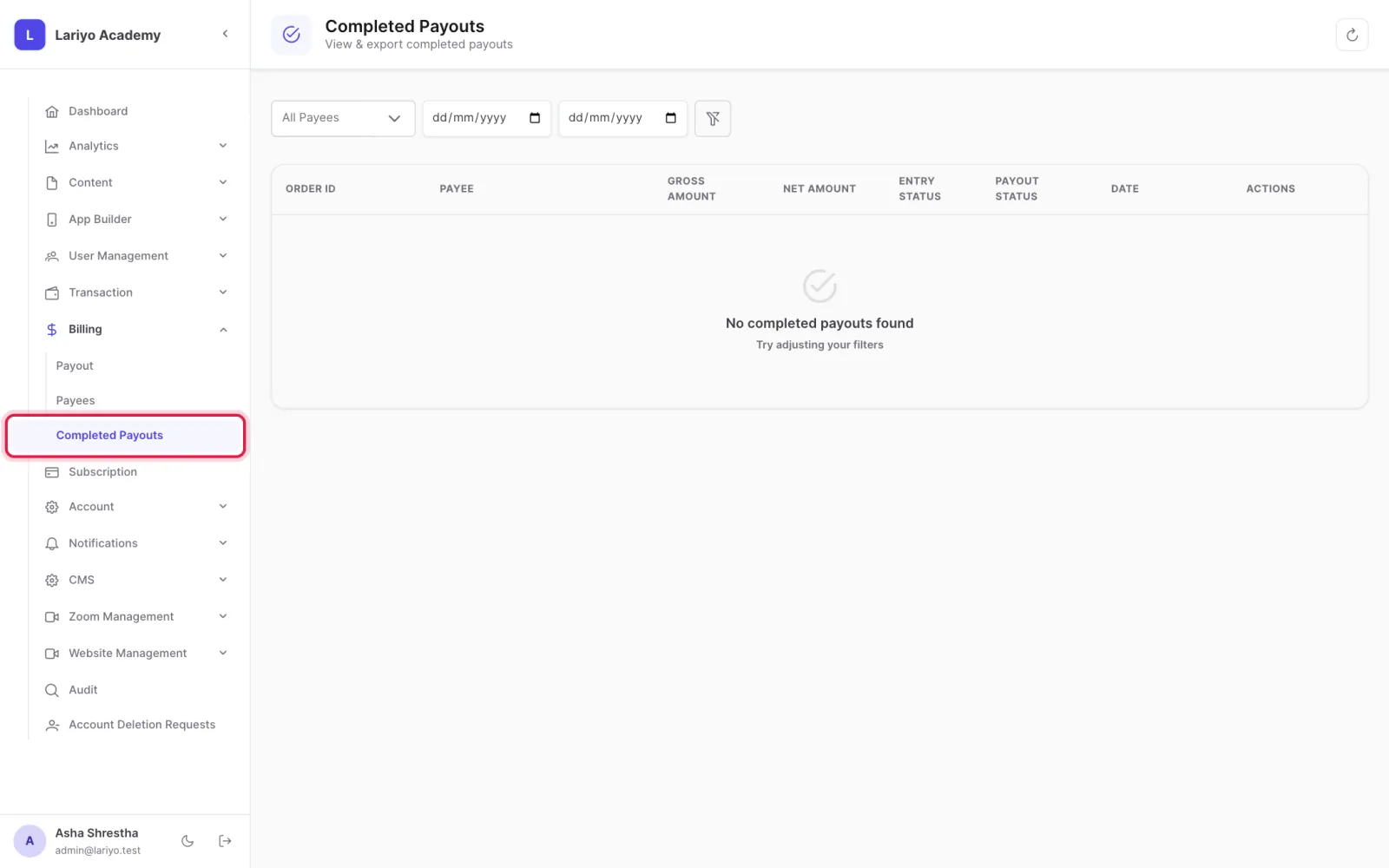
    Step 5 of 5 in the Lariyo admin panel (Billing → Payout): Find it later under Completed Payouts, with Excel and invoice exports. The control to use is outlined in red.

Updated 11 November 2026. Still stuck? Contact us.