Tell Claude what you want. It runs your institute.
Connect Claude or ChatGPT to Lariyo and do hours of admin work in one sentence: build courses, import tests, enrol students, record payments and pull reports. Anything risky waits for your approval.
What you can ask
"Create a Physics course with five chapters and add these videos."
Creates the course, chapters and items, uploads the files and places them.
"Import the questions in this Word file into a new test for Friday 7 PM."
Checks every question, then imports them in order, creates the test and schedules it.
"Enrol these 40 students from my Excel sheet in the Lok Sewa batch."
Checks every row first and shows prices, paid amounts and dues before enrolling.
"Who still owes fees for the Medical Entrance course?"
Exports every due with phone numbers to an Excel file you can download.
"Make a home screen banner for the new batch and publish it."
Designs a 16:9 banner, adds it to the home screen draft and publishes after you confirm.
"Send every new enrolment to a Google Sheet and a WhatsApp welcome."
Sets up a sheet that fills itself and a webhook, with no code for you to write.
Safe by design
- The assistant signs in as one of your admins and can do only what that admin can.
- Deleting needs your password in the browser, up to 500 items per approval.
- Refunds, password resets, notifications and other sensitive actions ask you first.
- It checks questions and bulk enrolments before writing anything.
- Every change is in the audit log as "Name (via Claude)".
Connect in four steps
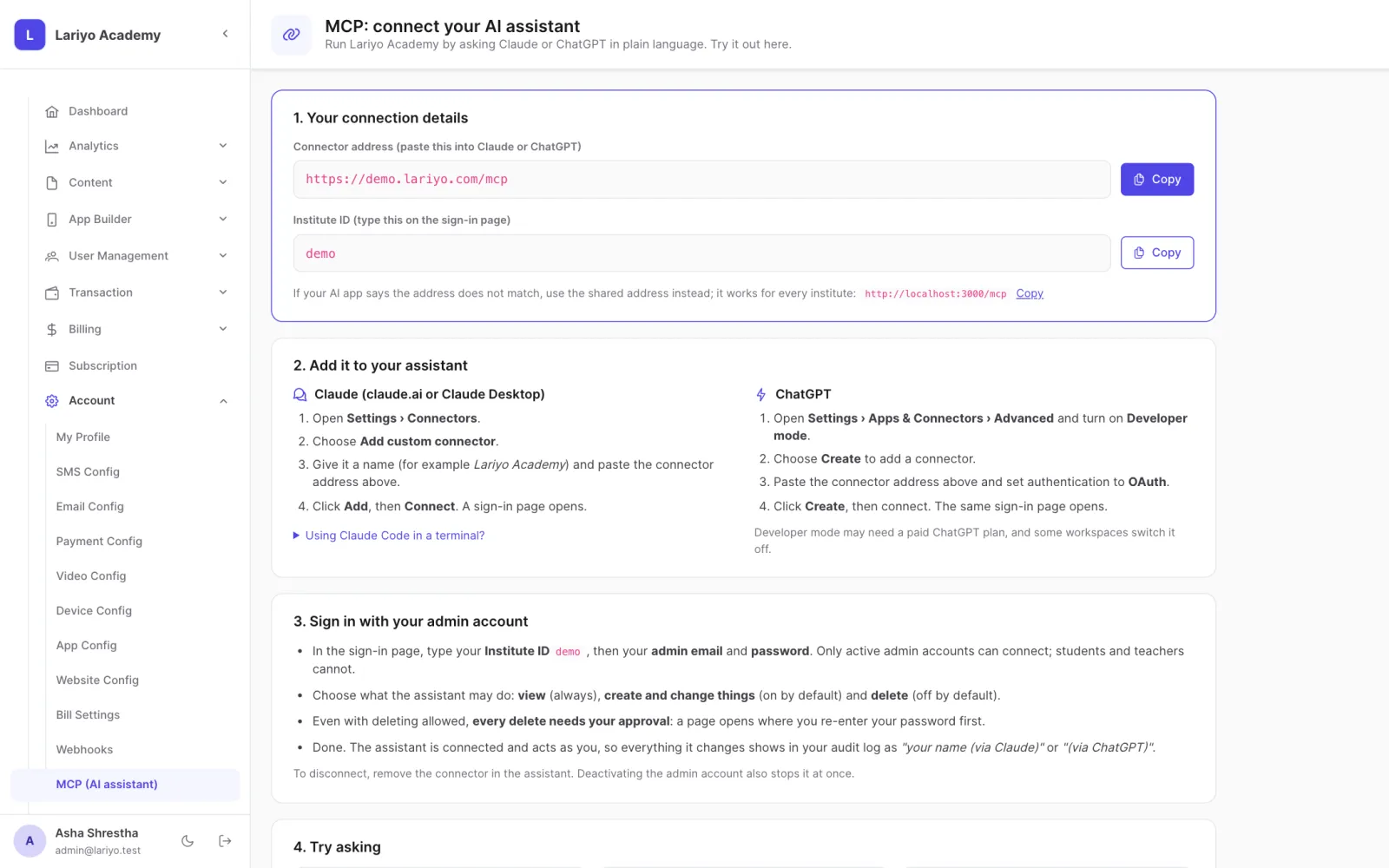
- Open Account → MCP (AI assistant) and copy the connector address.
- Add it as a custom connector in Claude or ChatGPT.
- Type your institute ID and sign in with your admin account.
- Ask in plain words.
AI admin questions
Is it safe to let an AI run our admin panel?
The assistant signs in as one of your admins and can only do what that admin can. Deleting anything needs your password in the browser, sensitive actions need a confirmation, and every change is in the audit log.
Which assistants work?
Claude (claude.ai and Claude Desktop) and ChatGPT, through the Model Context Protocol (MCP).
What can it do?
About 140 actions: build courses, upload files, write and import questions, schedule live tests and classes, enrol students, record payments, export reports, design app screens and set up automations.
See Lariyo with your own courses
A free 30-minute walk through your apps, the admin panel and the AI admin, at a time that suits you.