Collect dues and record installments

Payments due lists students who still owe part of their fee, with due dates.

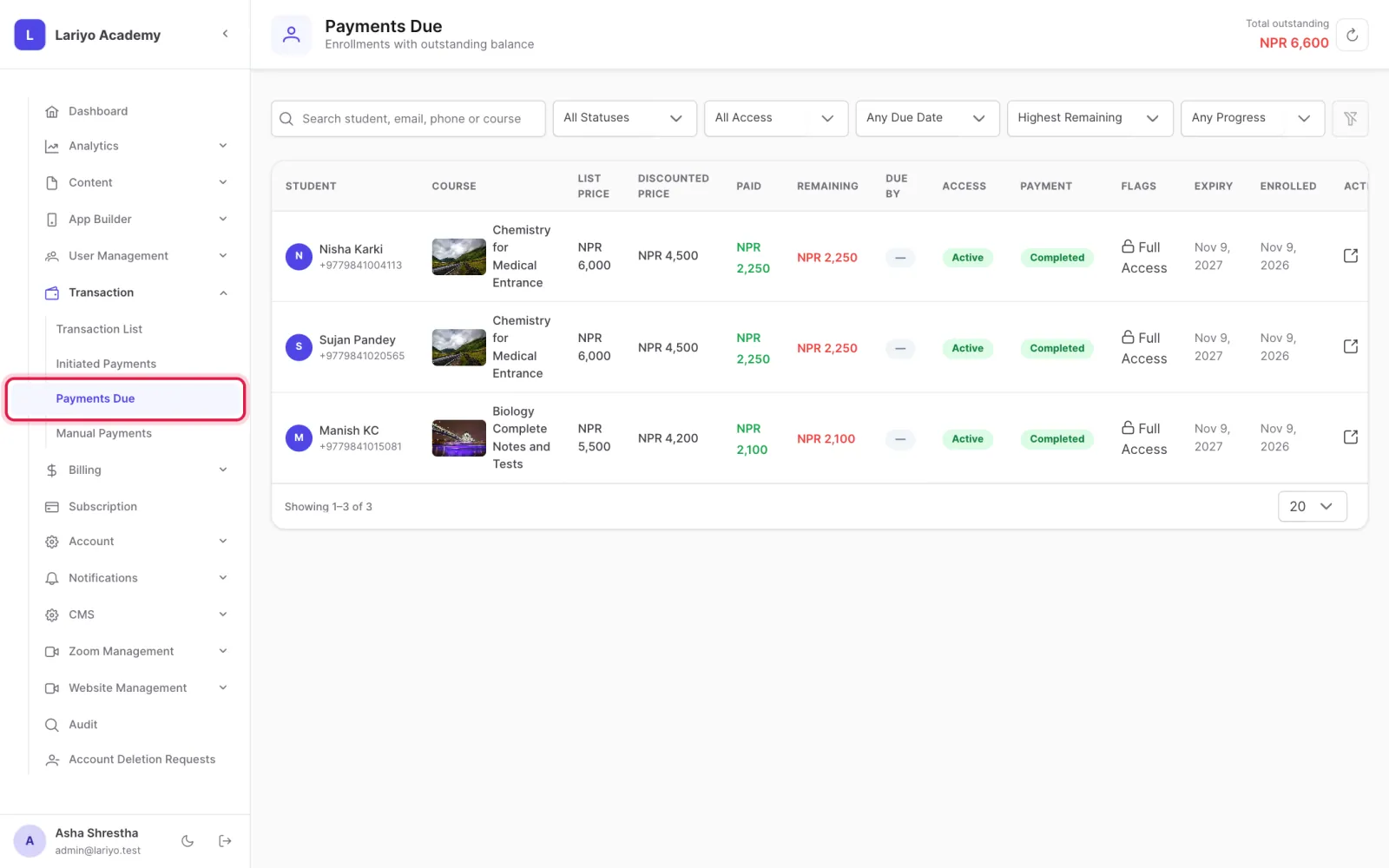
Where: Transaction → Payments Due

Steps

  1. Open Transaction → Payments Due.
    Step 1 of 4 in the Lariyo admin panel (Transaction → Payments Due): Open Transaction → Payments Due. The control to use is outlined in red.
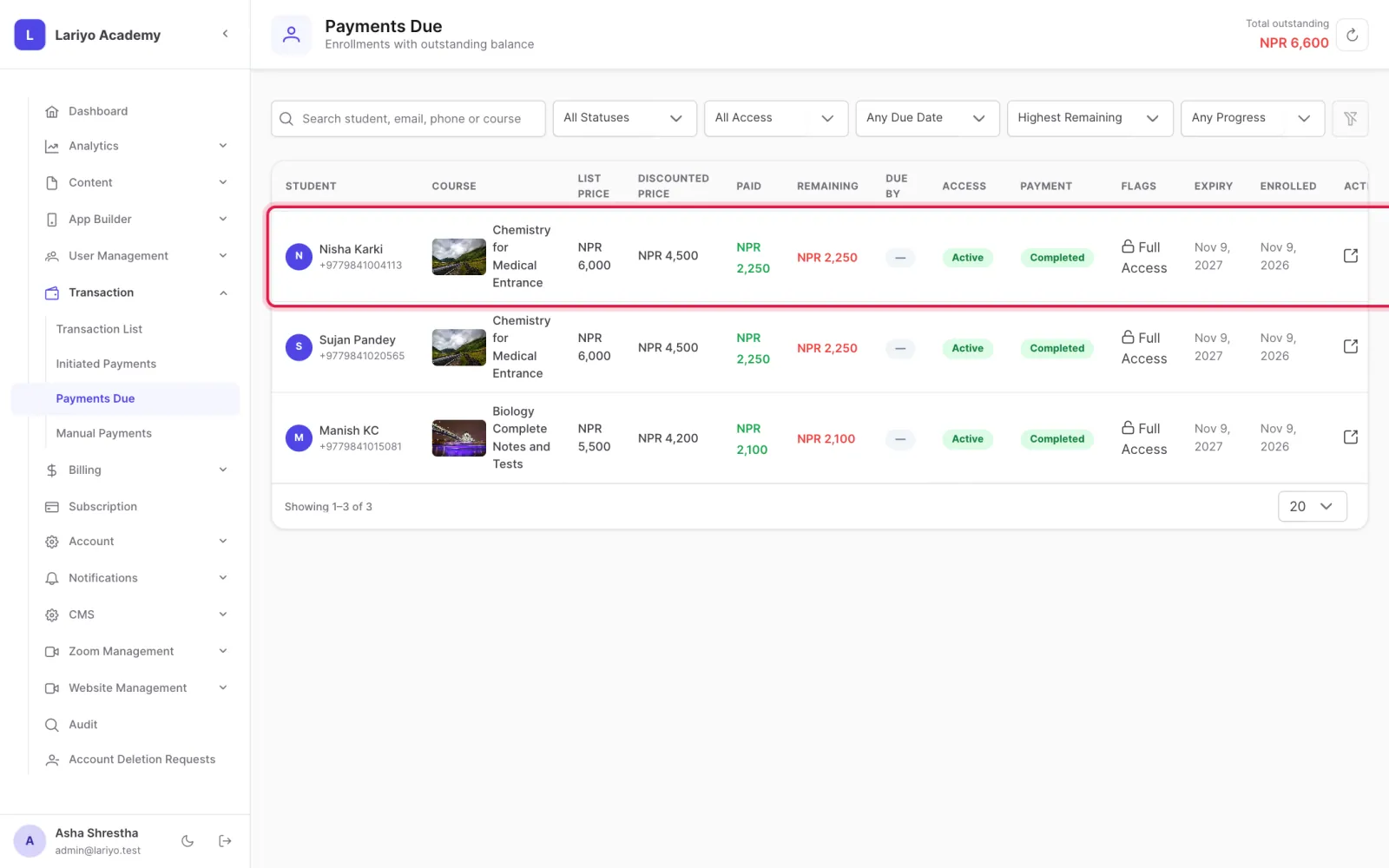
  2. Find the student and click Record.
    Step 2 of 4 in the Lariyo admin panel (Transaction → Payments Due): Find the student and click Record. The control to use is outlined in red.
  3. Enter the amount, transaction ID and method, and upload the proof.
  4. When the remaining amount reaches zero, pending access becomes active.
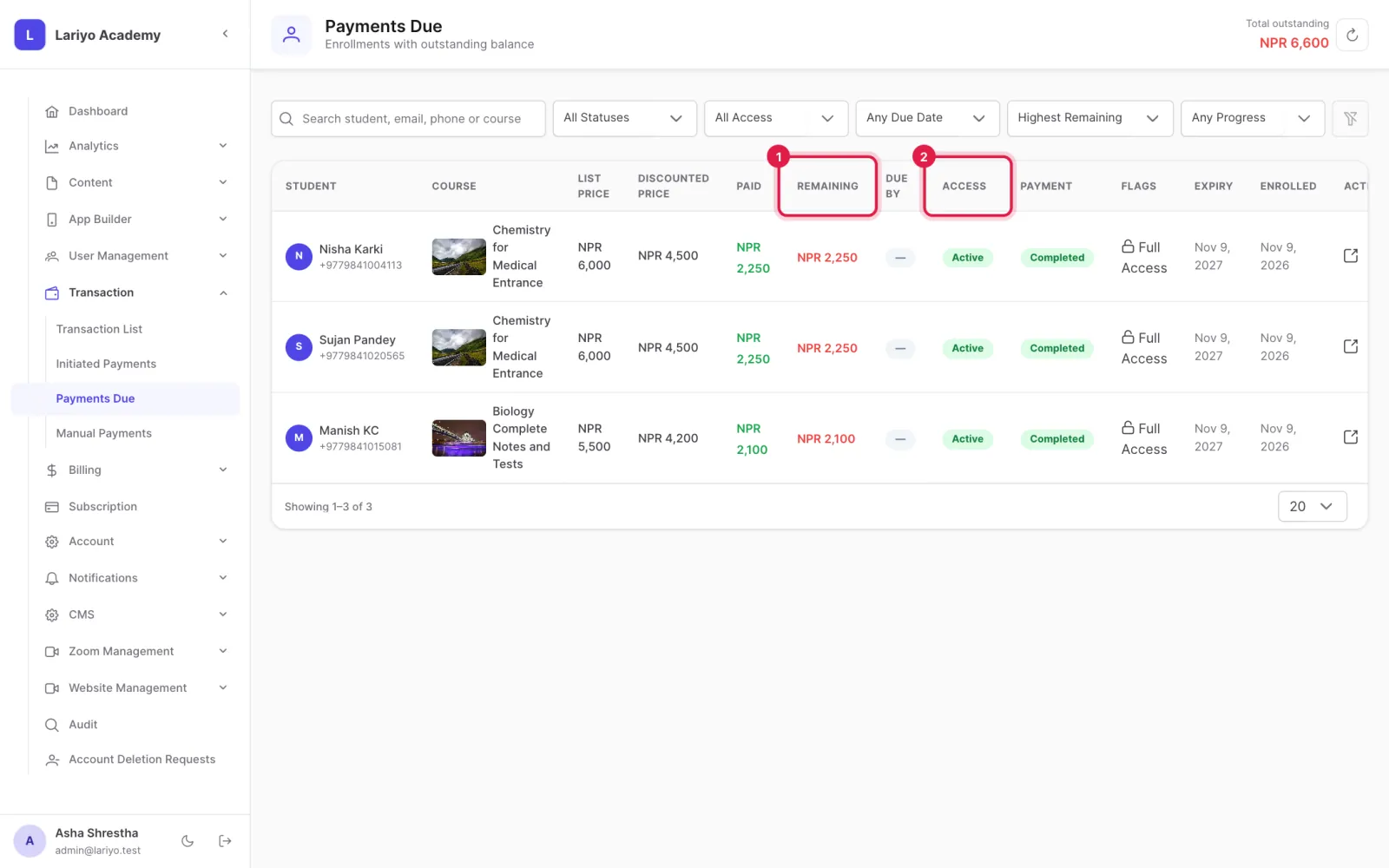
    Step 4 of 4 in the Lariyo admin panel (Transaction → Payments Due): When the remaining amount reaches zero, pending access becomes active. The control to use is outlined in red.

Updated 11 November 2026. Still stuck? Contact us.