

Add payees for instructor payouts
Payees are the people paid from sales, with their VAT, TDS and bank or wallet accounts.
Where: Billing → Payees
Steps
-
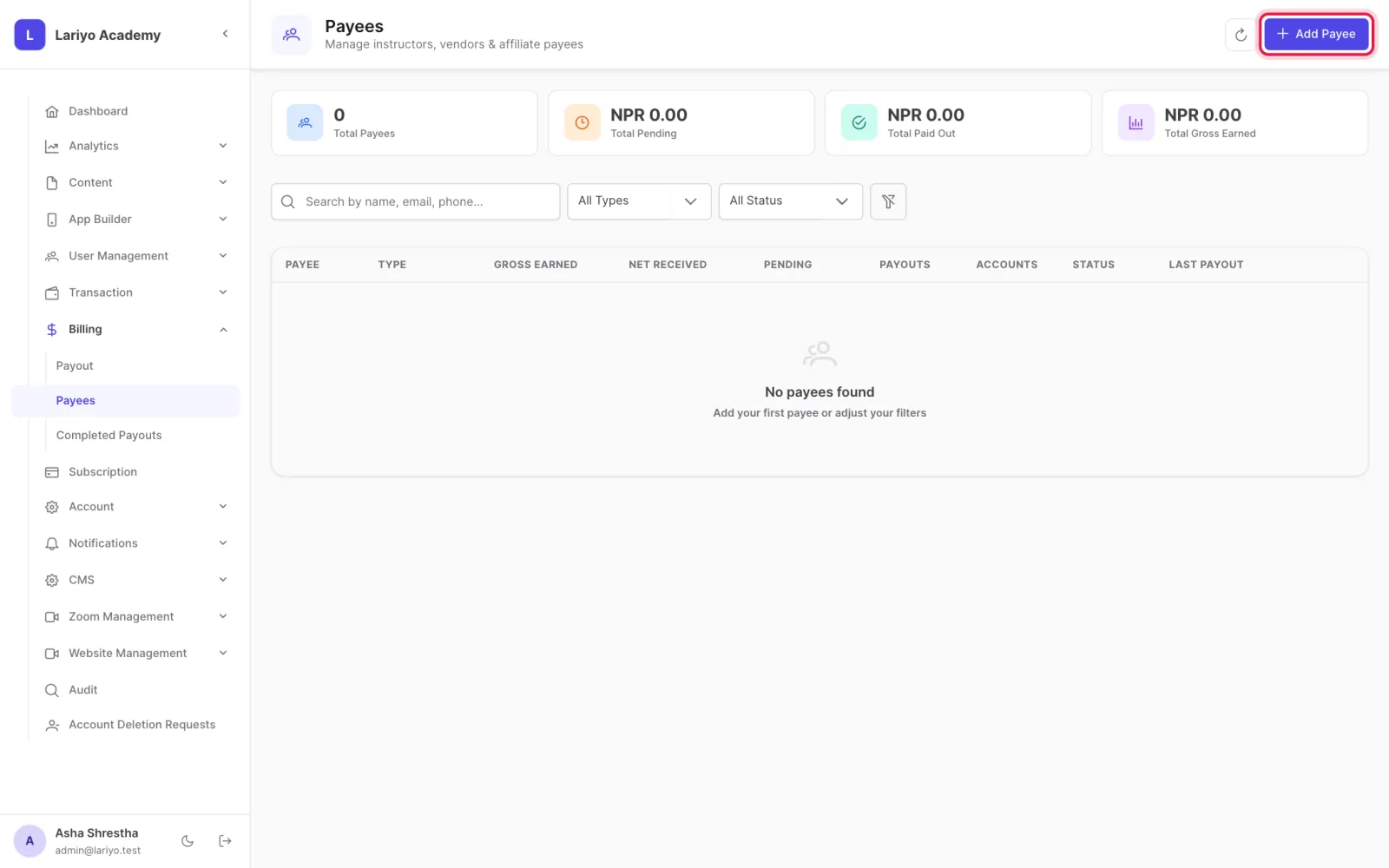
Open Billing → Payees and click Add Payee.
-
Enter the name, type, VAT % and number, TDS % and PAN.
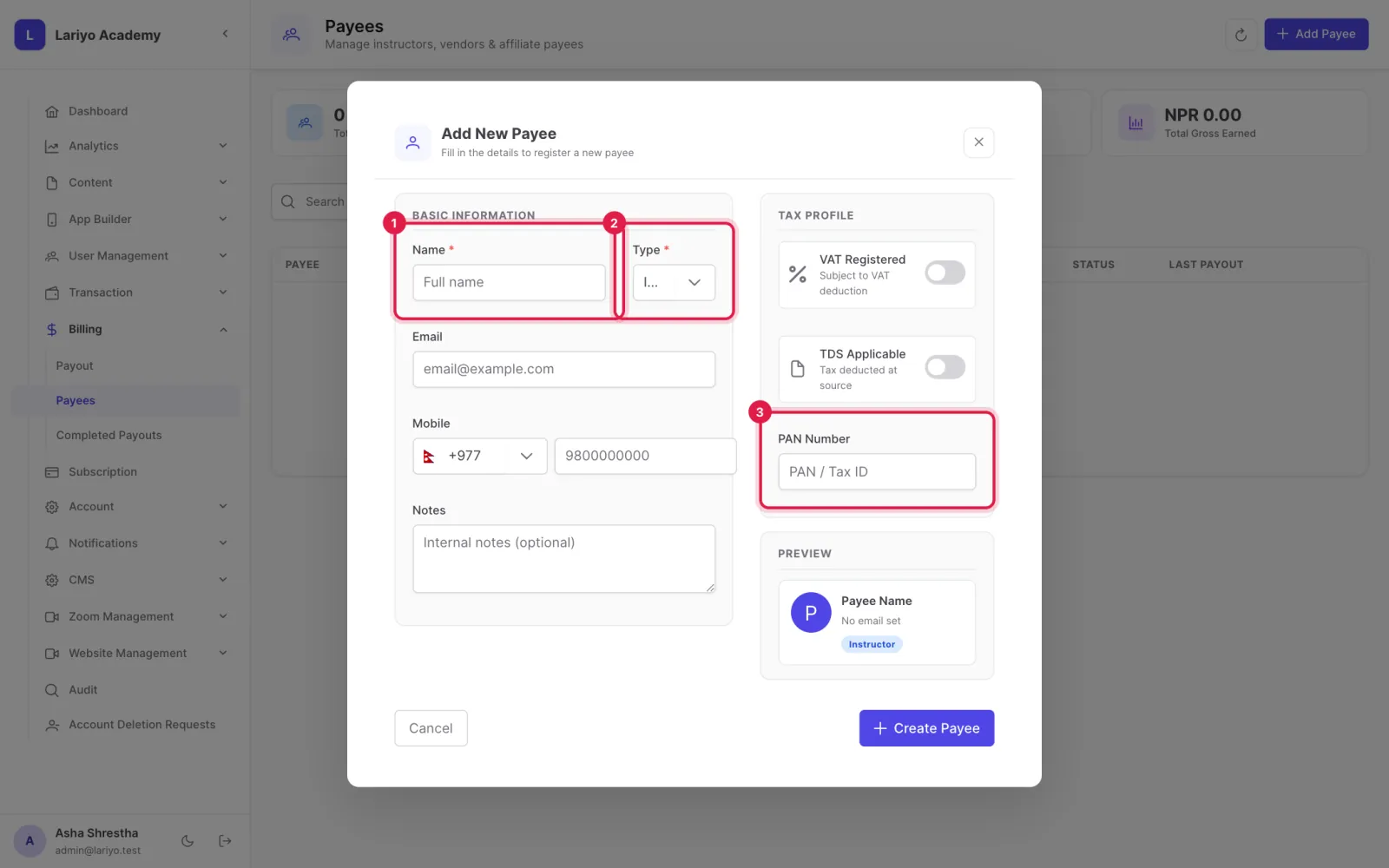
- Add an account: wallet, bank or gateway.
-
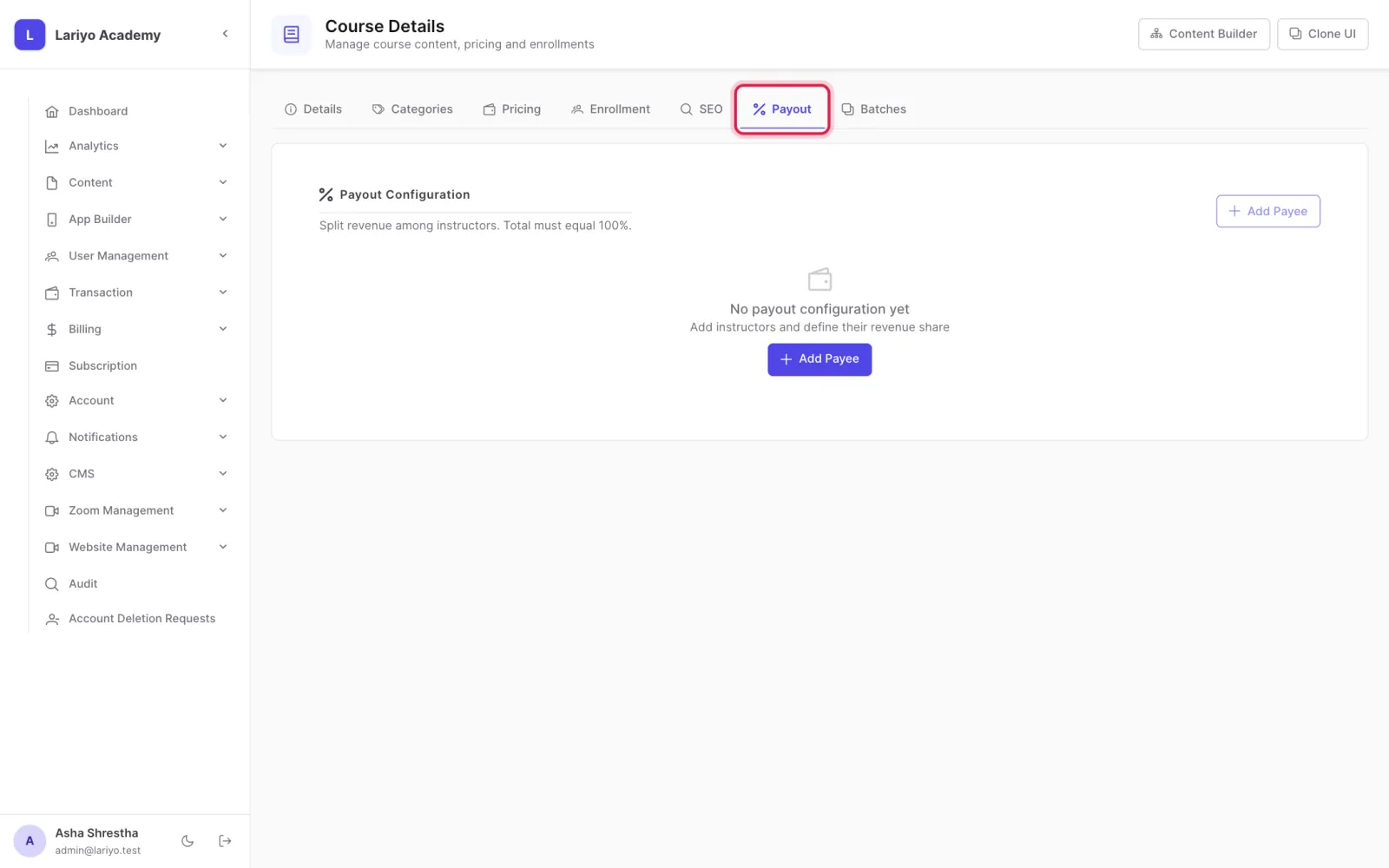
Set revenue shares on each course under Payout configuration.
Updated 11 November 2026. Still stuck? Contact us.