

Sell several courses as a package
A package bundles courses at one price; buying it gives access to every course inside.
Where: Content → Packages
Steps
-
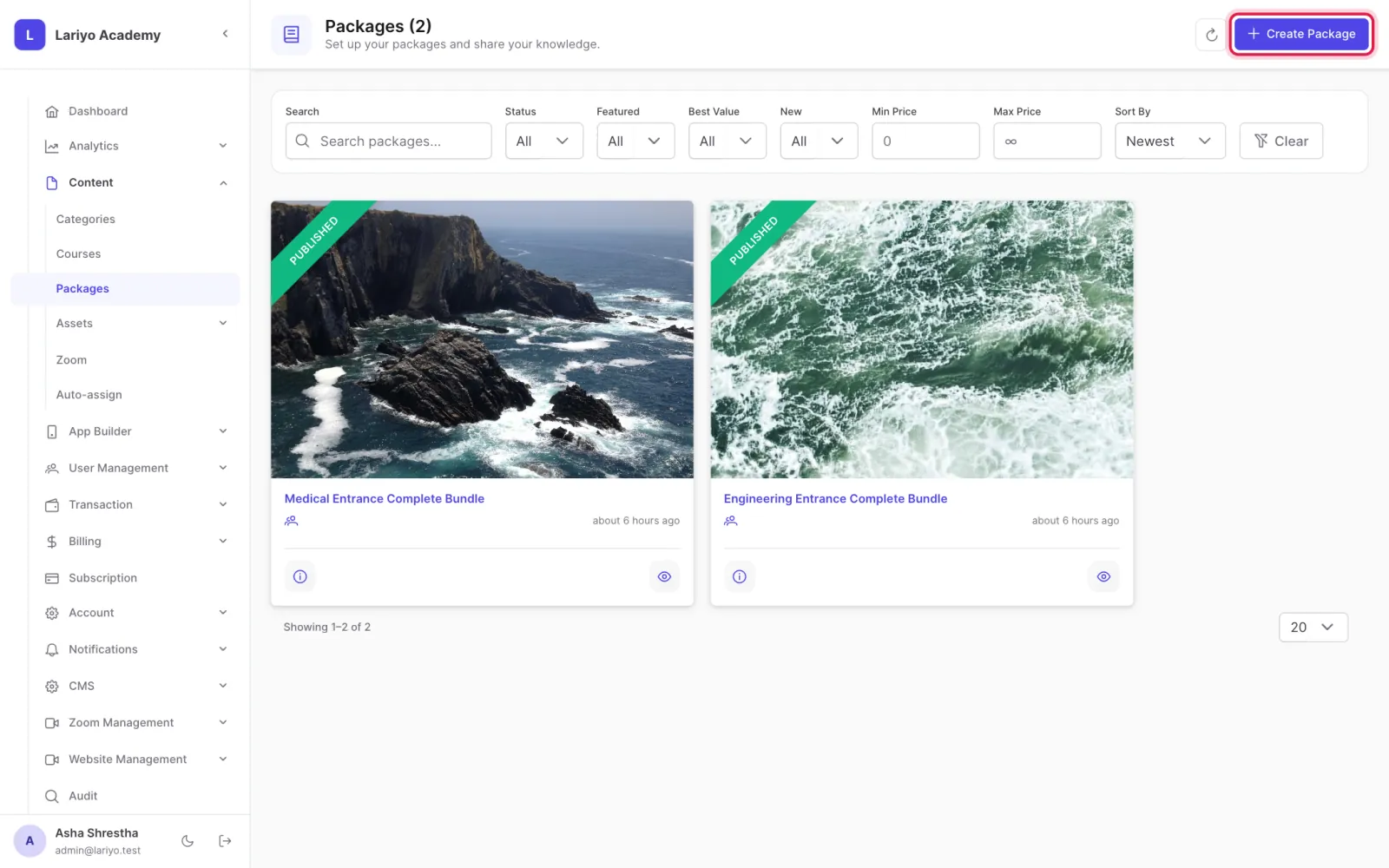
Open Content → Packages and click Create Package.
-
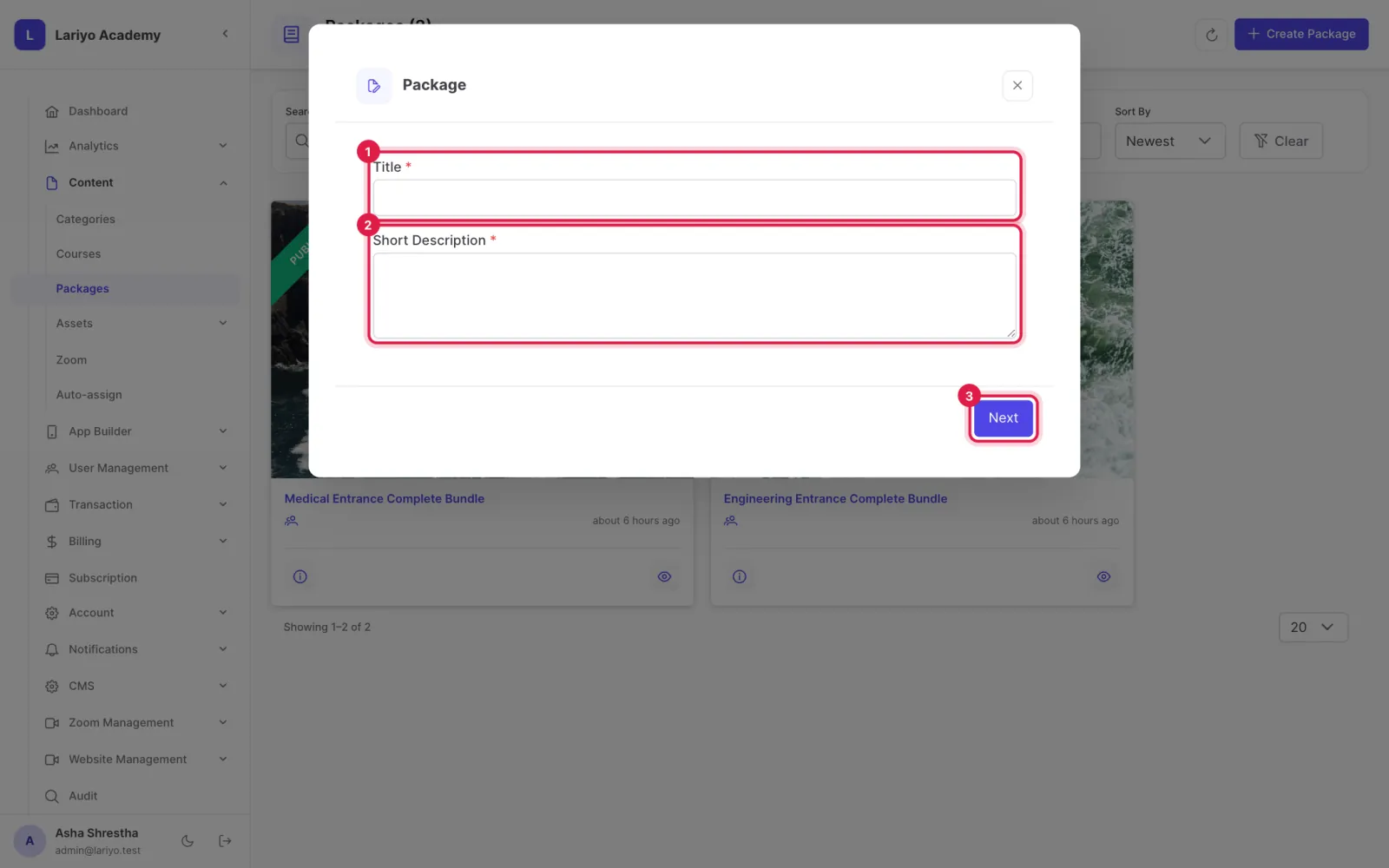
Enter the title, short description and price, then click Next.
-
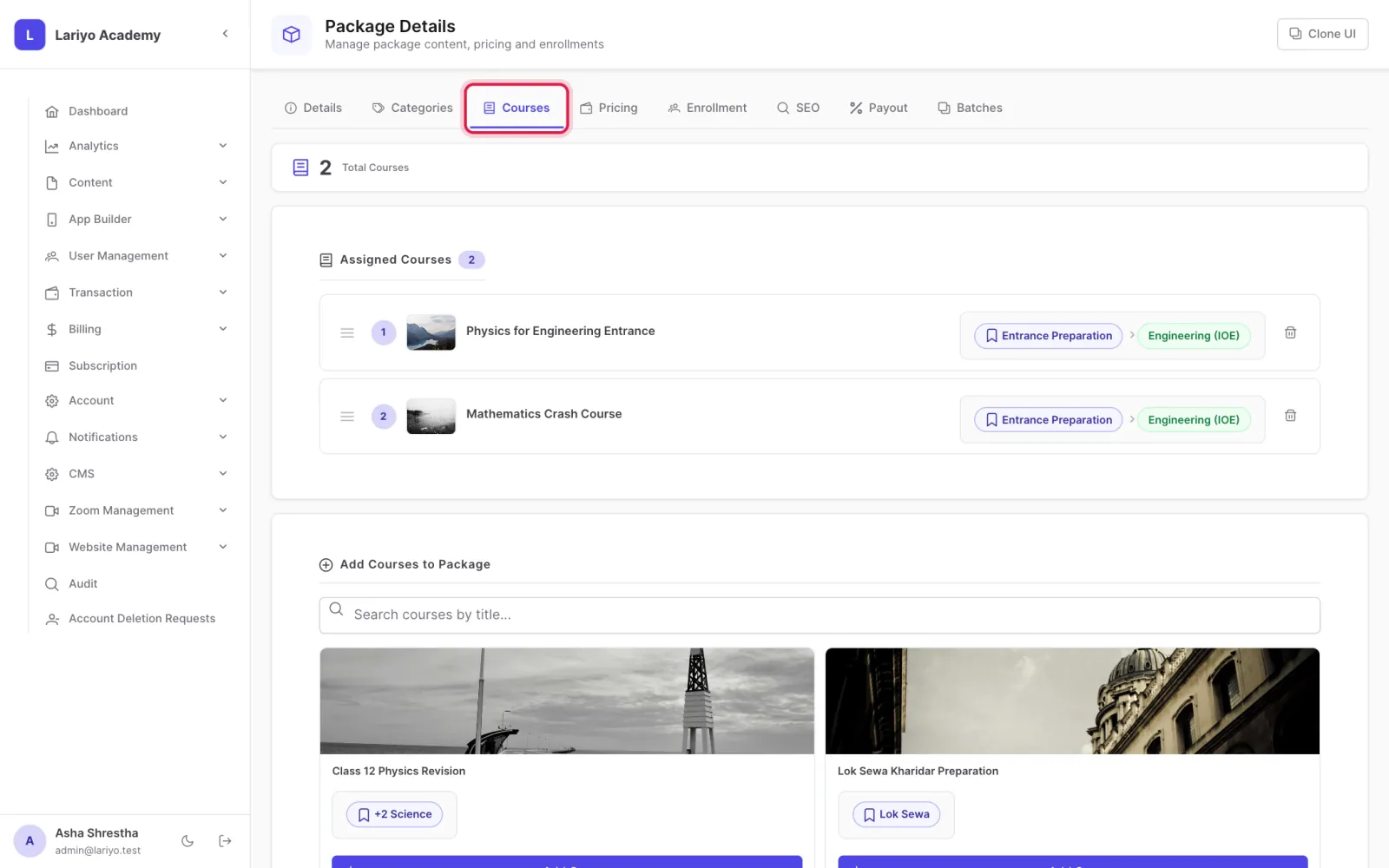
On the package page, add the courses and drag them into order.
-
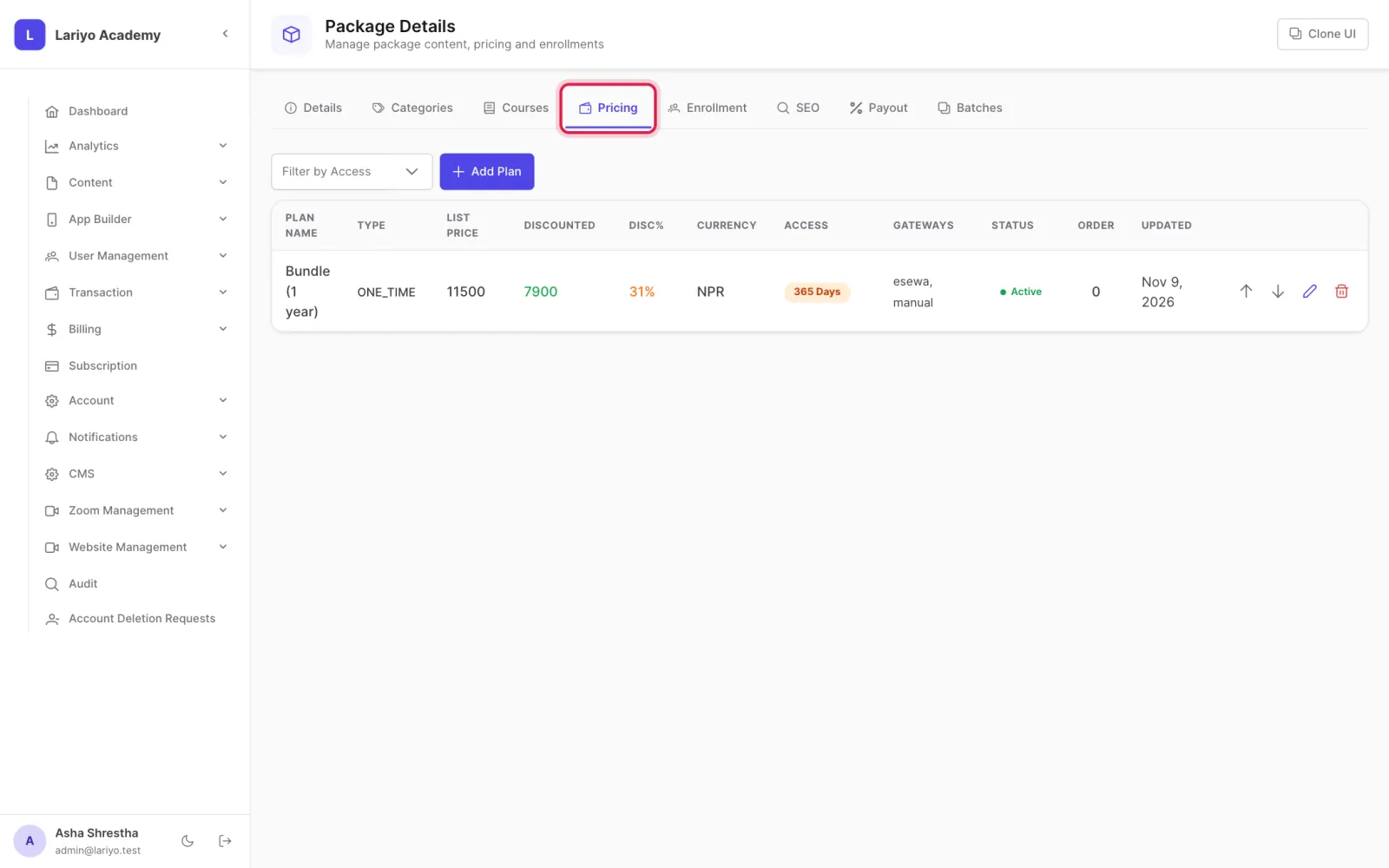
Add pricing plans; the savings against buying each course alone are worked out for you.
-
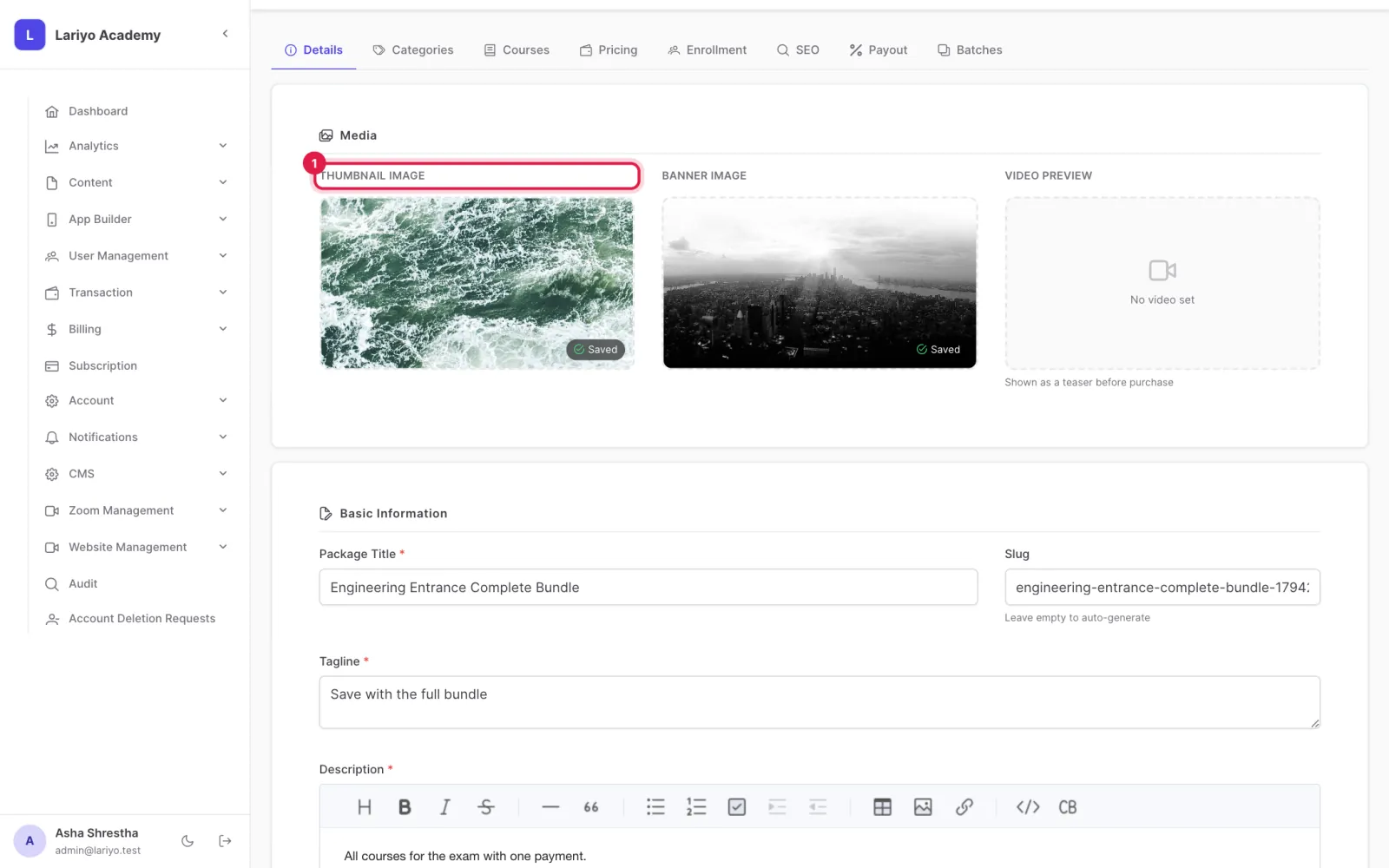
Add a thumbnail and publish the package.
Updated 11 November 2026. Still stuck? Contact us.