Create a course

A new course needs only a title, a short description and a price; everything else is filled in on the course page.

Where: Content → Courses

Steps

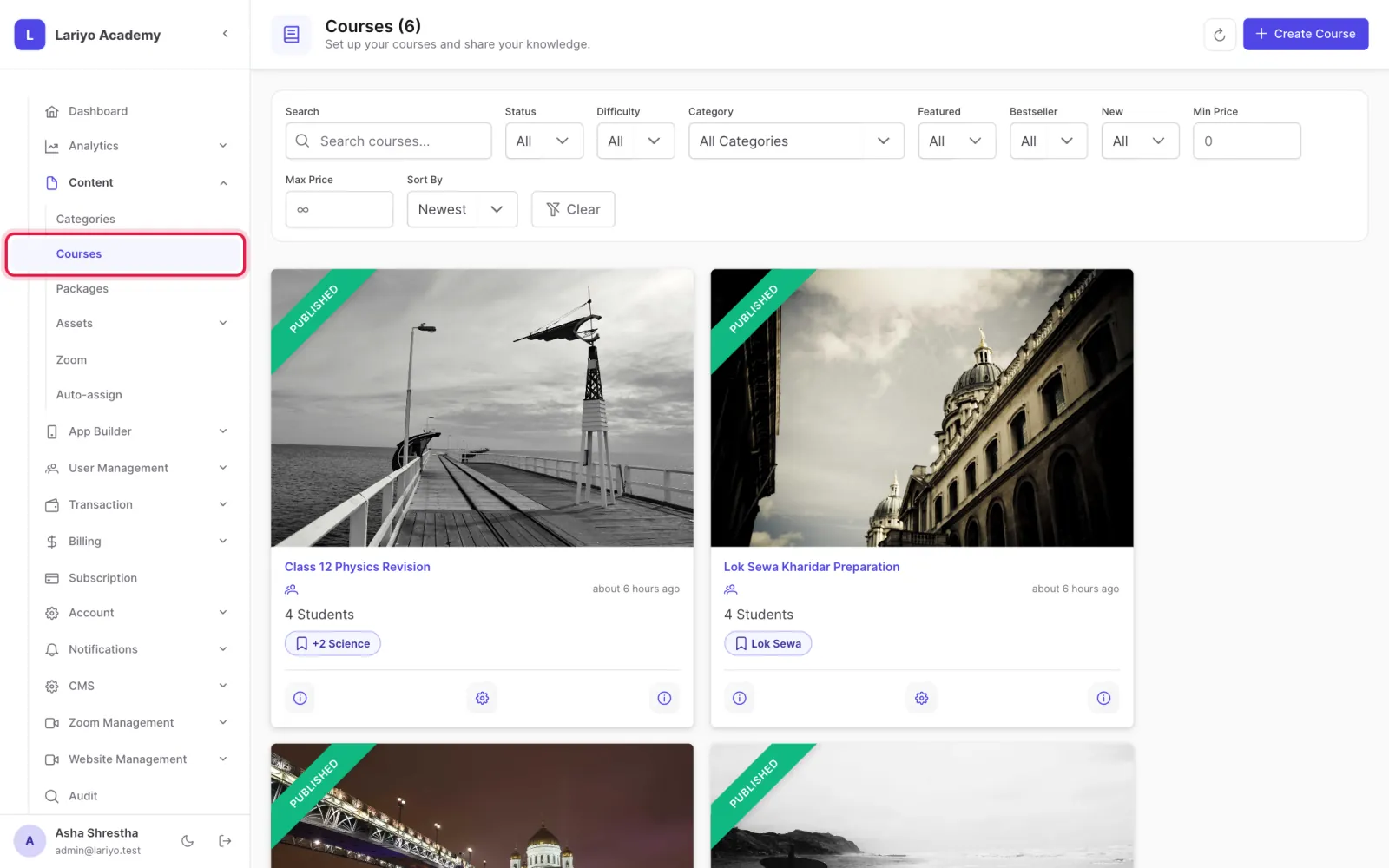
  1. Open Content → Courses.
    Step 1 of 5 in the Lariyo admin panel (Content → Courses): Open Content → Courses. The control to use is outlined in red.
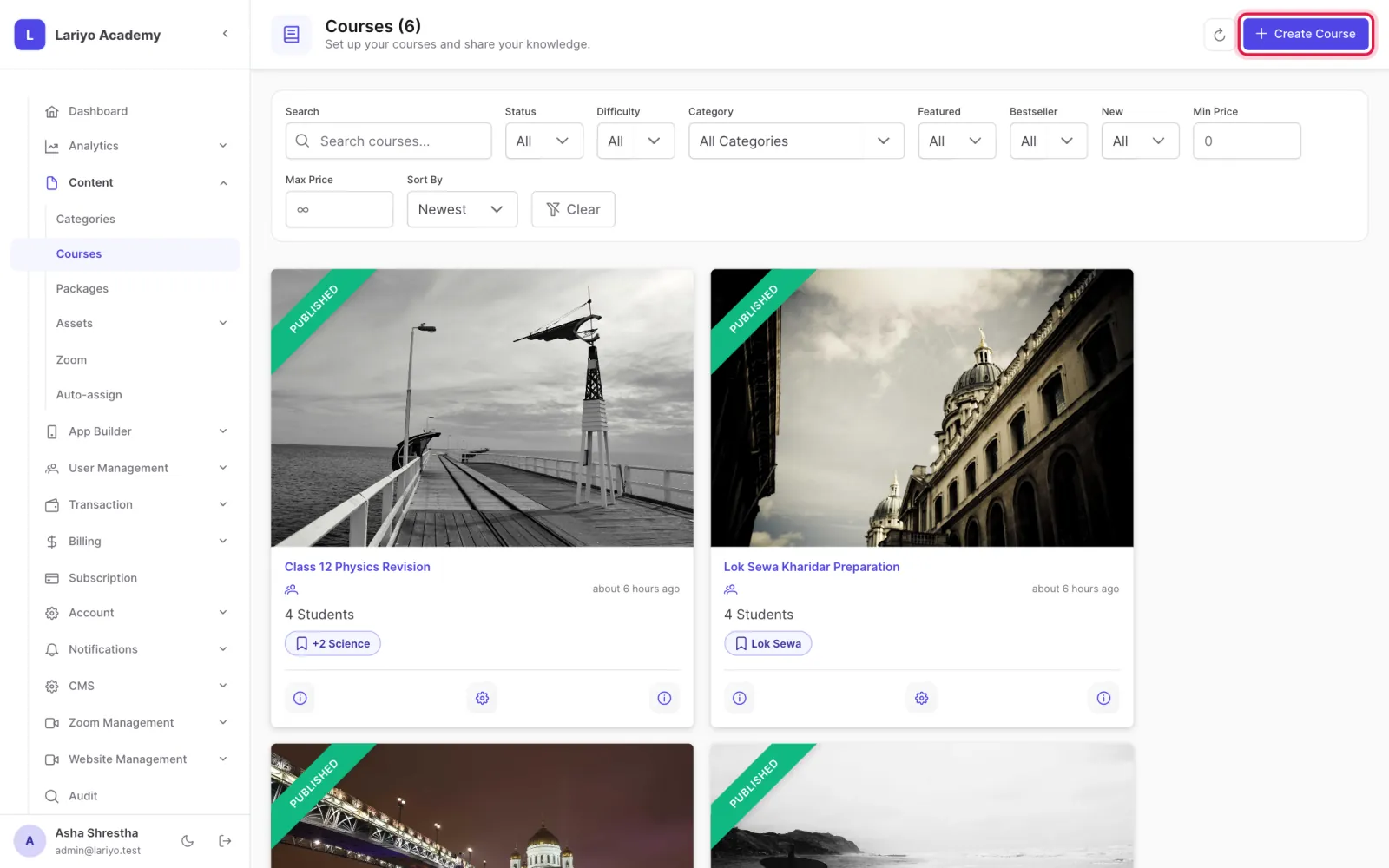
  2. Click Create Course.
    Step 2 of 5 in the Lariyo admin panel (Content → Courses): Click Create Course. The control to use is outlined in red.
  3. Type the title, a one- or two-sentence short description and the list price (and a discounted price if any).
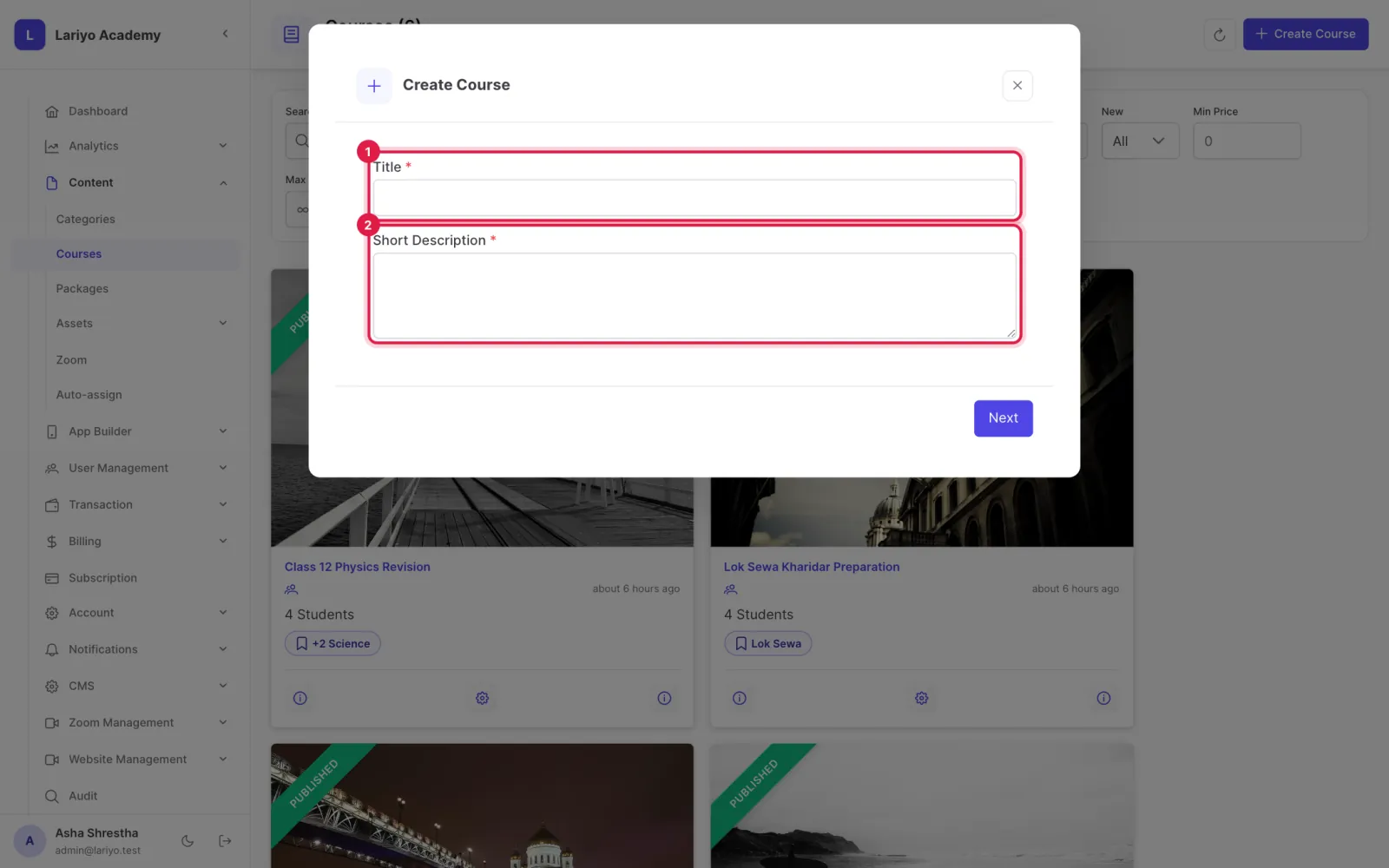
    Step 3 of 5 in the Lariyo admin panel (Content → Courses): Type the title, a one- or two-sentence short description and the list price (and a discounted price if any). The control to use is outlined in red.
  4. Click Next. The course opens on its details page, unpublished.
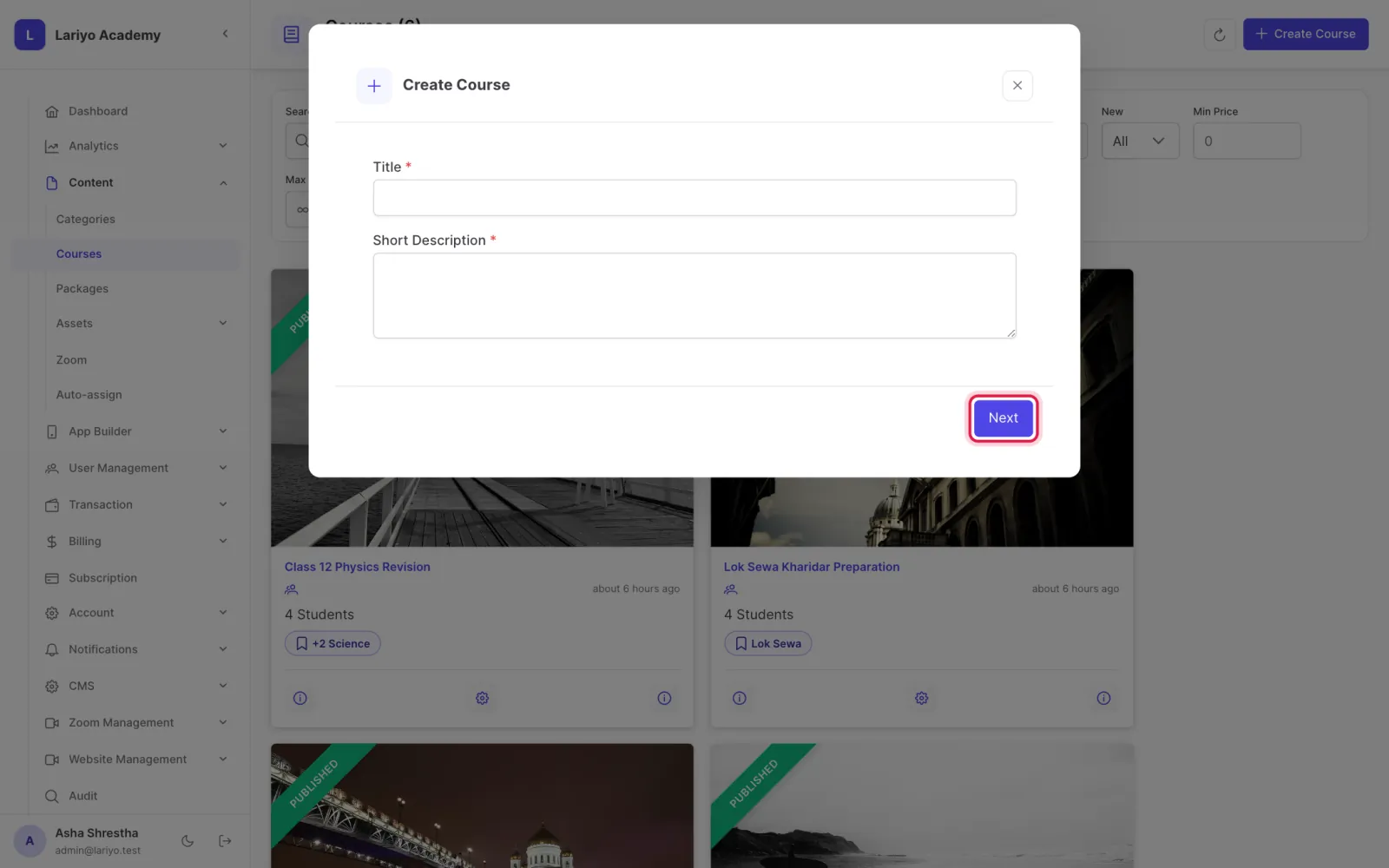
    Step 4 of 5 in the Lariyo admin panel (Content → Courses): Click Next. The course opens on its details page, unpublished. The control to use is outlined in red.
  5. Add a 3:2 thumbnail, a cover image, categories, pricing plans and content, then publish it.
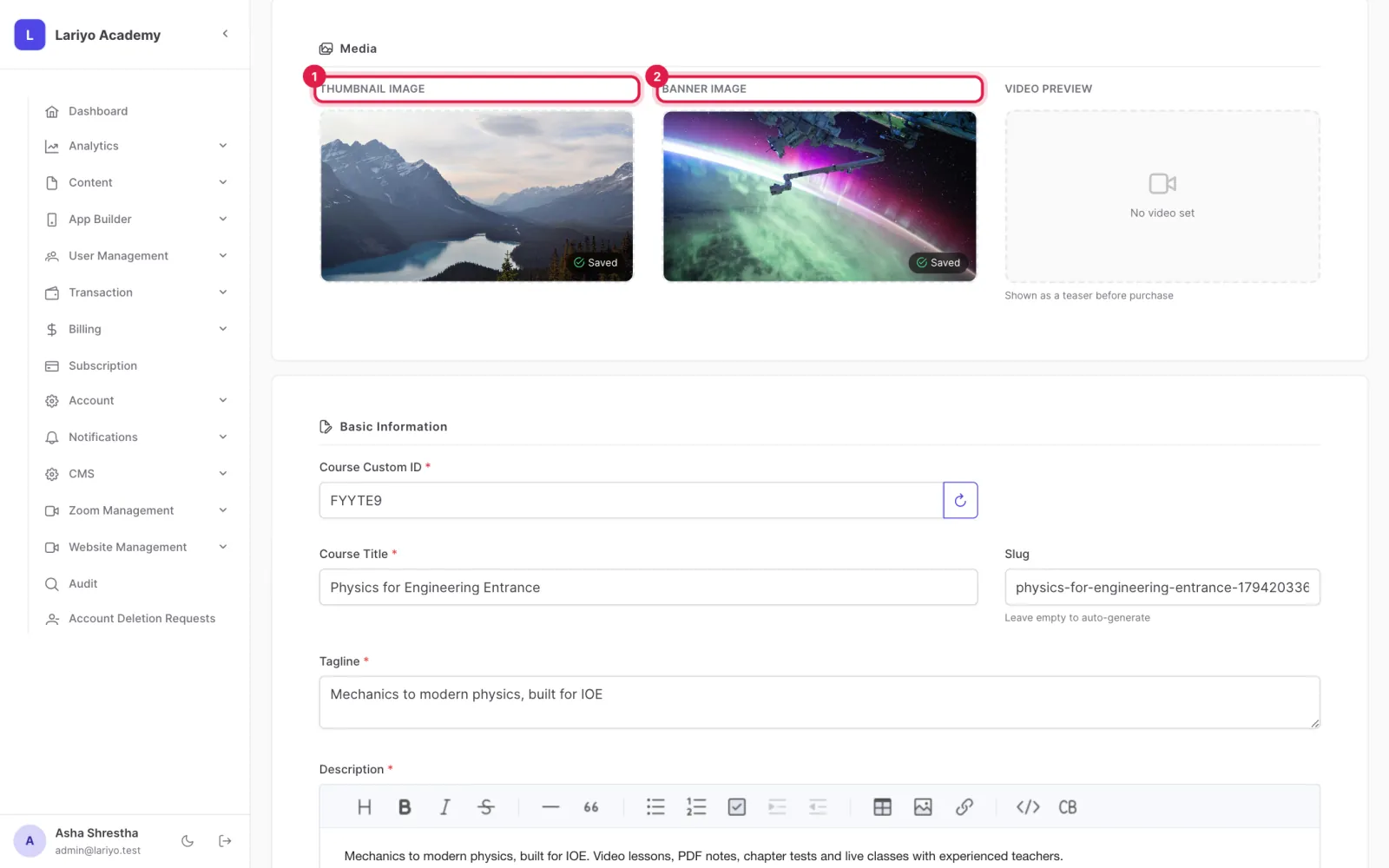
    Step 5 of 5 in the Lariyo admin panel (Content → Courses): Add a 3:2 thumbnail, a cover image, categories, pricing plans and content, then publish it. The control to use is outlined in red.

Tips

Use the filters for status, difficulty, category, featured, bestseller, new and price to find a course quickly.

Updated 11 November 2026. Still stuck? Contact us.