Choose video qualities

Video config sets which qualities every upload is converted to.

Where: Account → Video Config

Steps

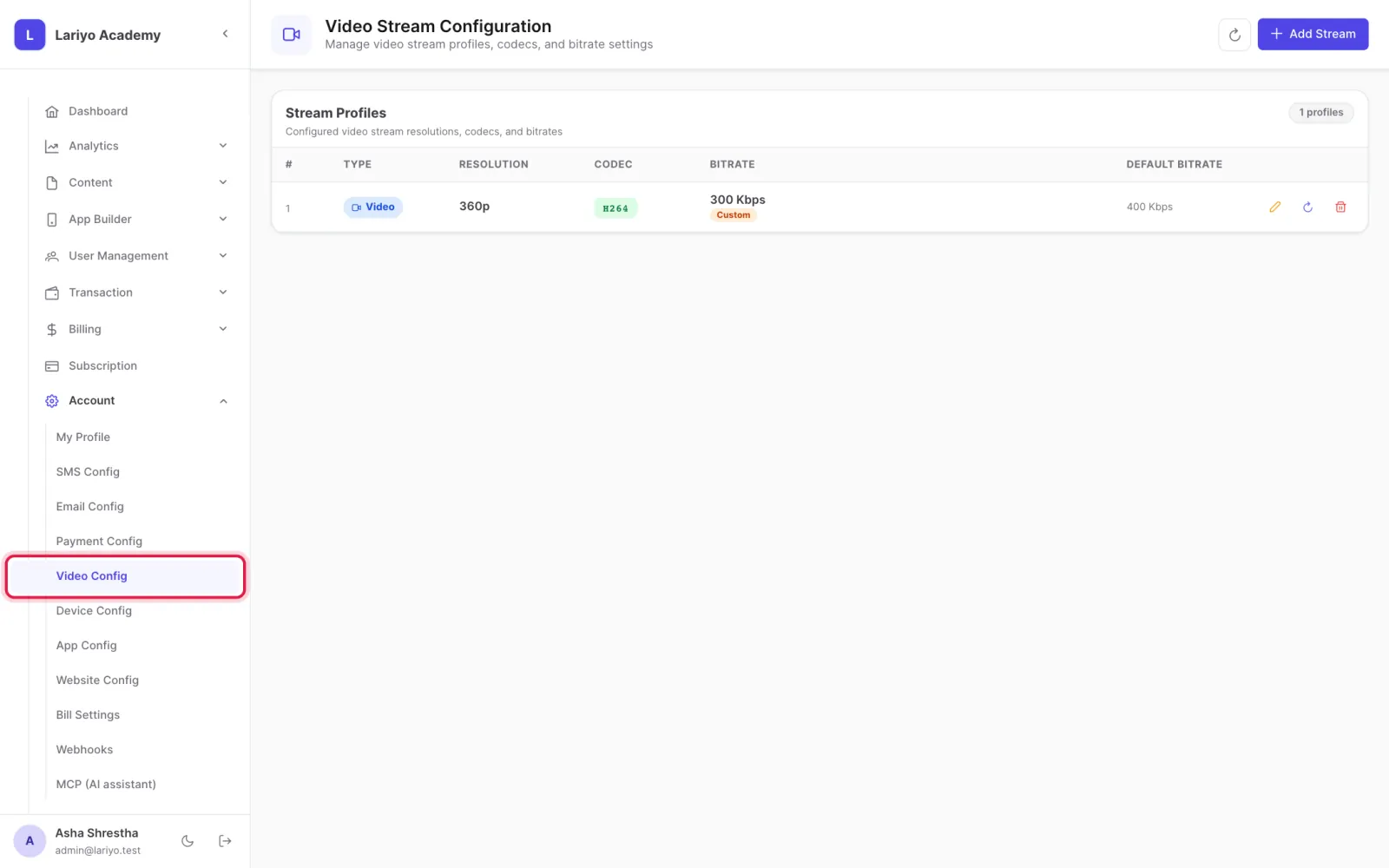
  1. Open Account → Video Config.
    Step 1 of 3 in the Lariyo admin panel (Account → Video Config): Open Account → Video Config. The control to use is outlined in red.
  2. Click Add Stream and choose the resolution, codec and bitrate.
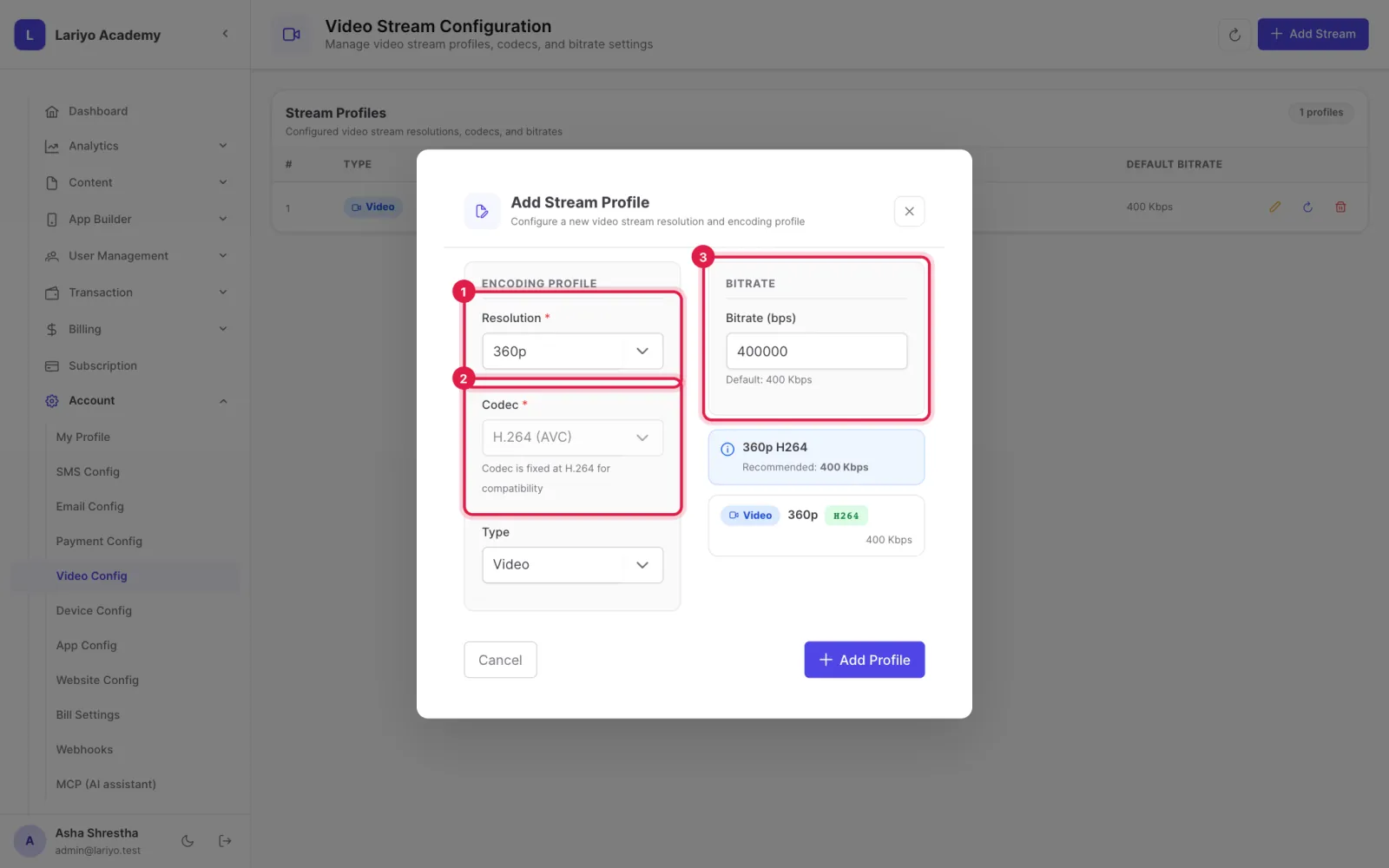
    Step 2 of 3 in the Lariyo admin panel (Account → Video Config): Click Add Stream and choose the resolution, codec and bitrate. The control to use is outlined in red.
  3. Remove qualities you do not need to save storage.
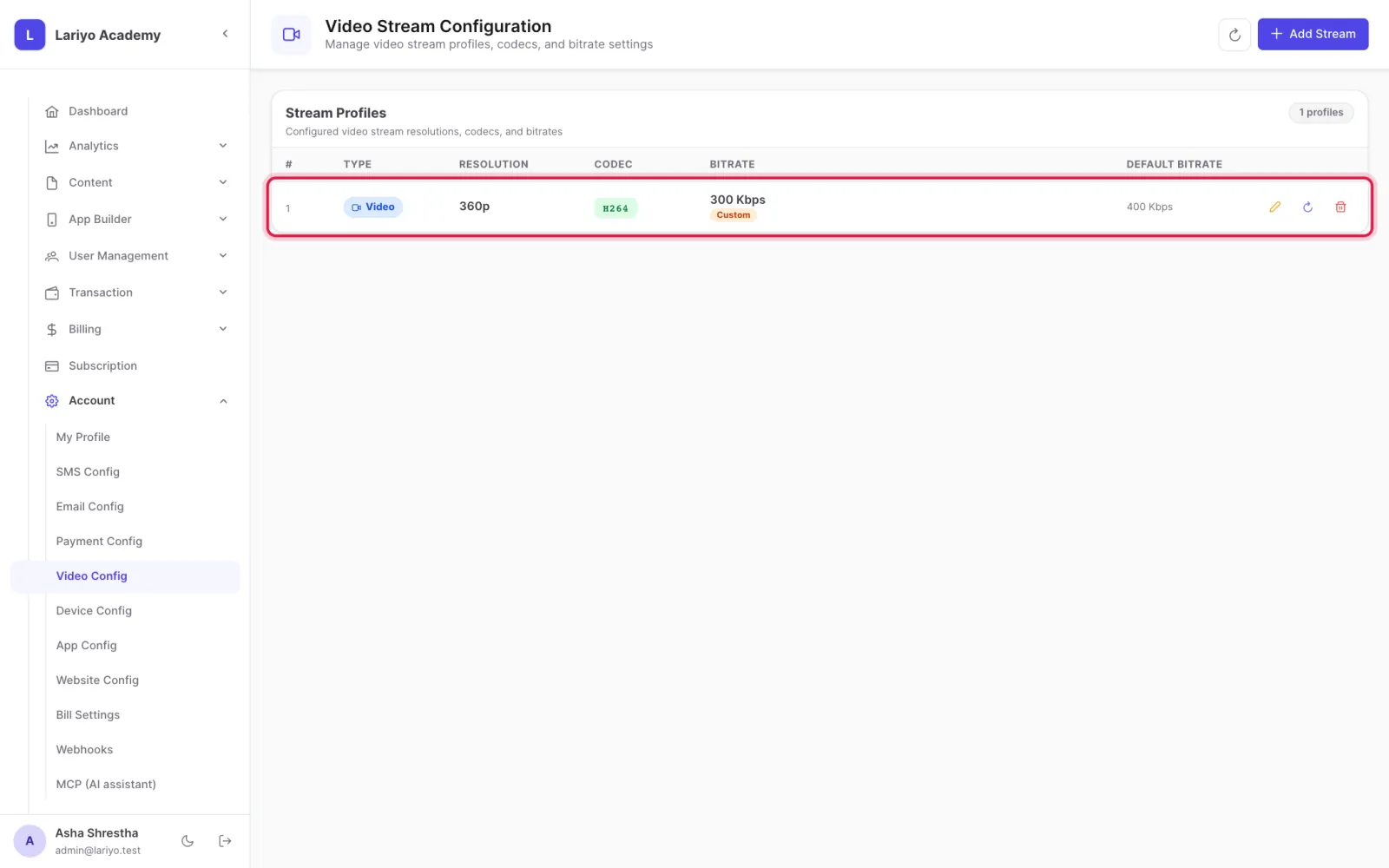
    Step 3 of 3 in the Lariyo admin panel (Account → Video Config): Remove qualities you do not need to save storage. The control to use is outlined in red.

Updated 11 November 2026. Still stuck? Contact us.