Set up email

Email goes through SMTP, SendGrid, Mailgun or AWS SES.

Where: Account → Email Config

Steps

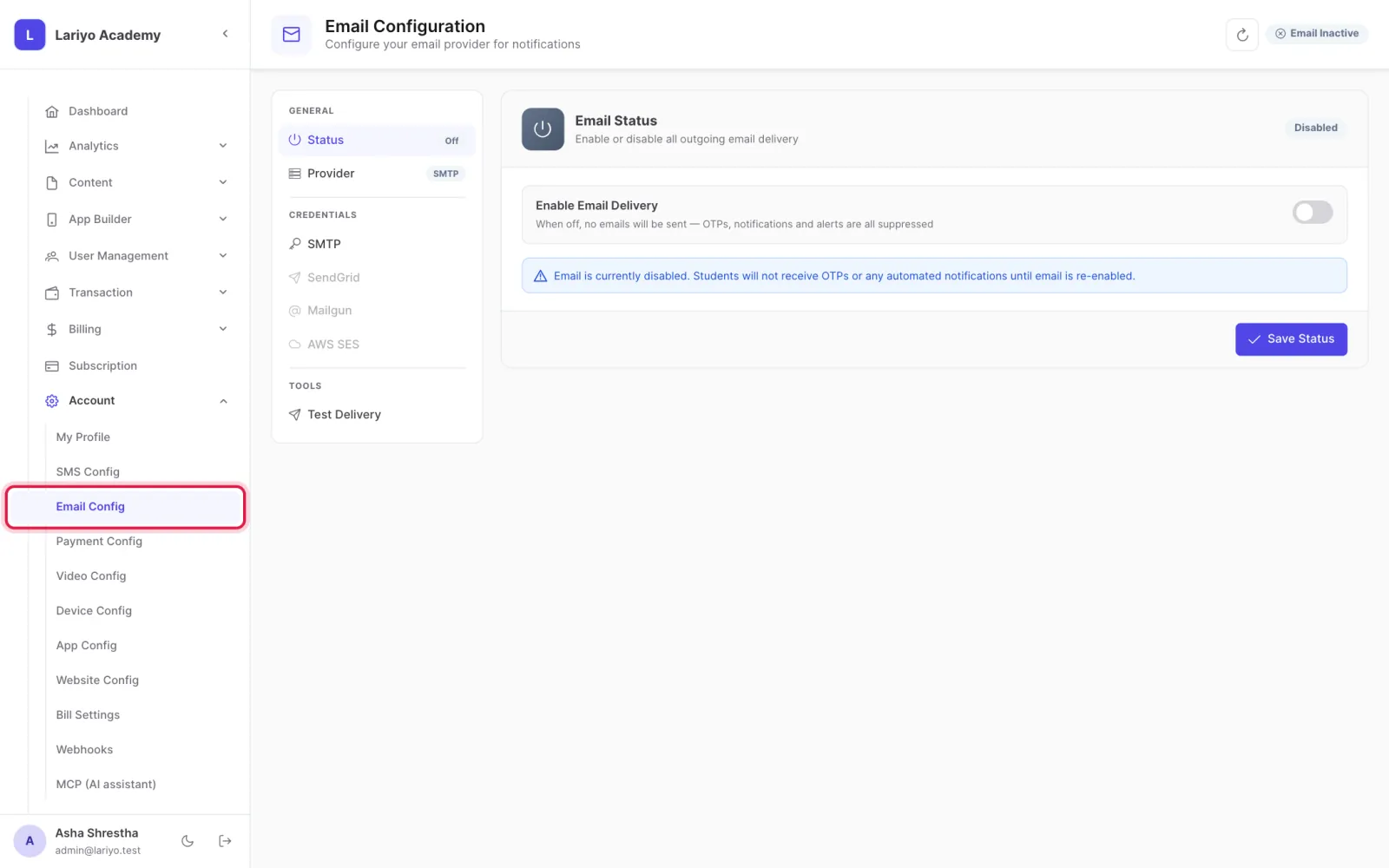
  1. Open Account → Email Config.
    Step 1 of 3 in the Lariyo admin panel (Account → Email Config): Open Account → Email Config. The control to use is outlined in red.
  2. Choose the provider and enter the host, port and login or API key, and the from name and address.
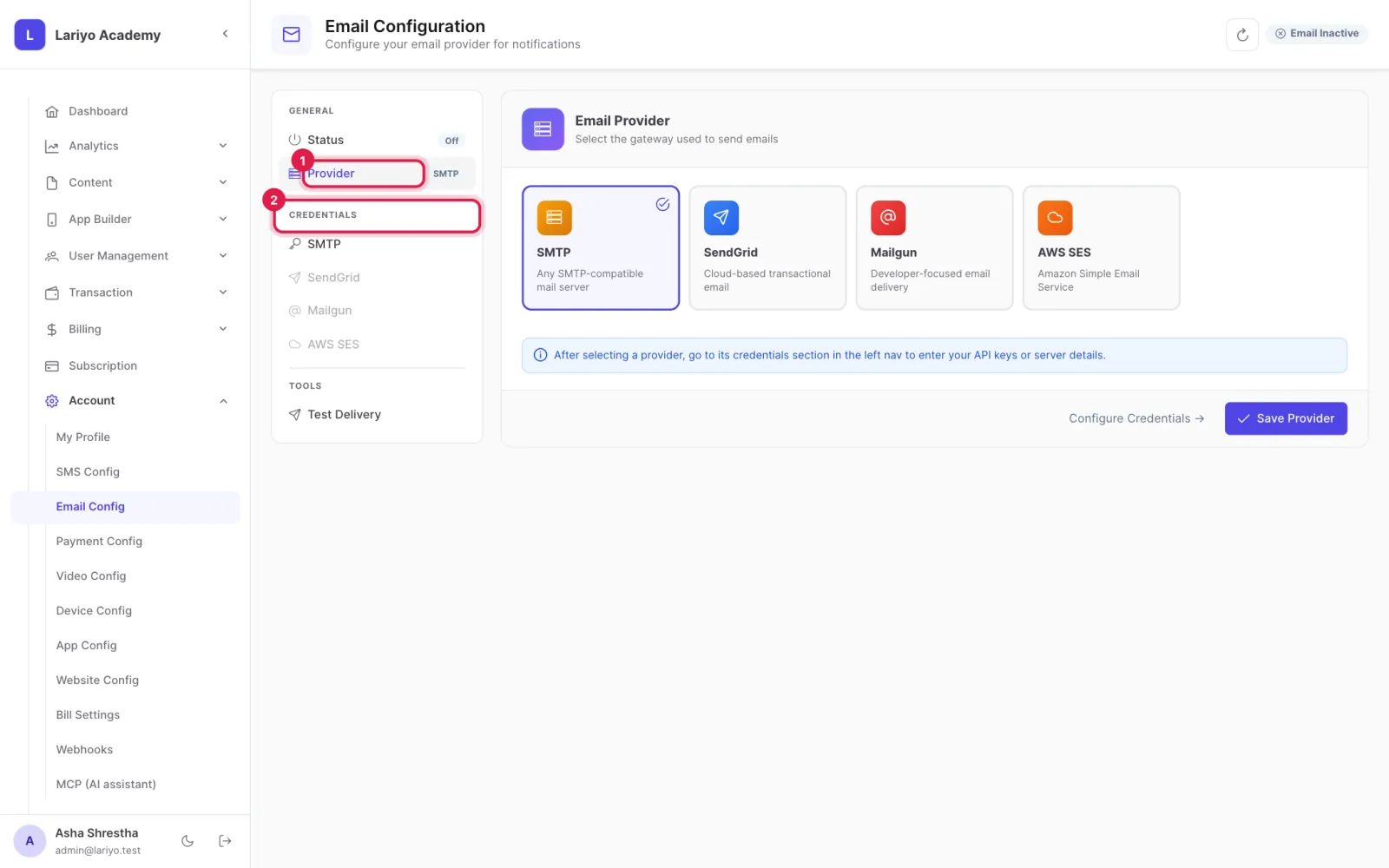
    Step 2 of 3 in the Lariyo admin panel (Account → Email Config): Choose the provider and enter the host, port and login or API key, and the from name and address. The control to use is outlined in red.
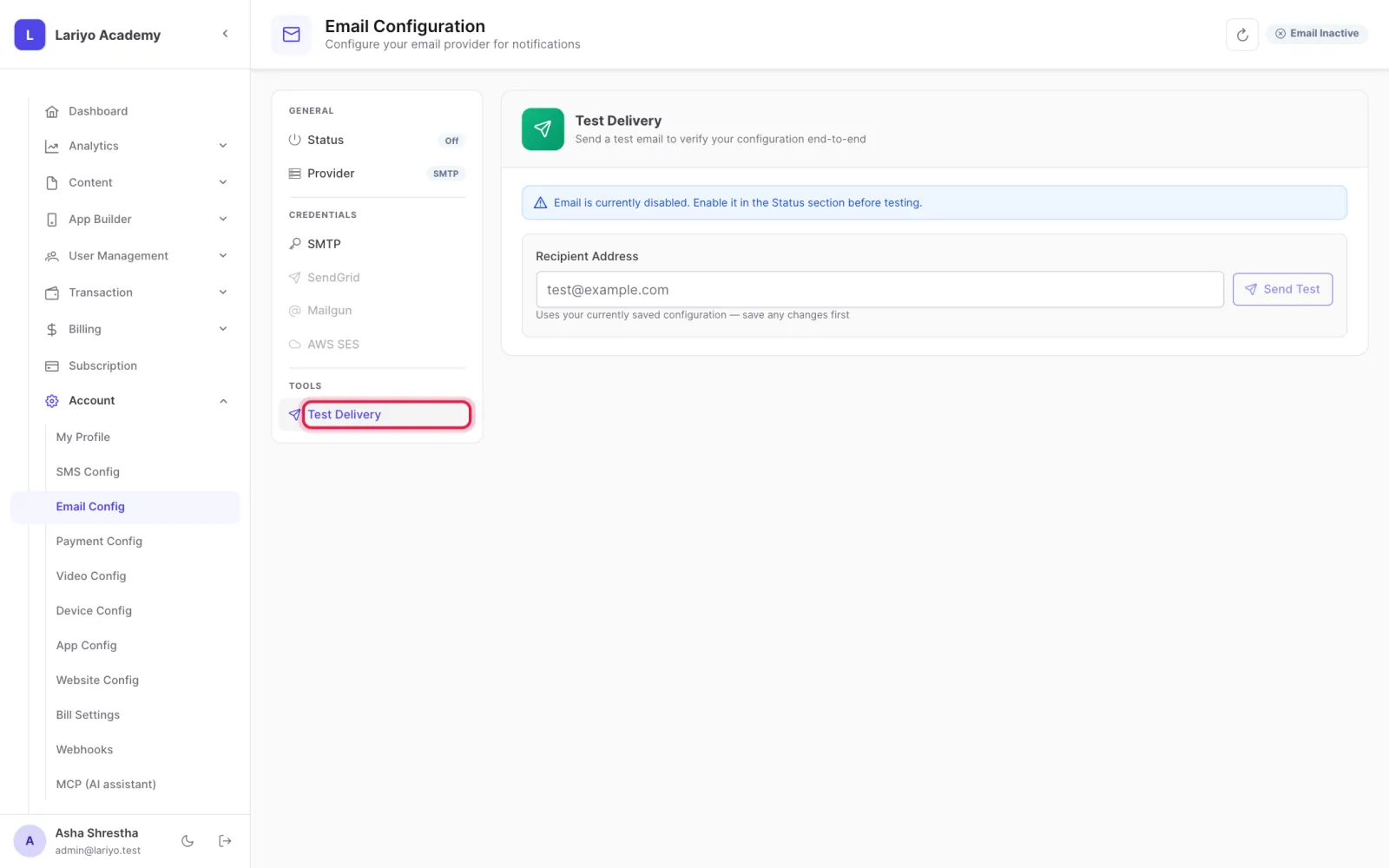
  3. Send a test email, then save.
    Step 3 of 3 in the Lariyo admin panel (Account → Email Config): Send a test email, then save. The control to use is outlined in red.

Updated 11 November 2026. Still stuck? Contact us.