Set up SMS

SMS sends OTP codes and login details through your provider: Twilio, MSG91, AWS SNS, Nexmo or any HTTP API.

Where: Account → SMS Config

Steps

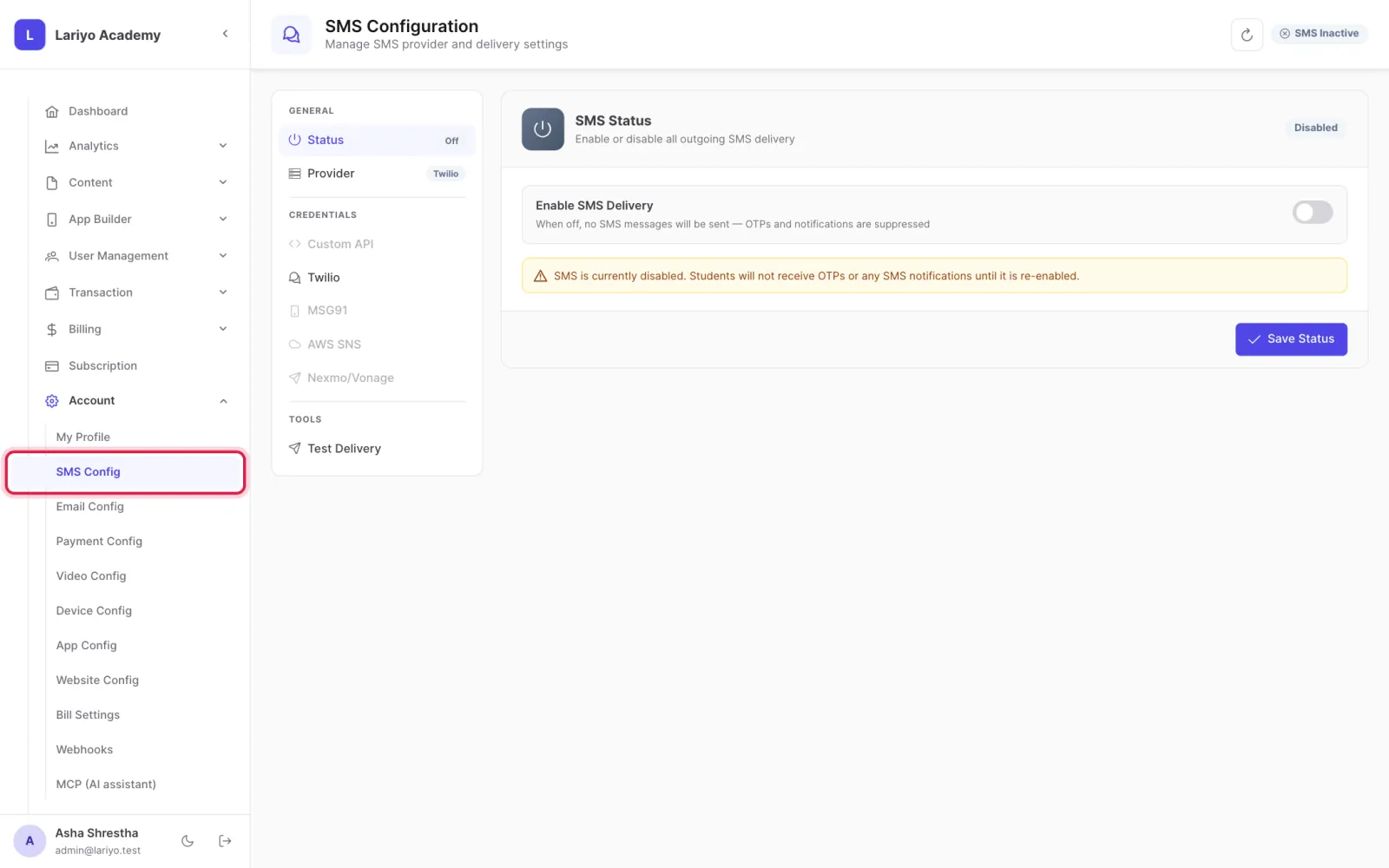
  1. Open Account → SMS Config.
    Step 1 of 3 in the Lariyo admin panel (Account → SMS Config): Open Account → SMS Config. The control to use is outlined in red.
  2. Choose the provider and enter its credentials.
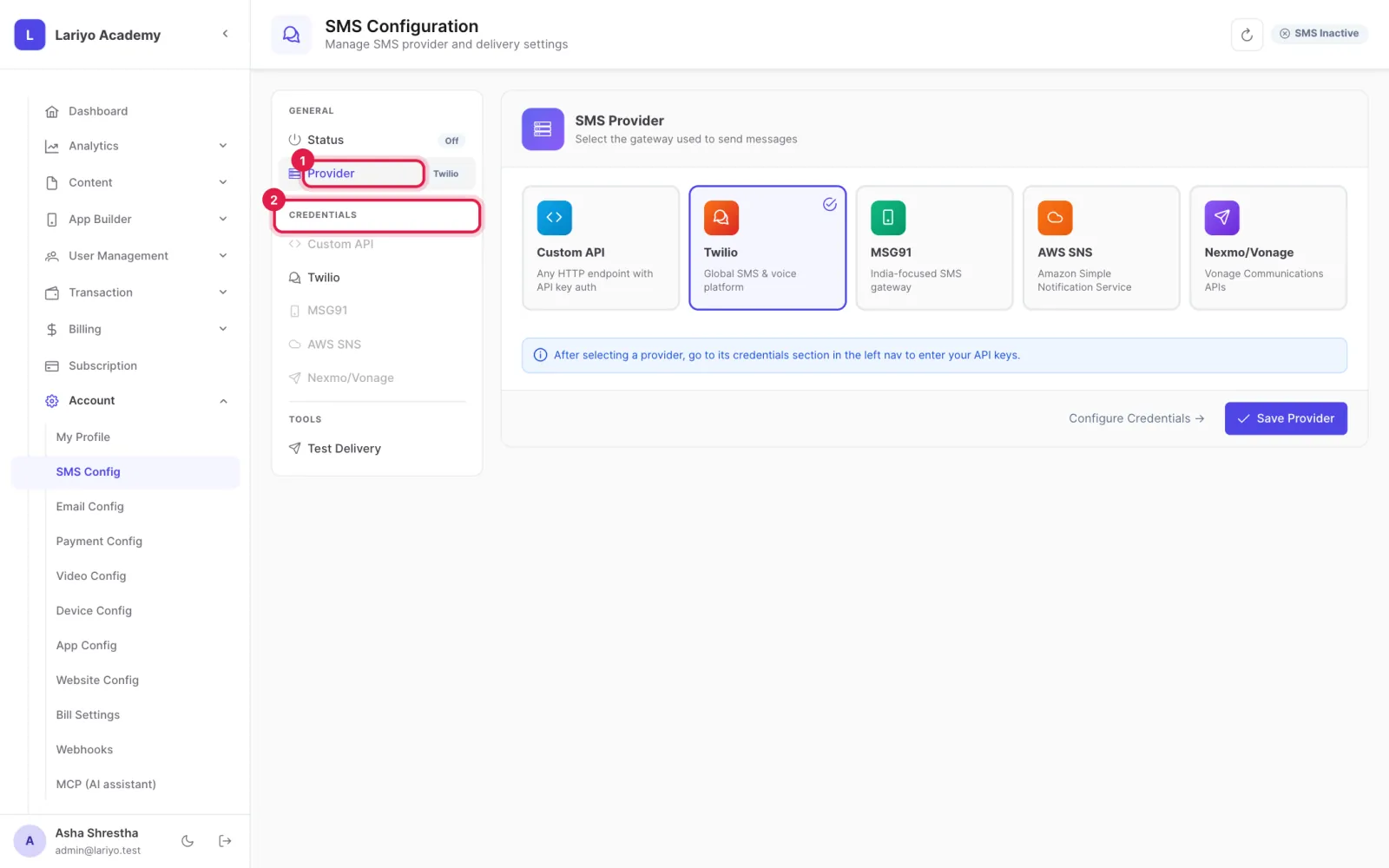
    Step 2 of 3 in the Lariyo admin panel (Account → SMS Config): Choose the provider and enter its credentials. The control to use is outlined in red.
  3. Send a test SMS to check it, then save.
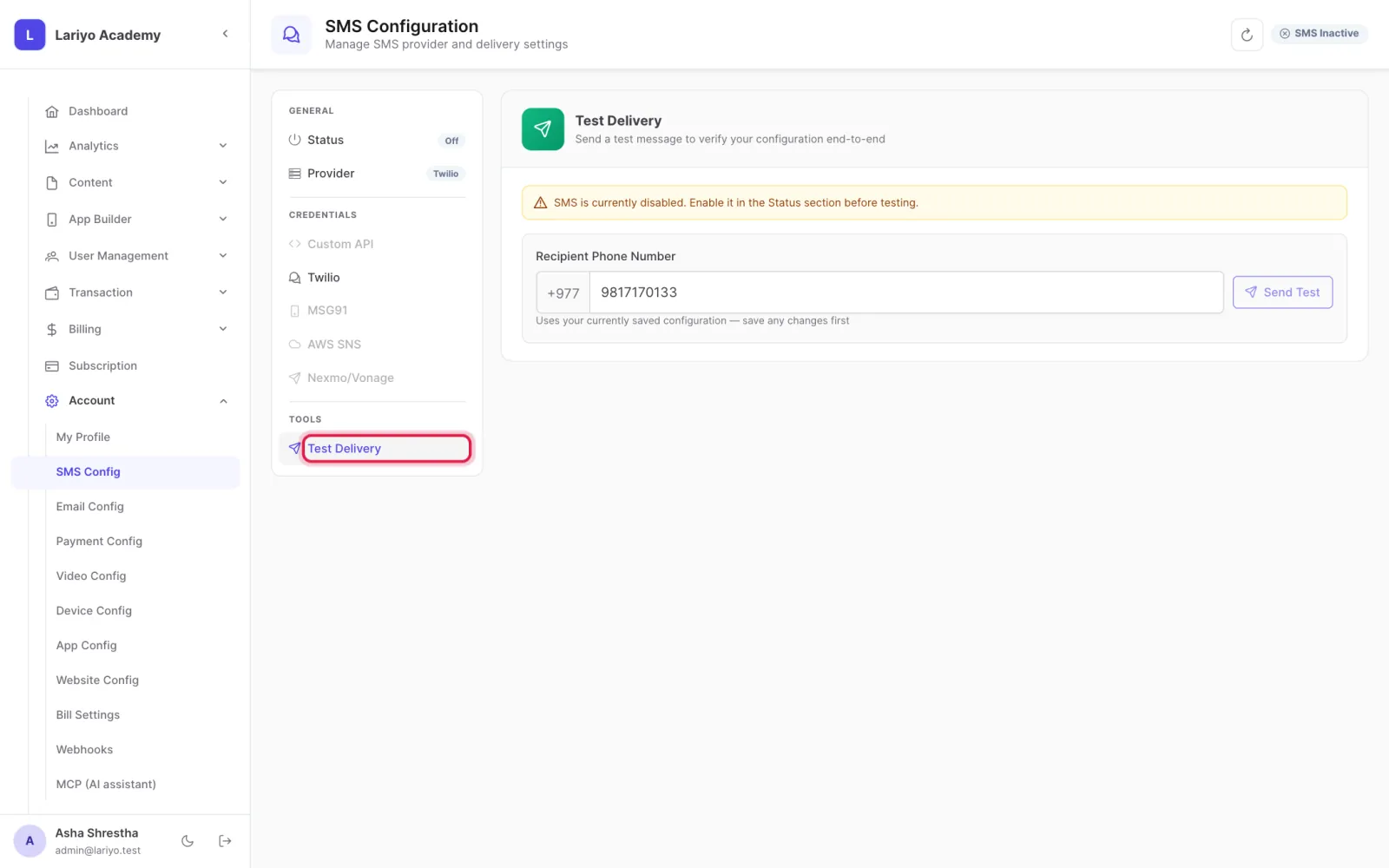
    Step 3 of 3 in the Lariyo admin panel (Account → SMS Config): Send a test SMS to check it, then save. The control to use is outlined in red.

Updated 11 November 2026. Still stuck? Contact us.