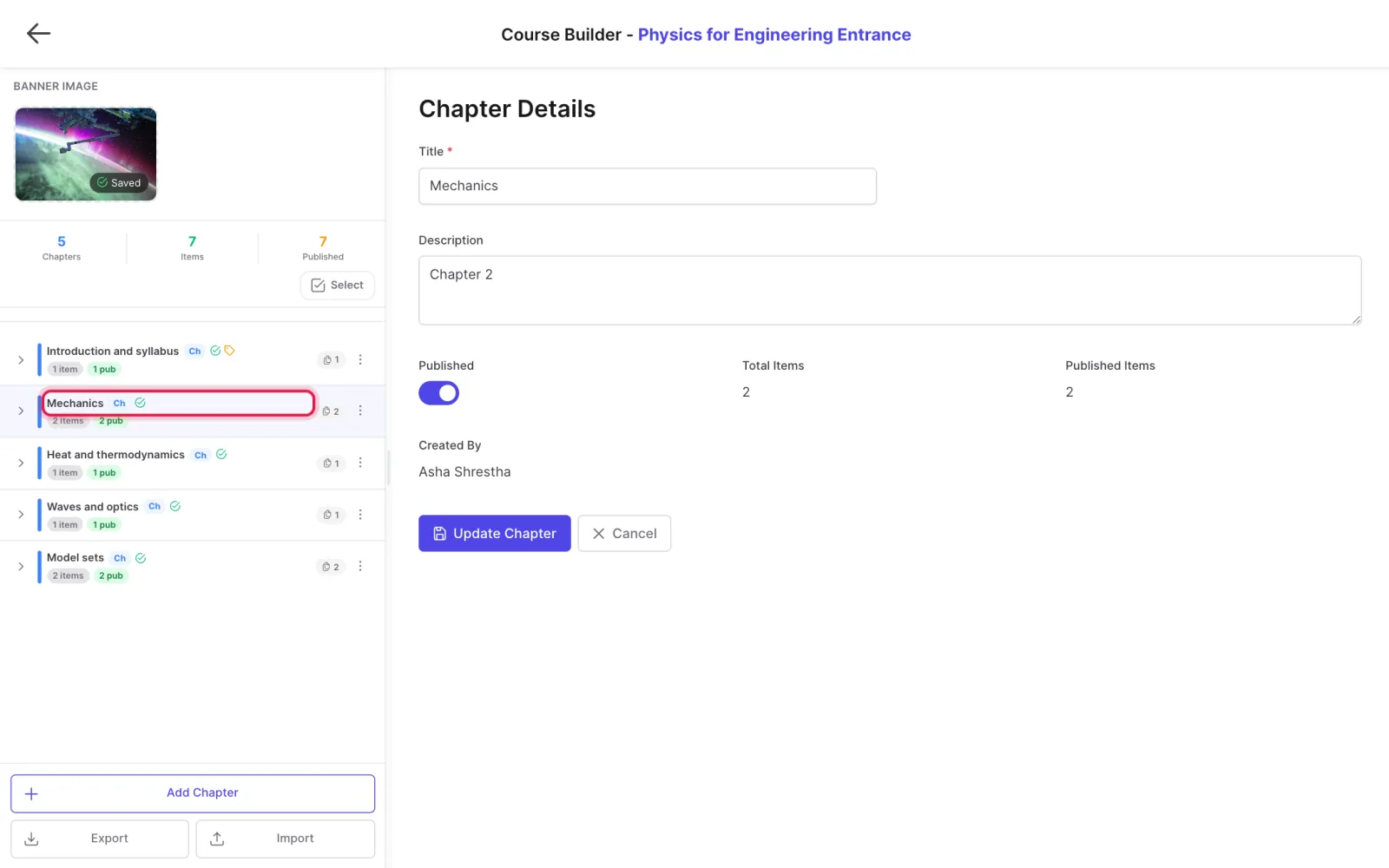
Run a written (subjective) test

Students download a question paper, upload their written answers, and teachers check and mark them.

Where: Content → Assets → Subjective Tests

Steps

  1. Open Content → Assets → Subjective Tests and click New Subjective Test.
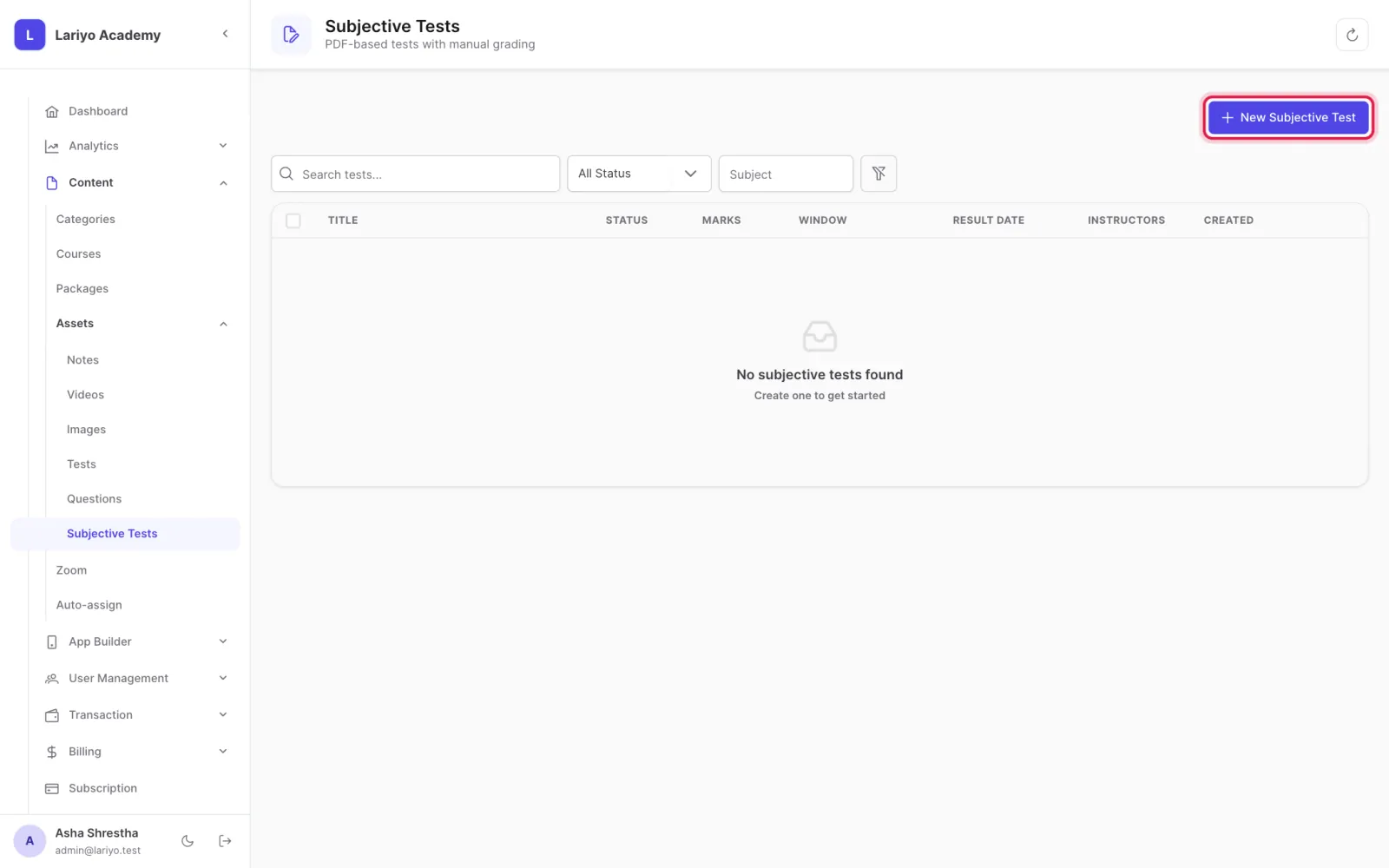
    Step 1 of 5 in the Lariyo admin panel (Content → Assets → Subjective Tests): Open Content → Assets → Subjective Tests and click New Subjective Test. The control to use is outlined in red.
  2. Upload the question paper PDF and set total marks, the window (opens, closes) and the result date.
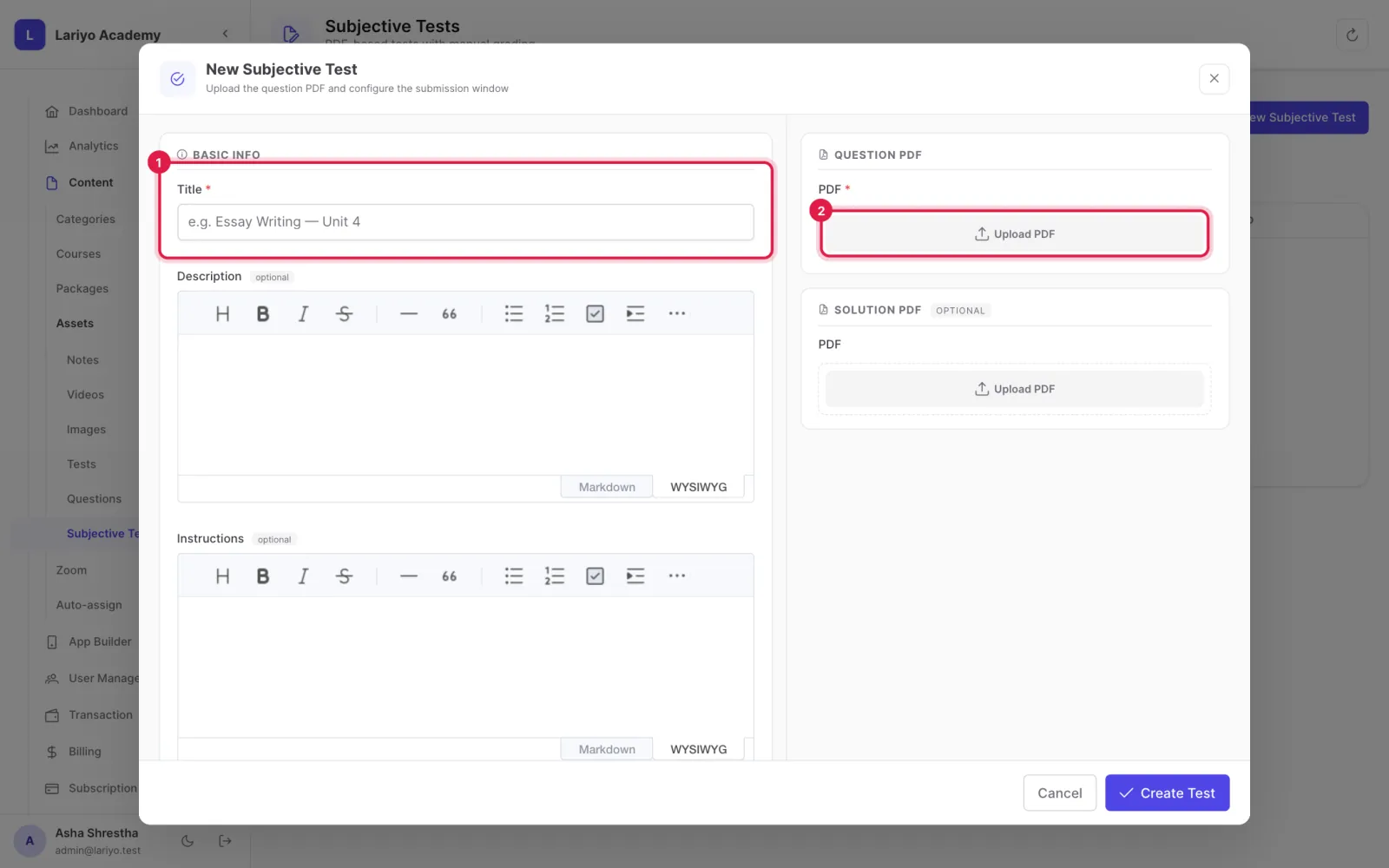
    Step 2 of 5 in the Lariyo admin panel (Content → Assets → Subjective Tests): Upload the question paper PDF and set total marks, the window (opens, closes) and the result date. The control to use is outlined in red.
  3. Optionally set an exam duration and a late grace period, and assign the instructors who check it.
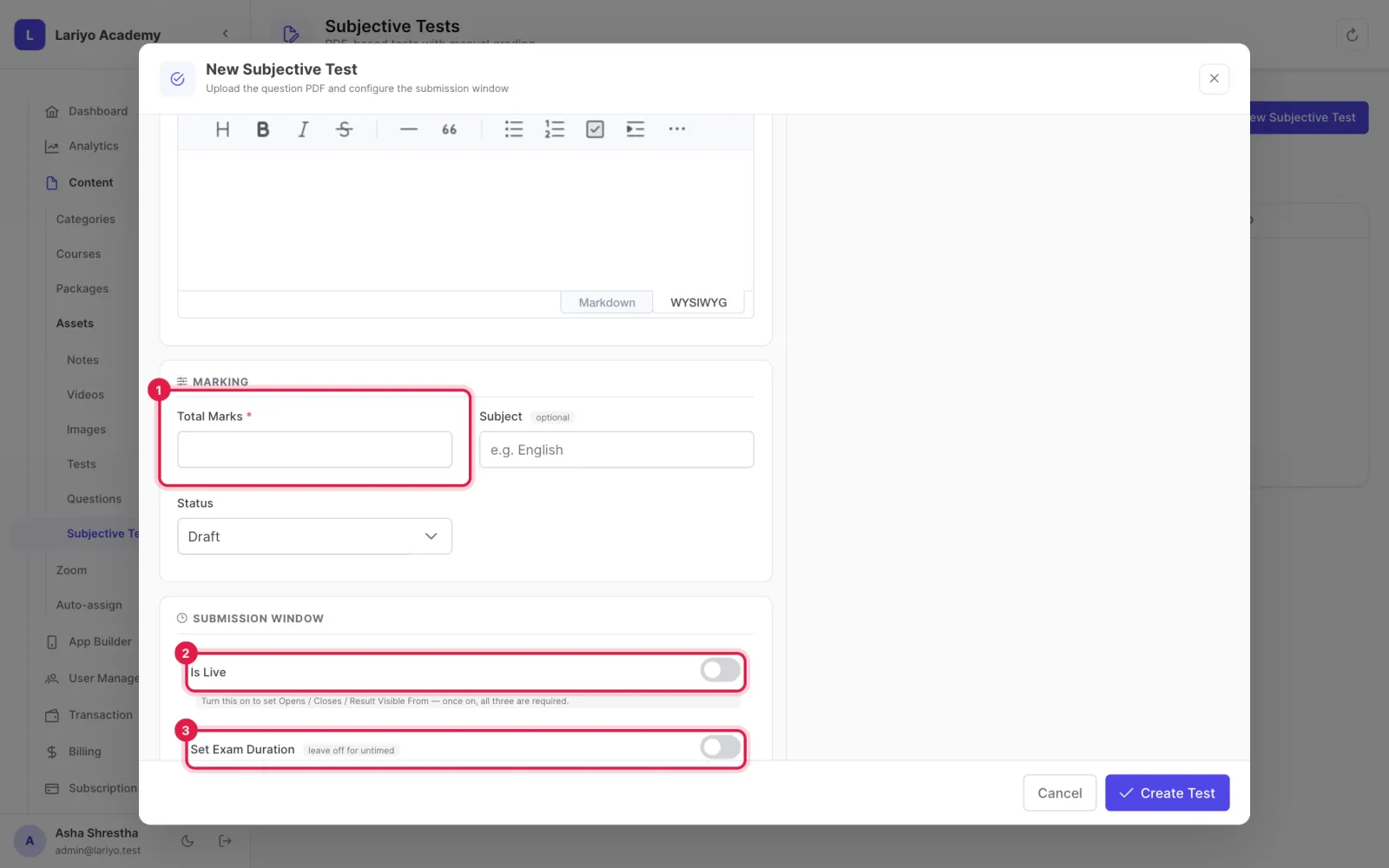
    Step 3 of 5 in the Lariyo admin panel (Content → Assets → Subjective Tests): Optionally set an exam duration and a late grace period, and assign the instructors who check it. The control to use is outlined in red.
  4. Place it in a chapter.
    Step 4 of 5 in the Lariyo admin panel (Content → Assets → Subjective Tests): Place it in a chapter. The control to use is outlined in red.
  5. Check answers in Analytics → Subjective Tests: open a submission, give marks and release the result.
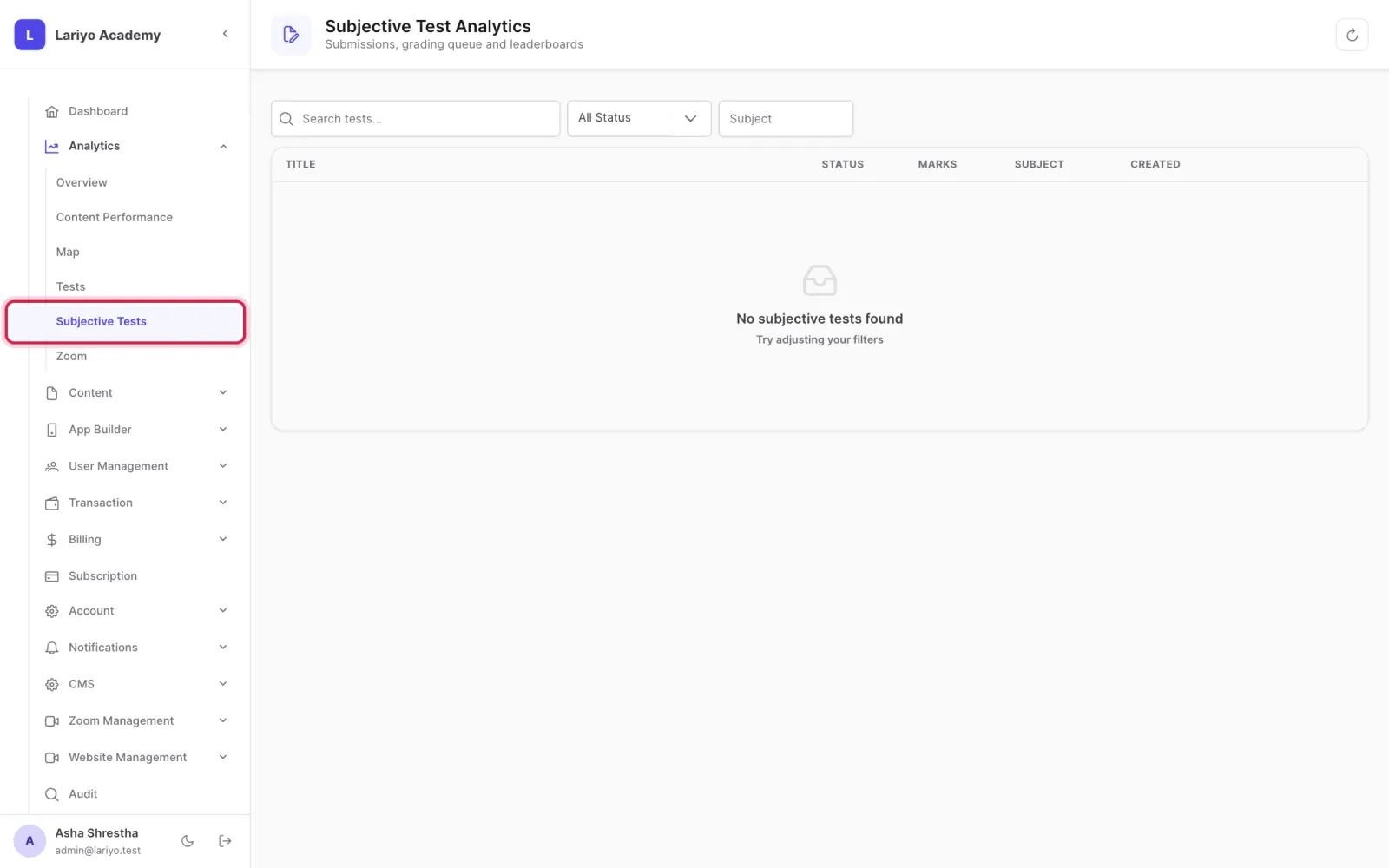
    Step 5 of 5 in the Lariyo admin panel (Content → Assets → Subjective Tests): Check answers in Analytics → Subjective Tests: open a submission, give marks and release the result. The control to use is outlined in red.

Updated 11 November 2026. Still stuck? Contact us.