

Create an MCQ test
A test takes questions from the bank and adds a duration, pass mark, live window and result date.
Where: Content → Assets → Tests
Steps
-
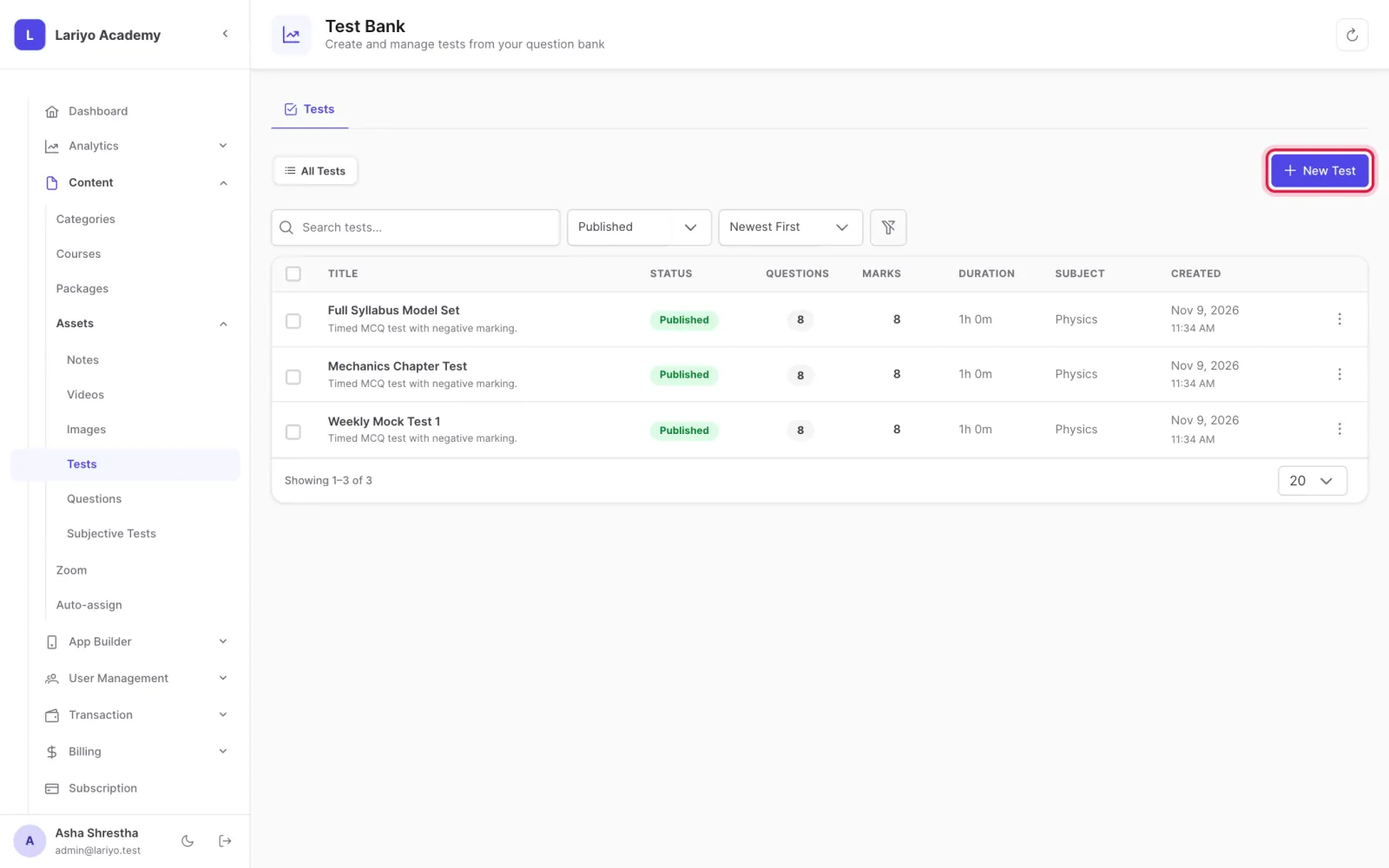
Open Content → Assets → Tests and click New Test.
-
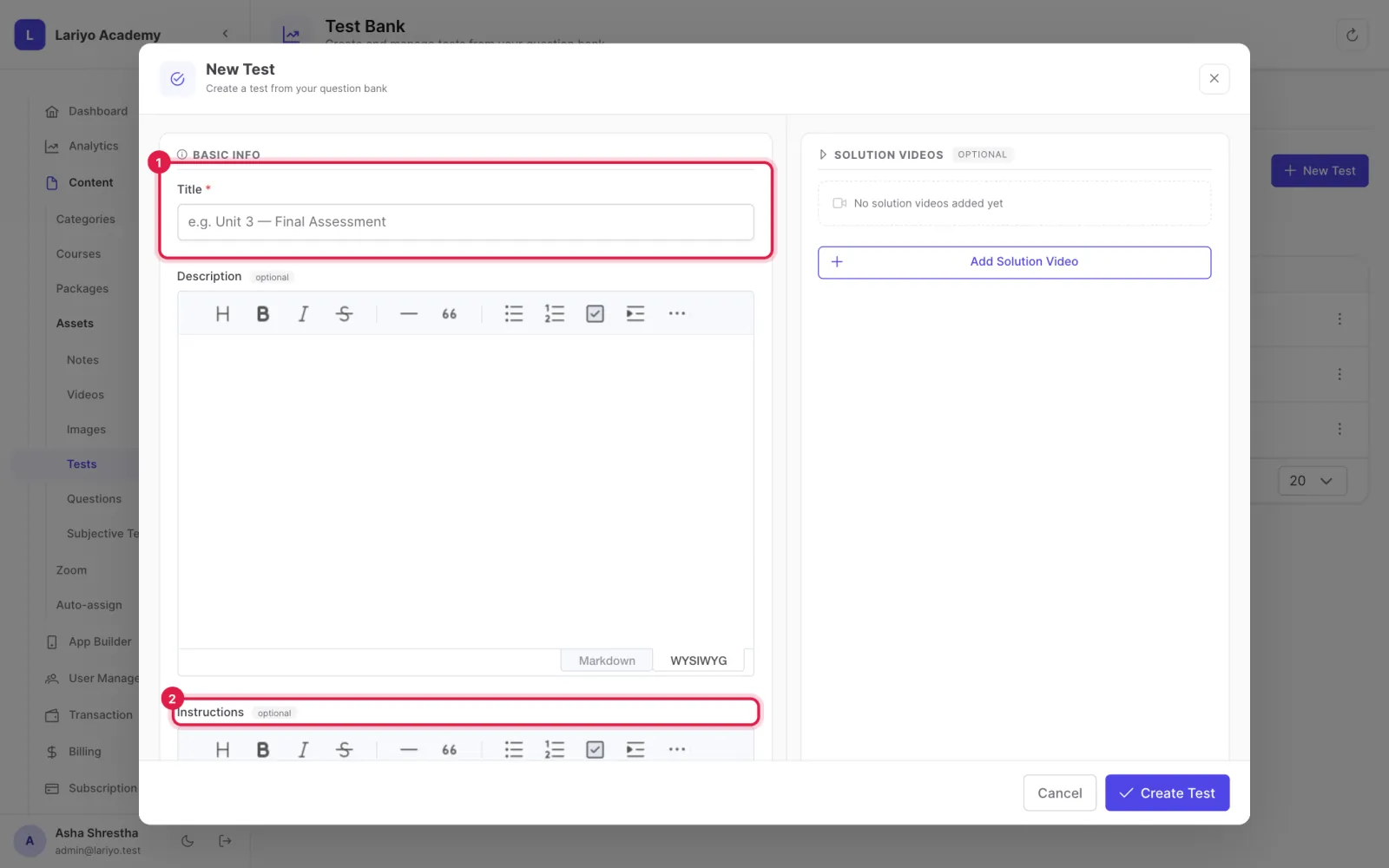
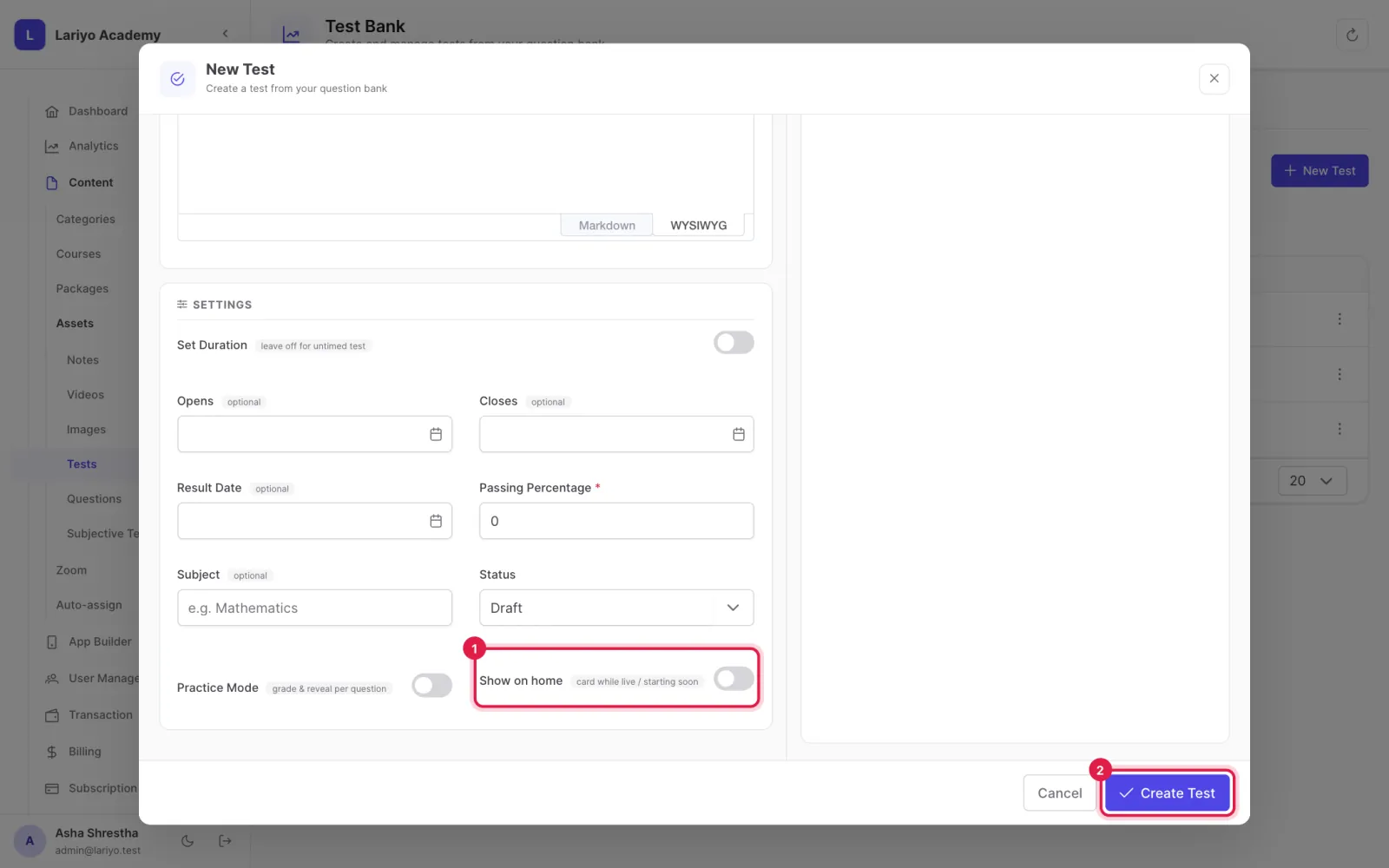
Enter the title, instructions and duration (or leave it untimed).
-
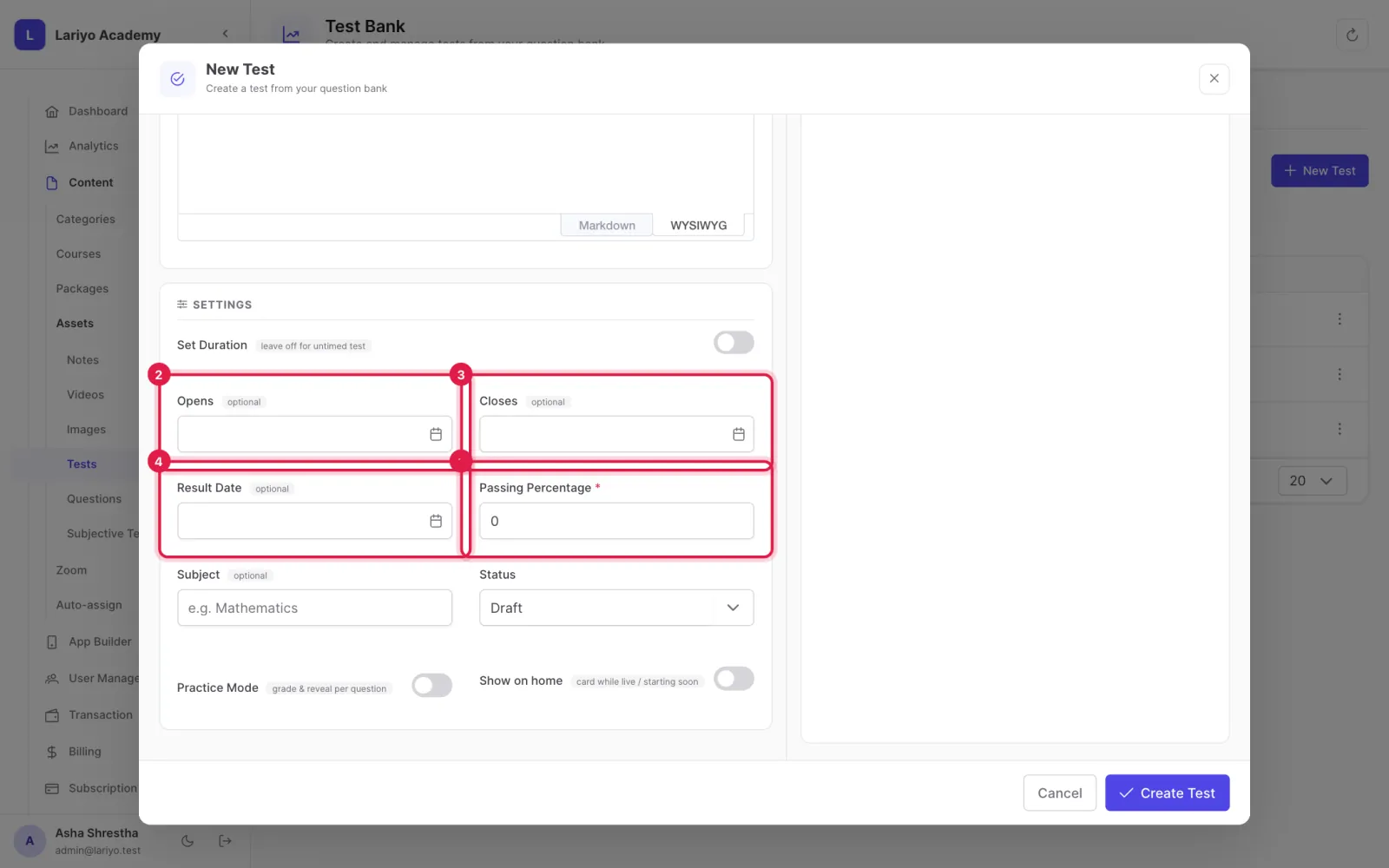
Set the pass percentage and, for a scheduled test, when it opens, closes and when results appear.
-
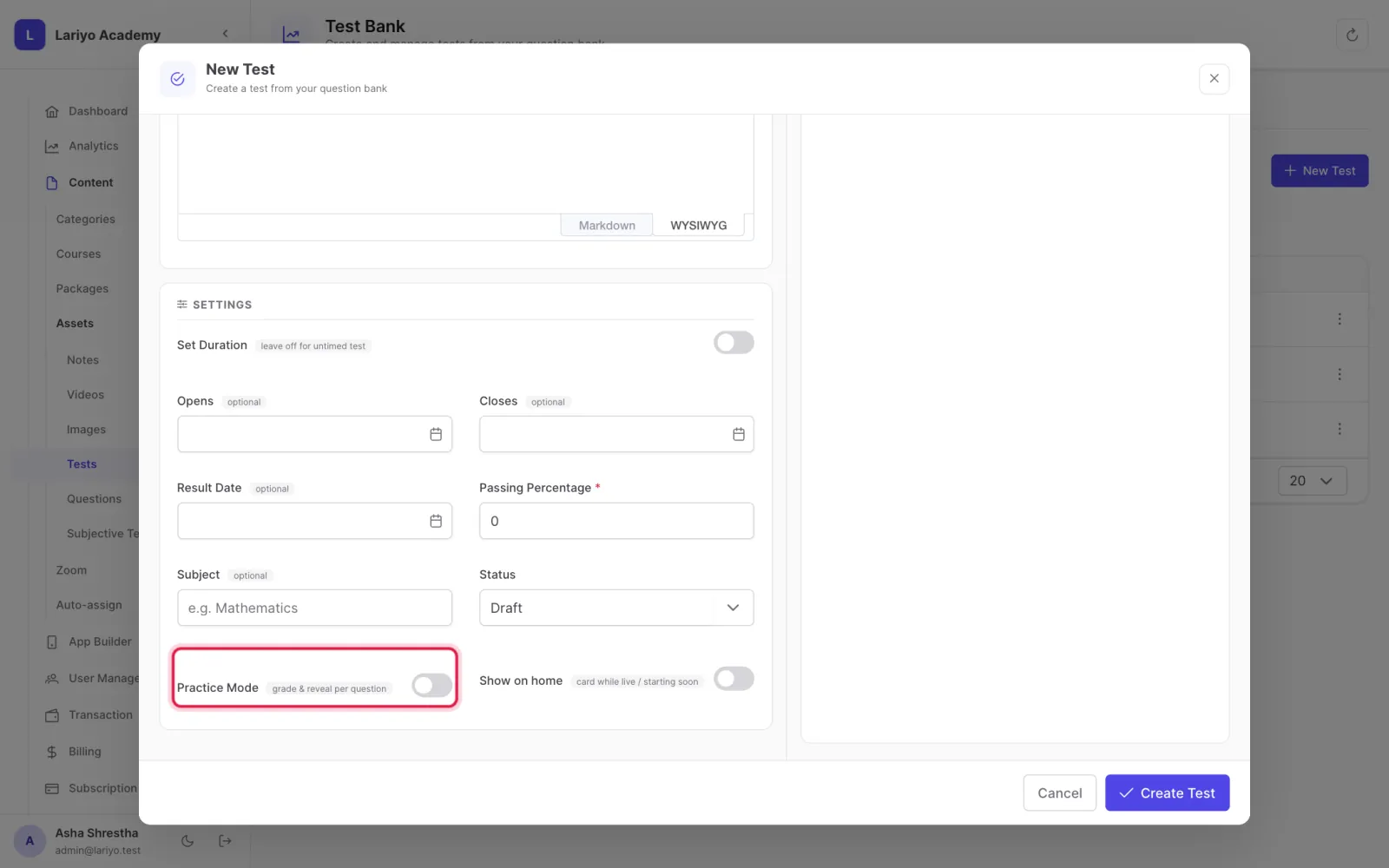
Choose Practice mode to grade and reveal each answer as the student goes.
-
Tick Show on home card for a live test, then create it.
-
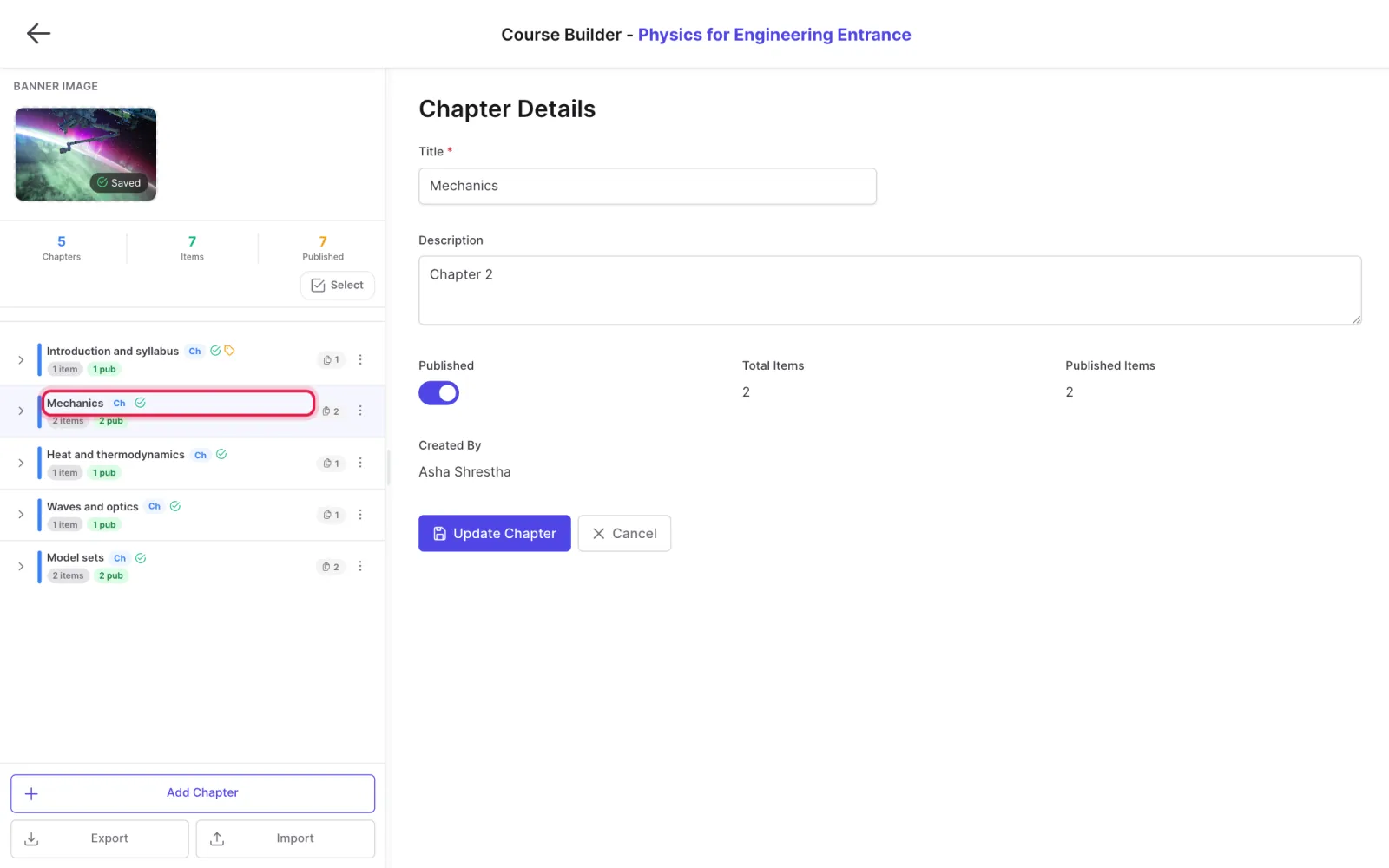
Add questions from the bank and place the test in a chapter.
Tips
A test is seen by students only once it is published and placed in a published chapter.
Updated 11 November 2026. Still stuck? Contact us.