Import questions from Word, Excel or ZIP

Bulk import reads hundreds of questions at once; Word equations become LaTeX and ZIP files carry images.

Where: Content → Assets → Questions → Bulk

Steps

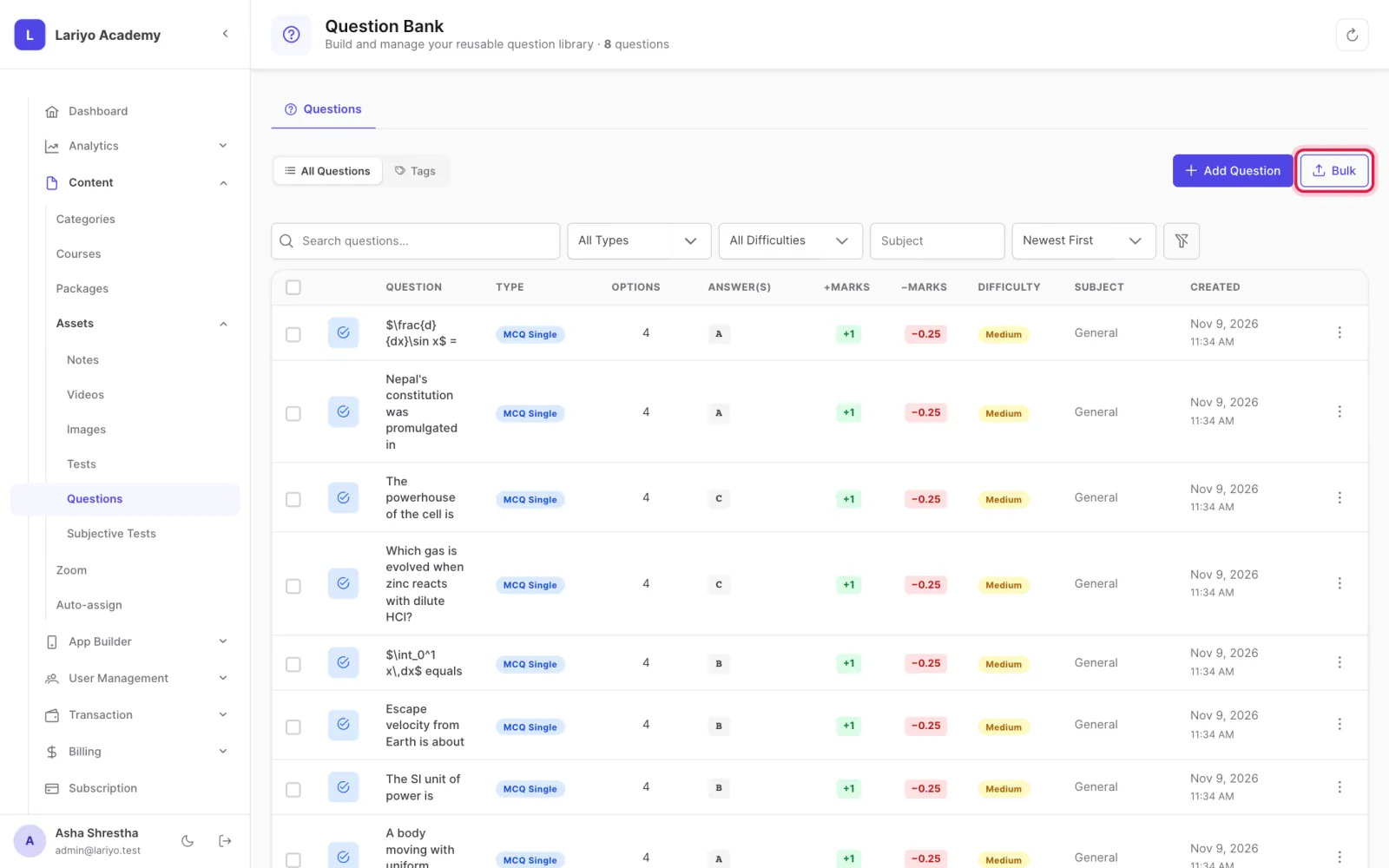
  1. Click Bulk on the Questions page.
    Step 1 of 4 in the Lariyo admin panel (Content → Assets → Questions → Bulk): Click Bulk on the Questions page. The control to use is outlined in red.
  2. Download the sample file for Excel, ZIP or Word and fill it in.
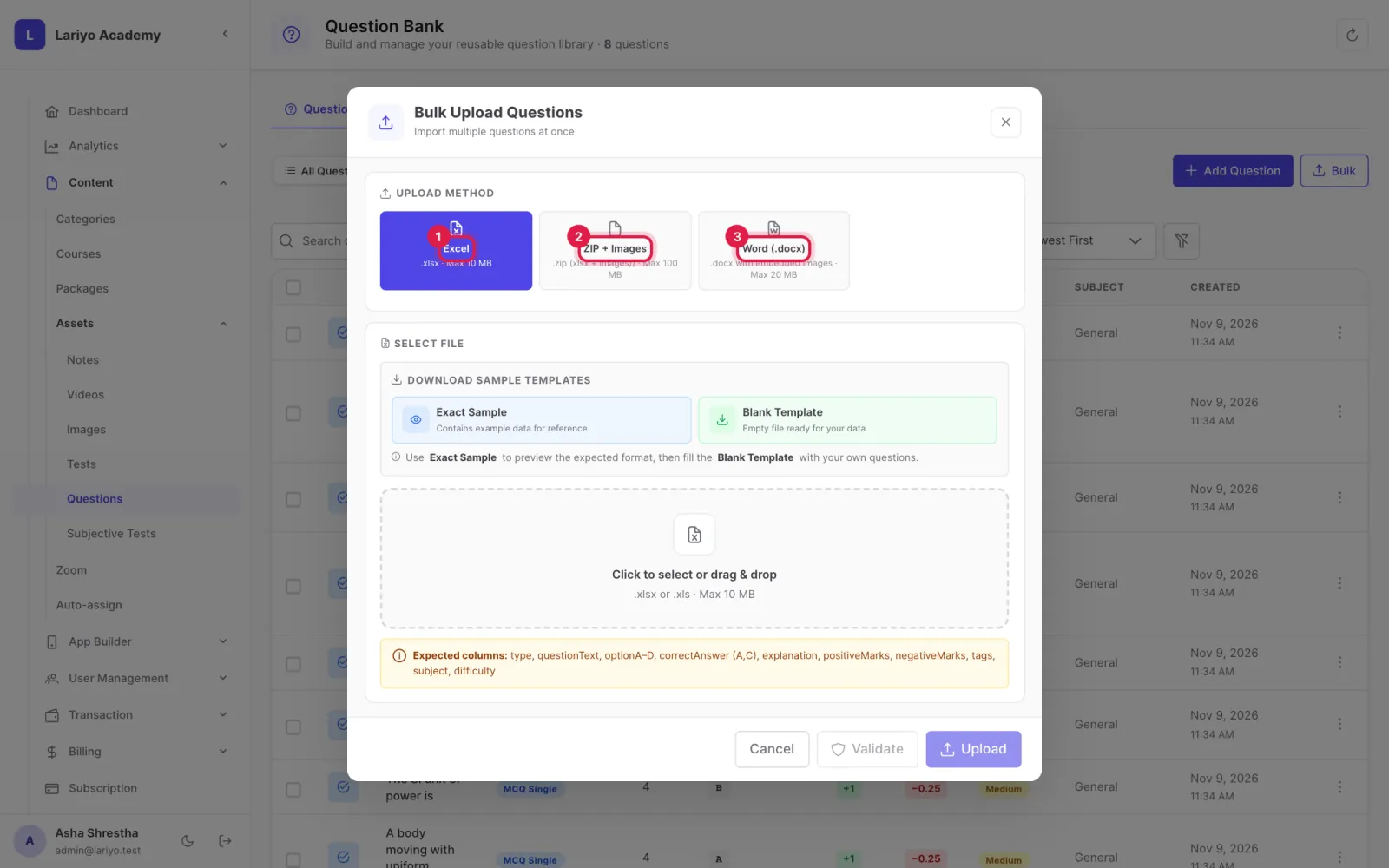
    Step 2 of 4 in the Lariyo admin panel (Content → Assets → Questions → Bulk): Download the sample file for Excel, ZIP or Word and fill it in. The control to use is outlined in red.
  3. Upload your file and click Validate. Every problem is listed with its row or table.
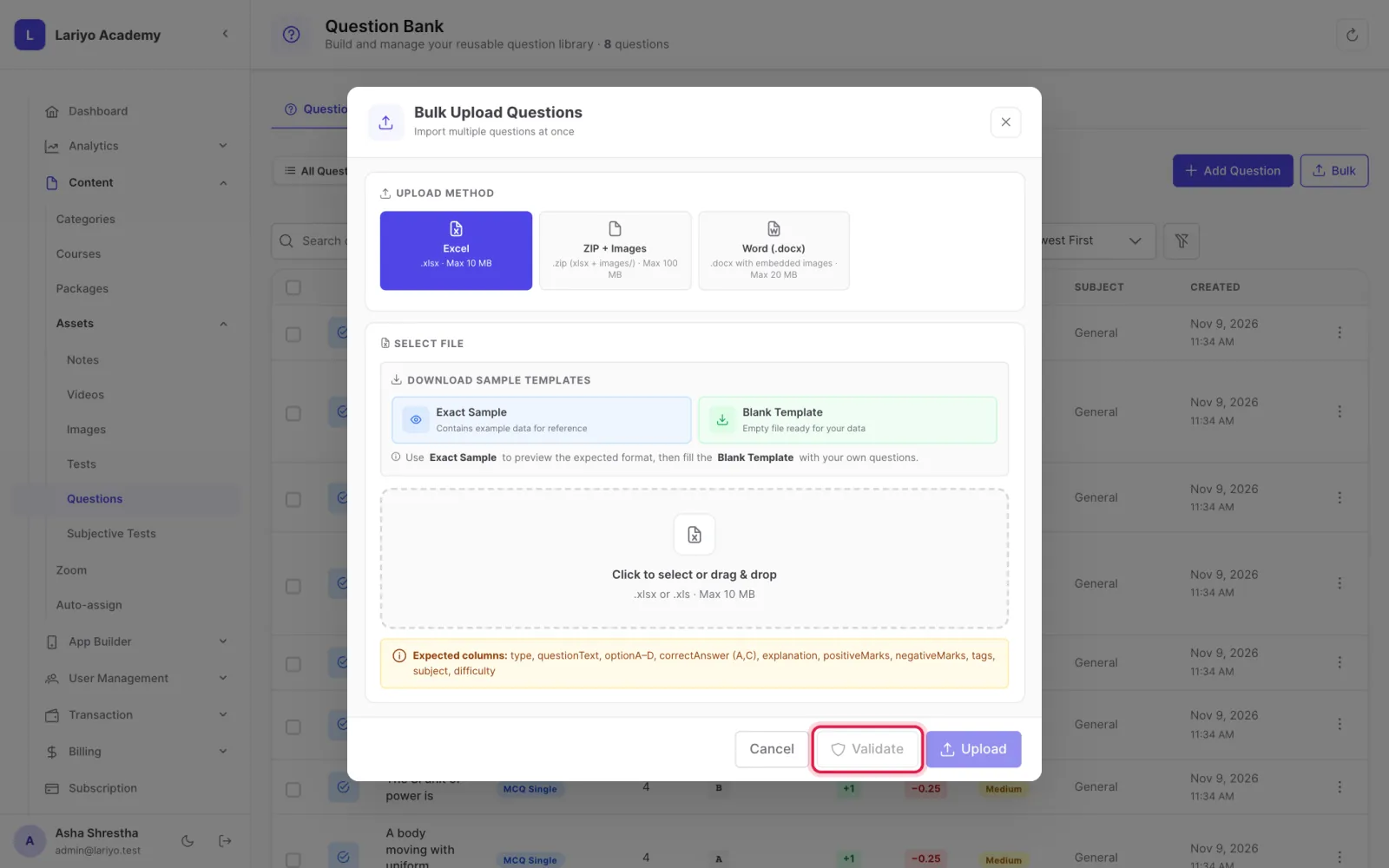
    Step 3 of 4 in the Lariyo admin panel (Content → Assets → Questions → Bulk): Upload your file and click Validate. Every problem is listed with its row or table. The control to use is outlined in red.
  4. Fix the problems and upload again; when it validates, import.
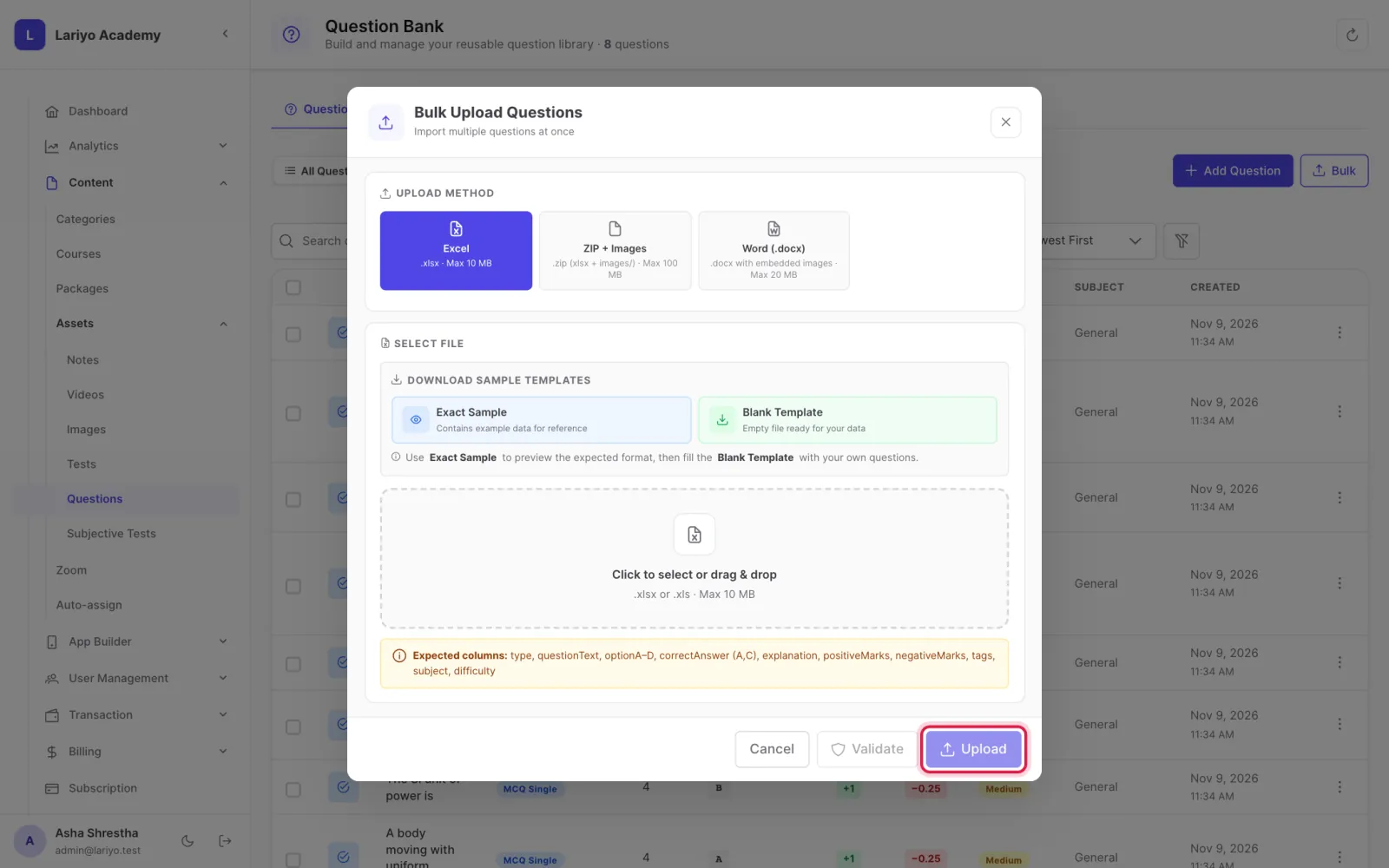
    Step 4 of 4 in the Lariyo admin panel (Content → Assets → Questions → Bulk): Fix the problems and upload again; when it validates, import. The control to use is outlined in red.

Tips

In Word, put each picture inside the same cell as its text.

In a ZIP, put questions.xlsx at the top and pictures in an images folder.

Updated 11 November 2026. Still stuck? Contact us.