

Run a live test on the app's home screen

A live test shows on the home screen while it is live or about to start, and you can watch who is taking it.

Where: Analytics → Tests

Steps

  1. Create the test with an open time, close time and result date, and tick Show on home card.
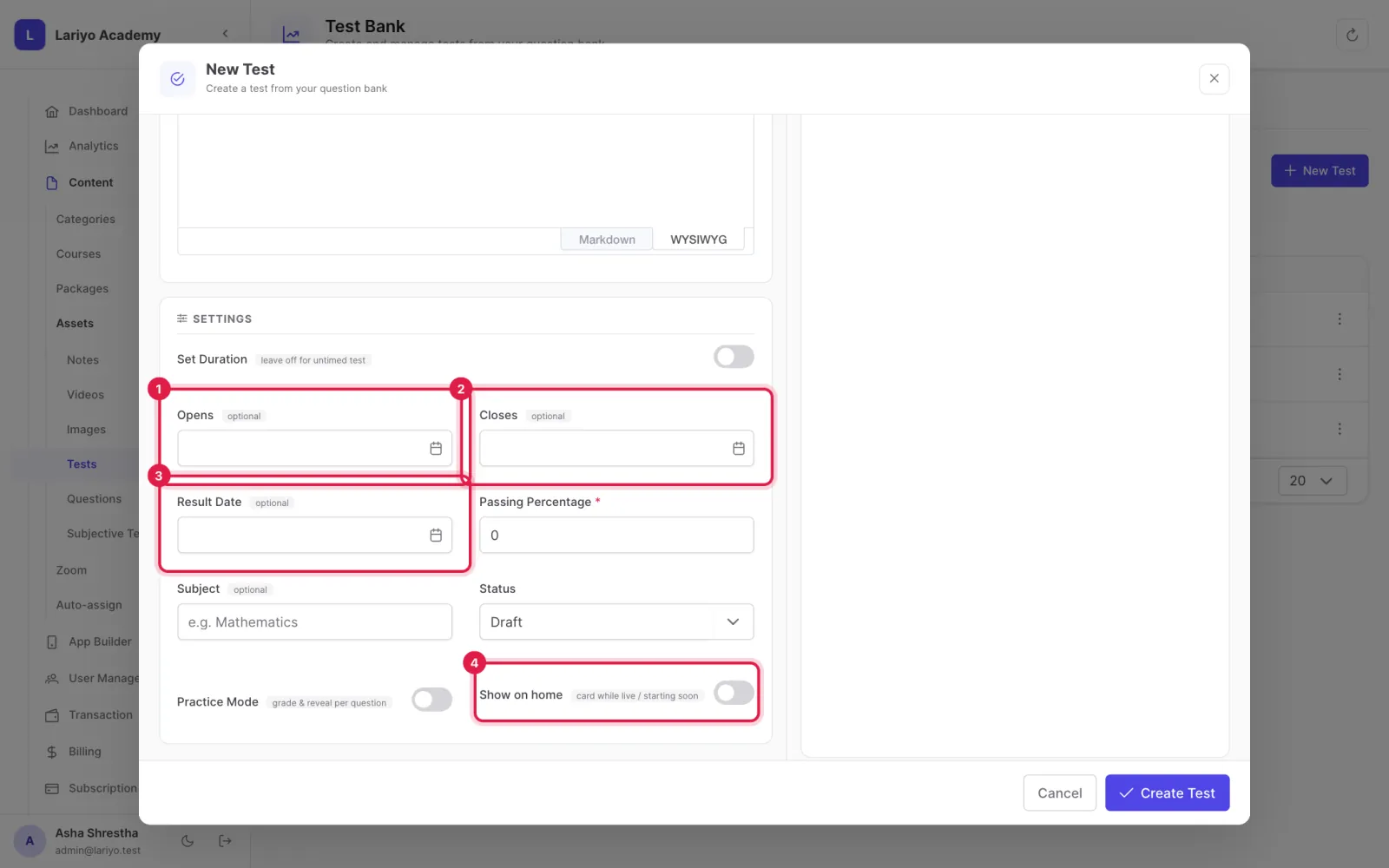
    Step 1 of 5 in the Lariyo admin panel (Analytics → Tests): Create the test with an open time, close time and result date, and tick Show on home card. The control to use is outlined in red.
  2. Place it in a course chapter and publish it.
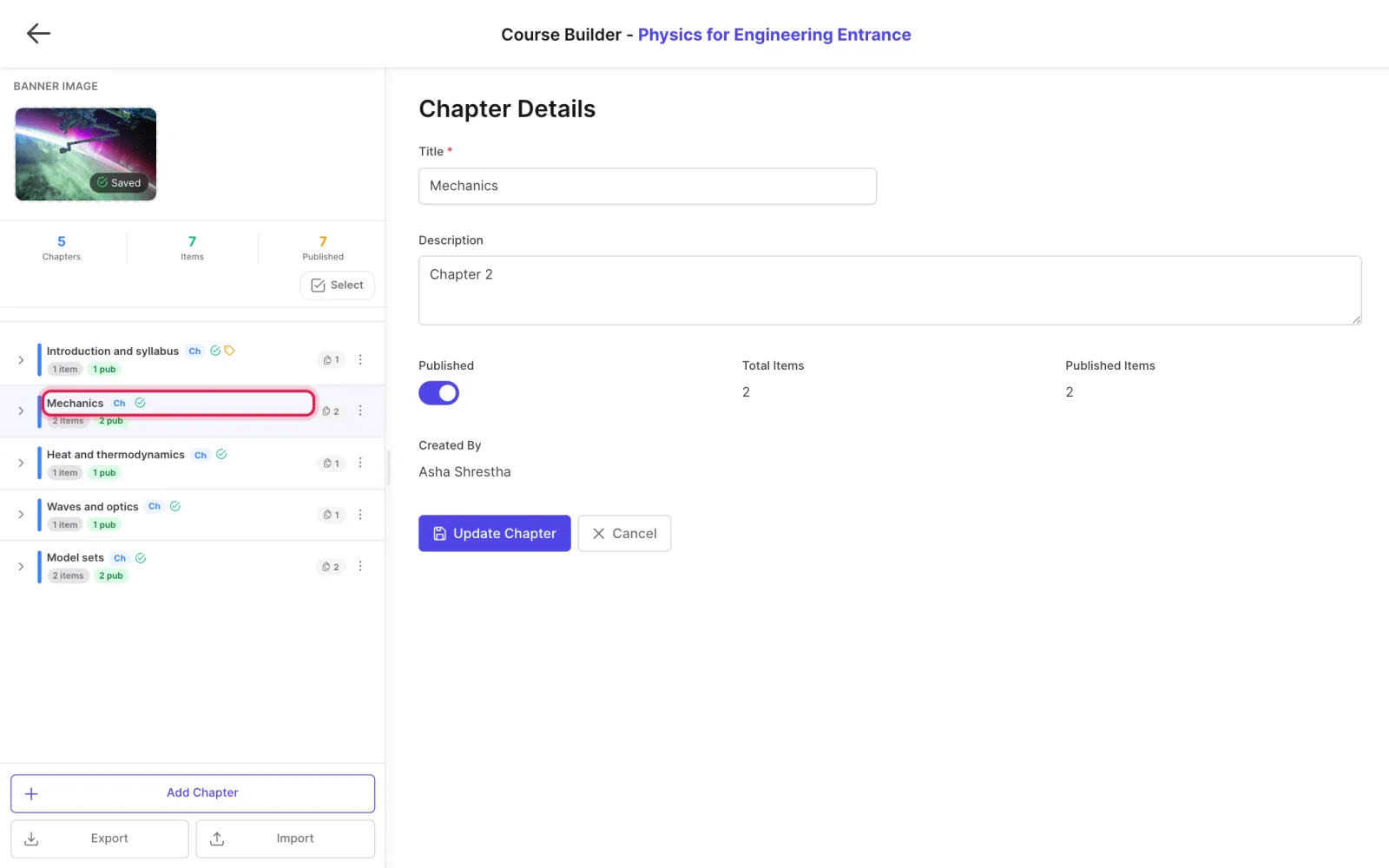
    Step 2 of 5 in the Lariyo admin panel (Analytics → Tests): Place it in a course chapter and publish it. The control to use is outlined in red.
  3. Make sure the app's home screen has a Live tests section (App Builder → Home Screen).
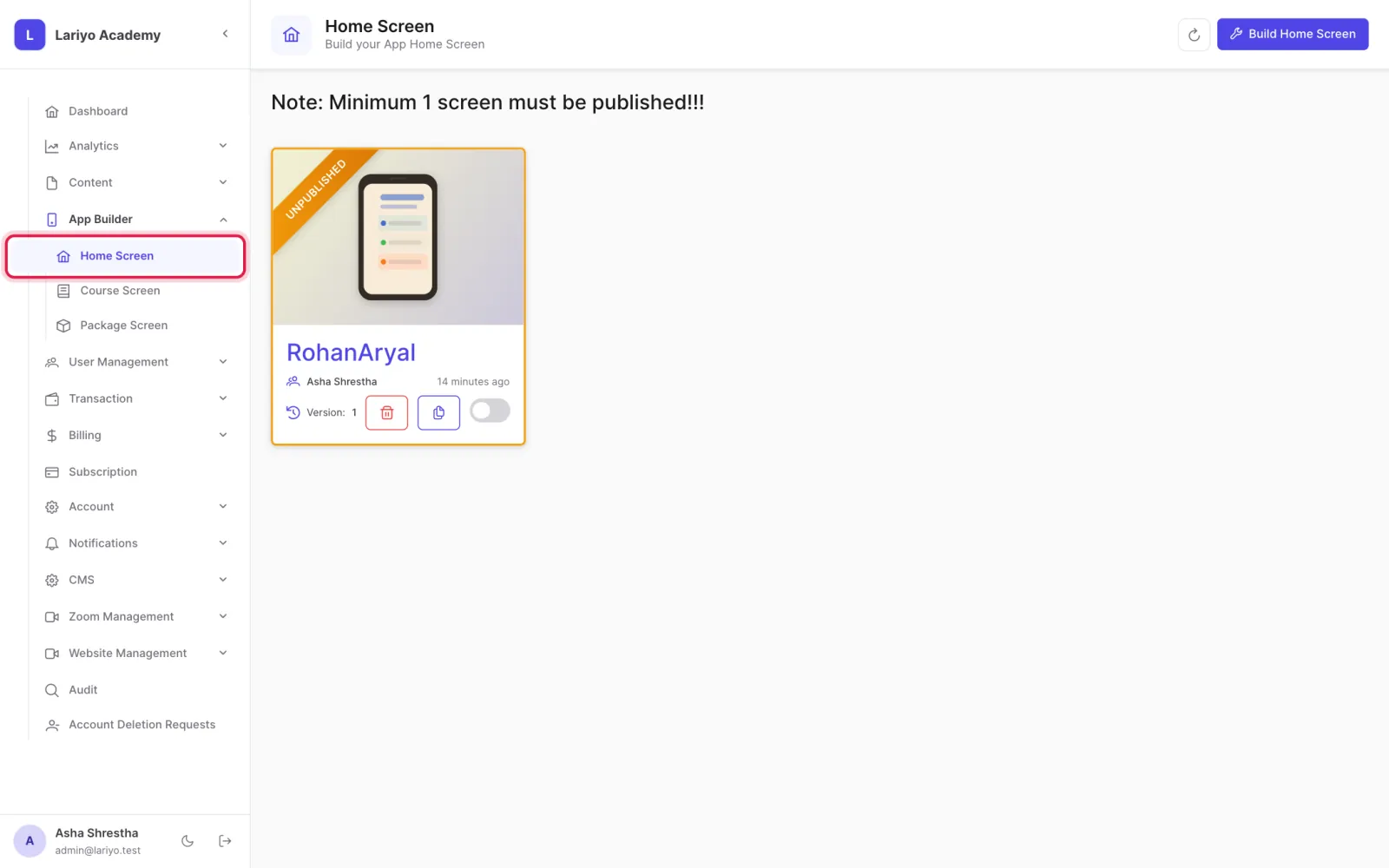
    Step 3 of 5 in the Lariyo admin panel (Analytics → Tests): Make sure the app's home screen has a Live tests section (App Builder → Home Screen). The control to use is outlined in red.
  4. During the test, open Analytics → Tests → In Progress to watch progress and time left.
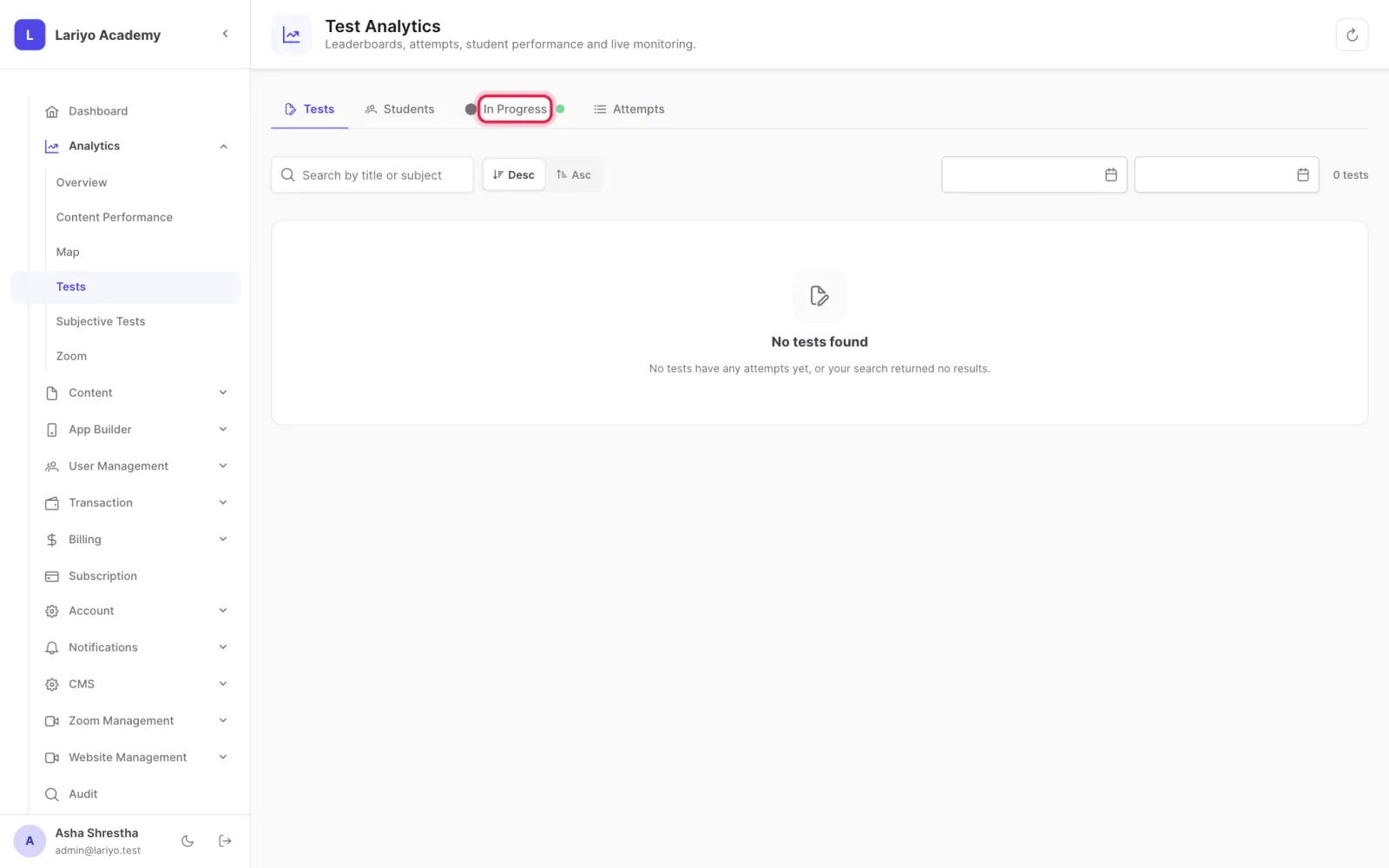
    Step 4 of 5 in the Lariyo admin panel (Analytics → Tests): During the test, open Analytics → Tests → In Progress to watch progress and time left. The control to use is outlined in red.
  5. After the result date, see the leaderboard and each student's scorecard.
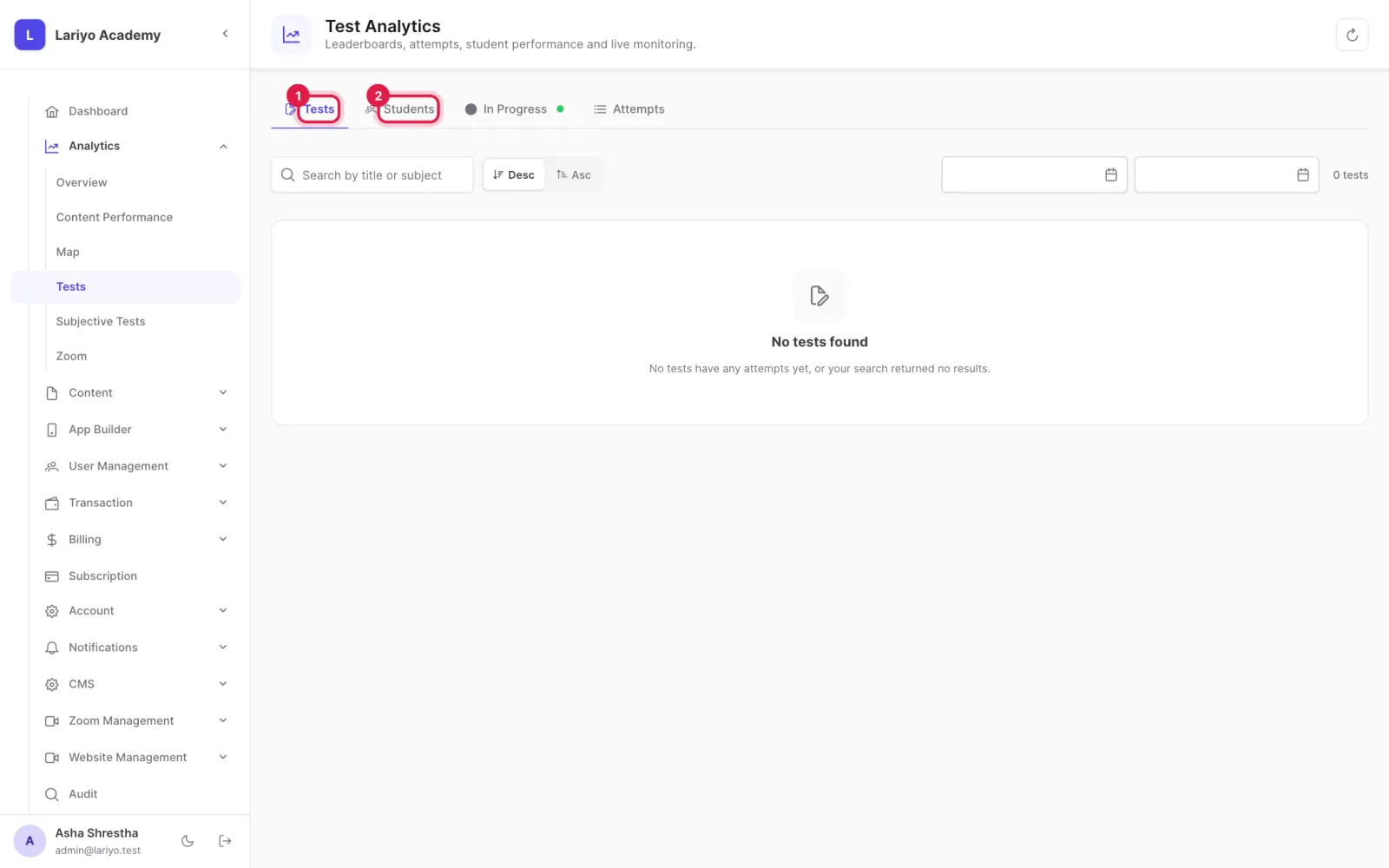
    Step 5 of 5 in the Lariyo admin panel (Analytics → Tests): After the result date, see the leaderboard and each student's scorecard. The control to use is outlined in red.

Updated 11 November 2026. Still stuck? Contact us.