

Add questions to the question bank
Questions can be single-answer, multiple-answer or fill-in-the-blank, with images, math (LaTeX) and explanations.
Where: Content → Assets → Questions
Steps
-
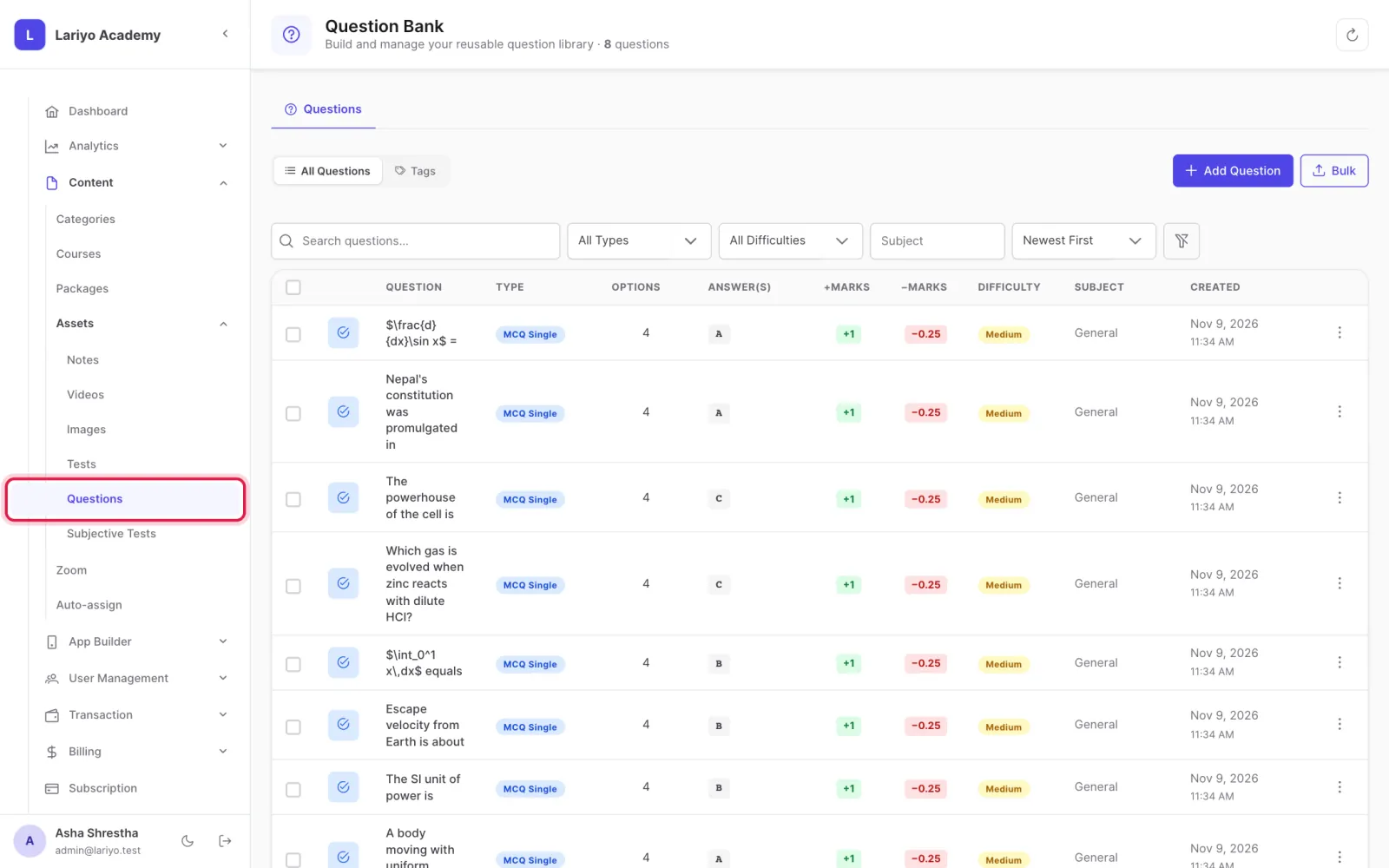
Open Content → Assets → Questions.
-
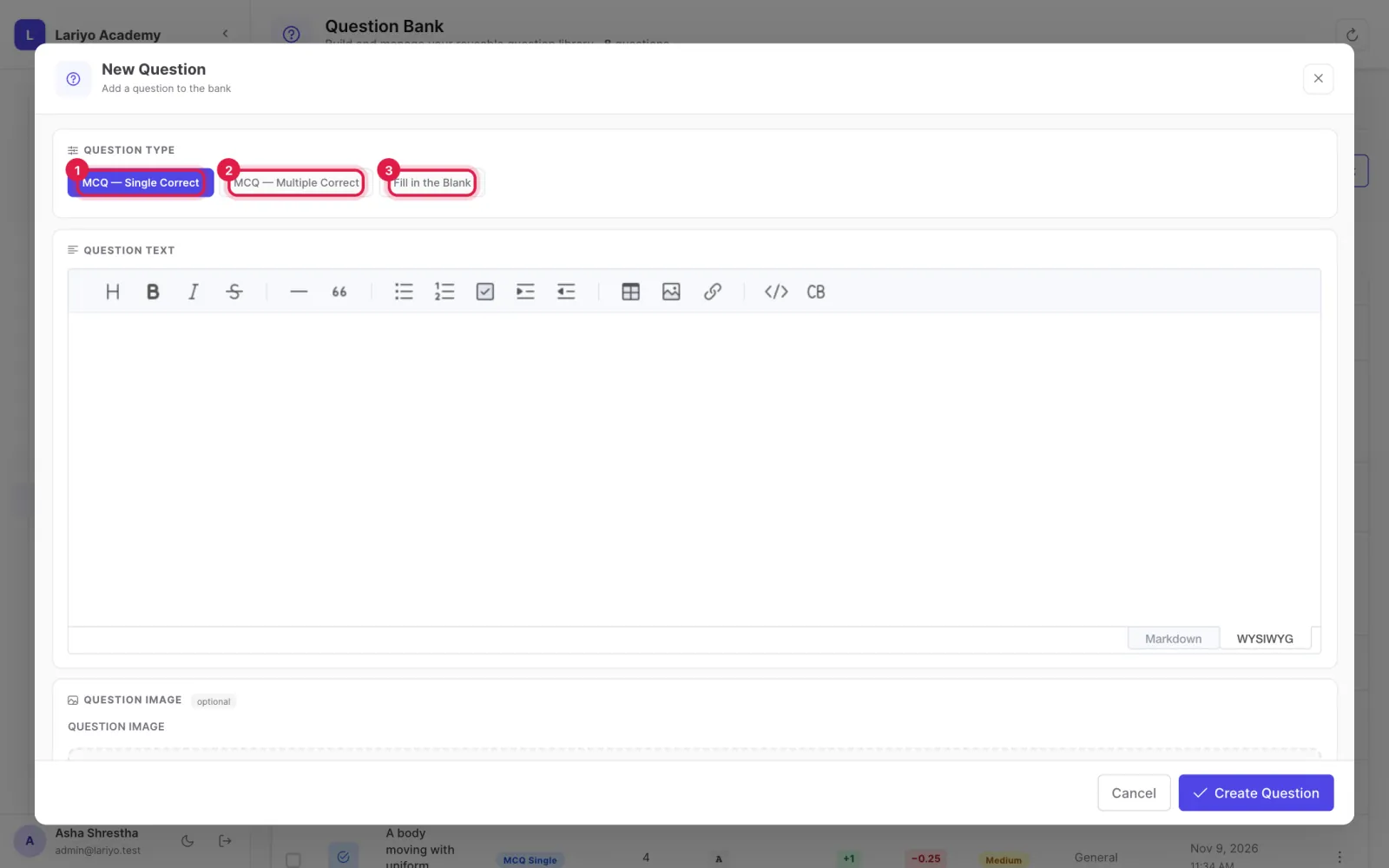
Click Add Question, choose the type and write the question with the rich-text editor.
-
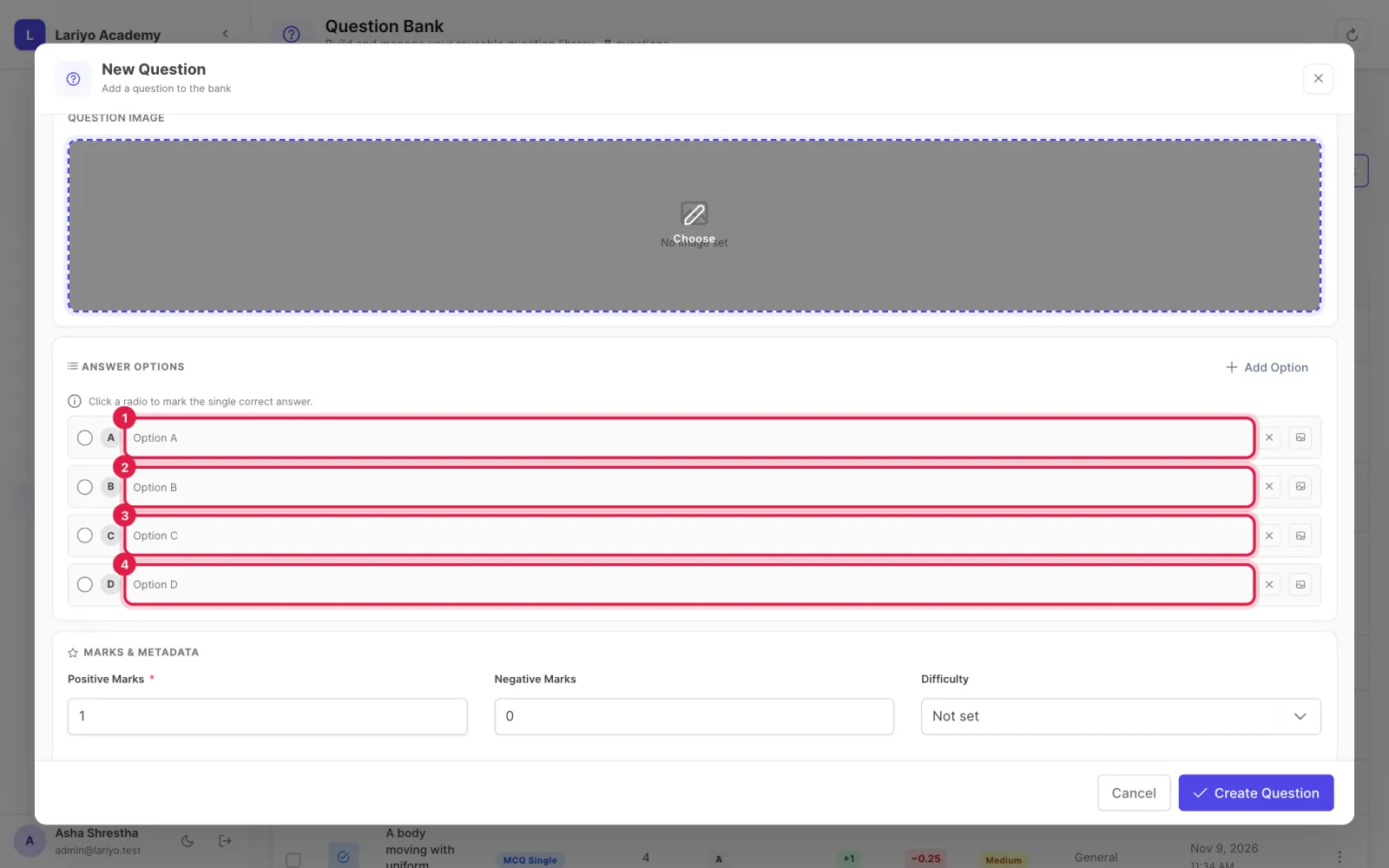
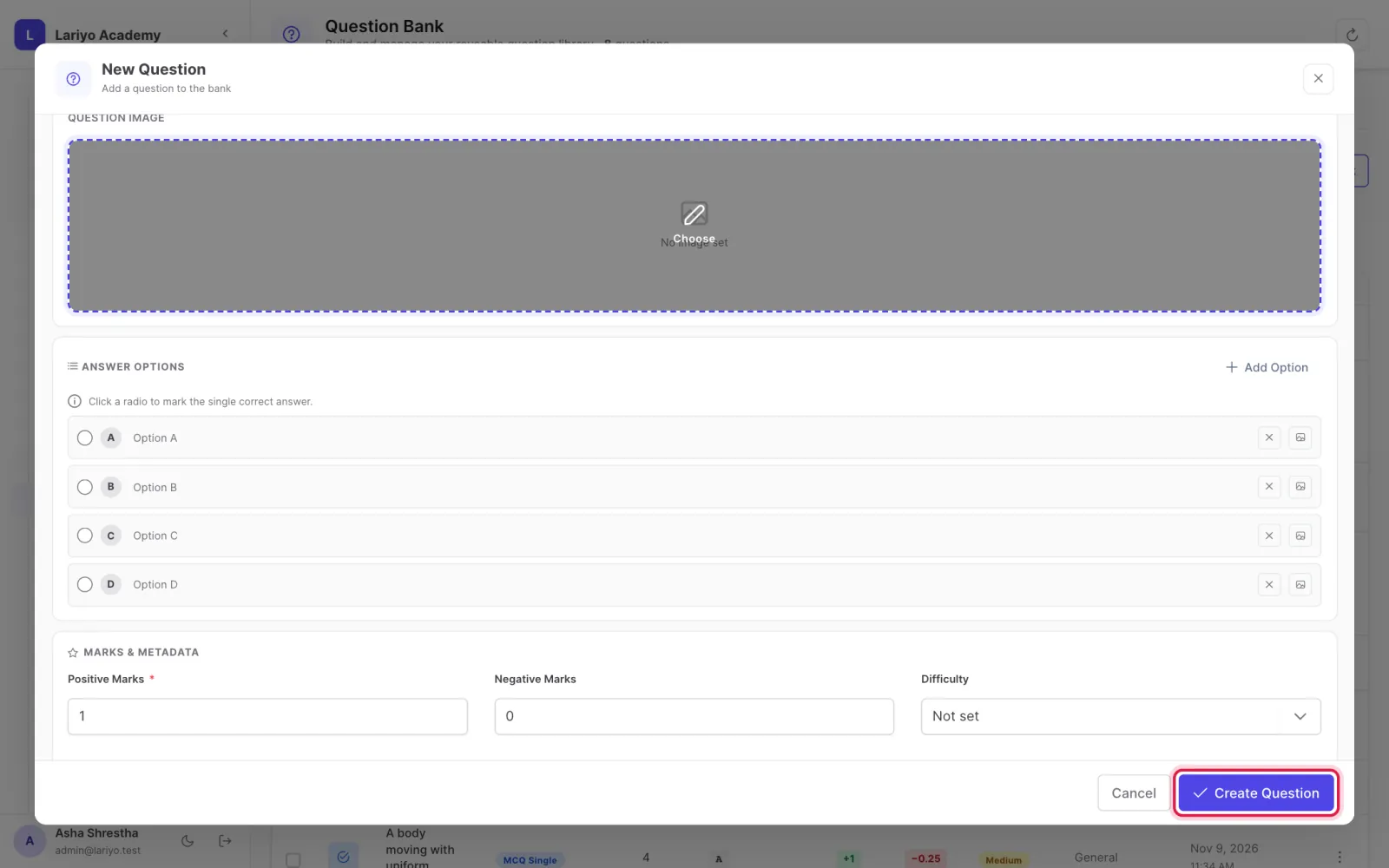
Add options and tick the correct one(s); add an image to any option if needed.
-
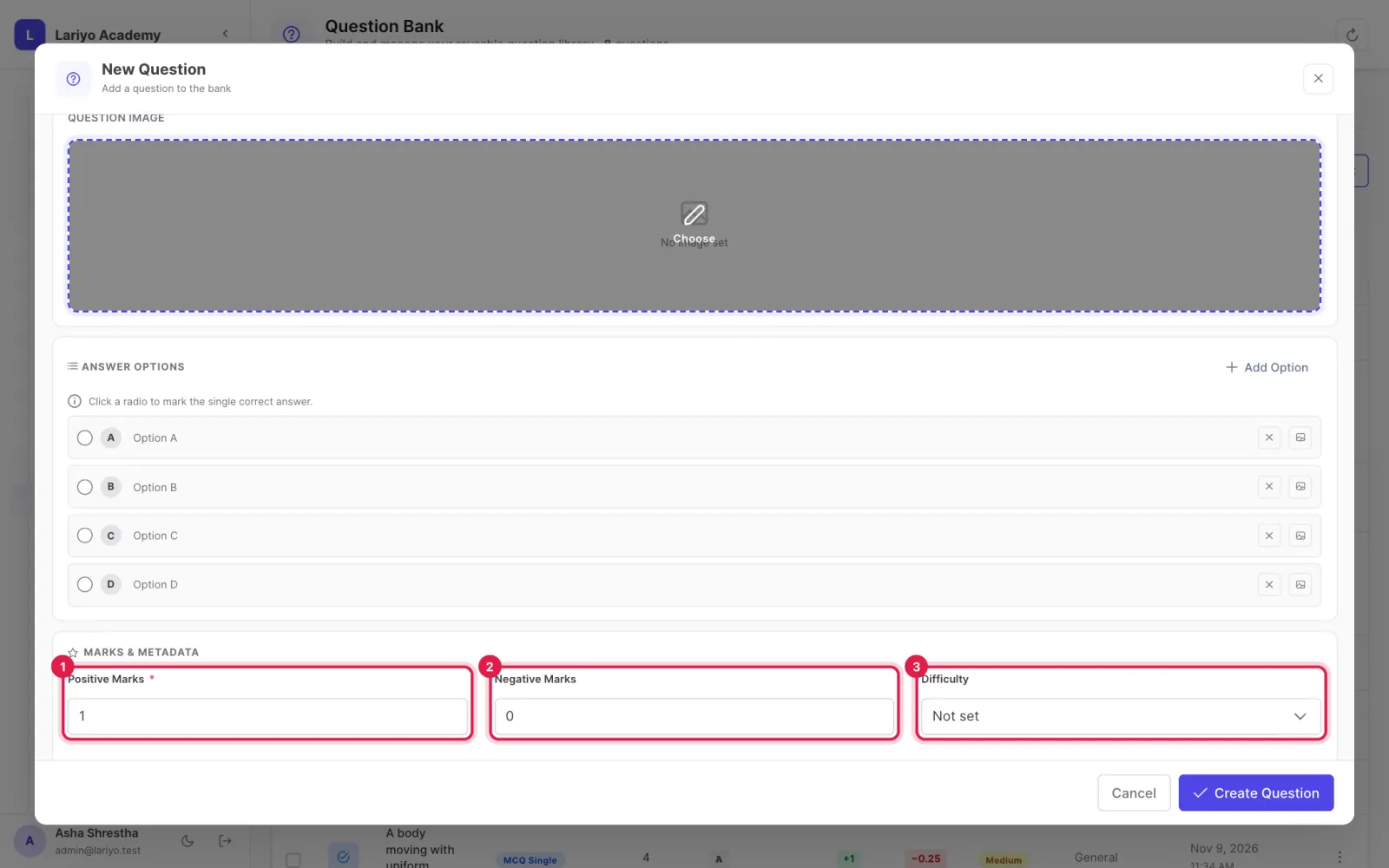
Set positive marks, negative marks, difficulty, subject and tags, and write an explanation.
-
Click Create Question.
Tips
Write math between dollar signs, for example $x^2 + y^2$.
Updated 11 November 2026. Still stuck? Contact us.