

Add instructors

Instructors build and teach courses and check subjective tests; their earnings are tracked for payouts.

Where: User Management → Instructors

Steps

  1. Open User Management → Instructors and click Add Instructor.
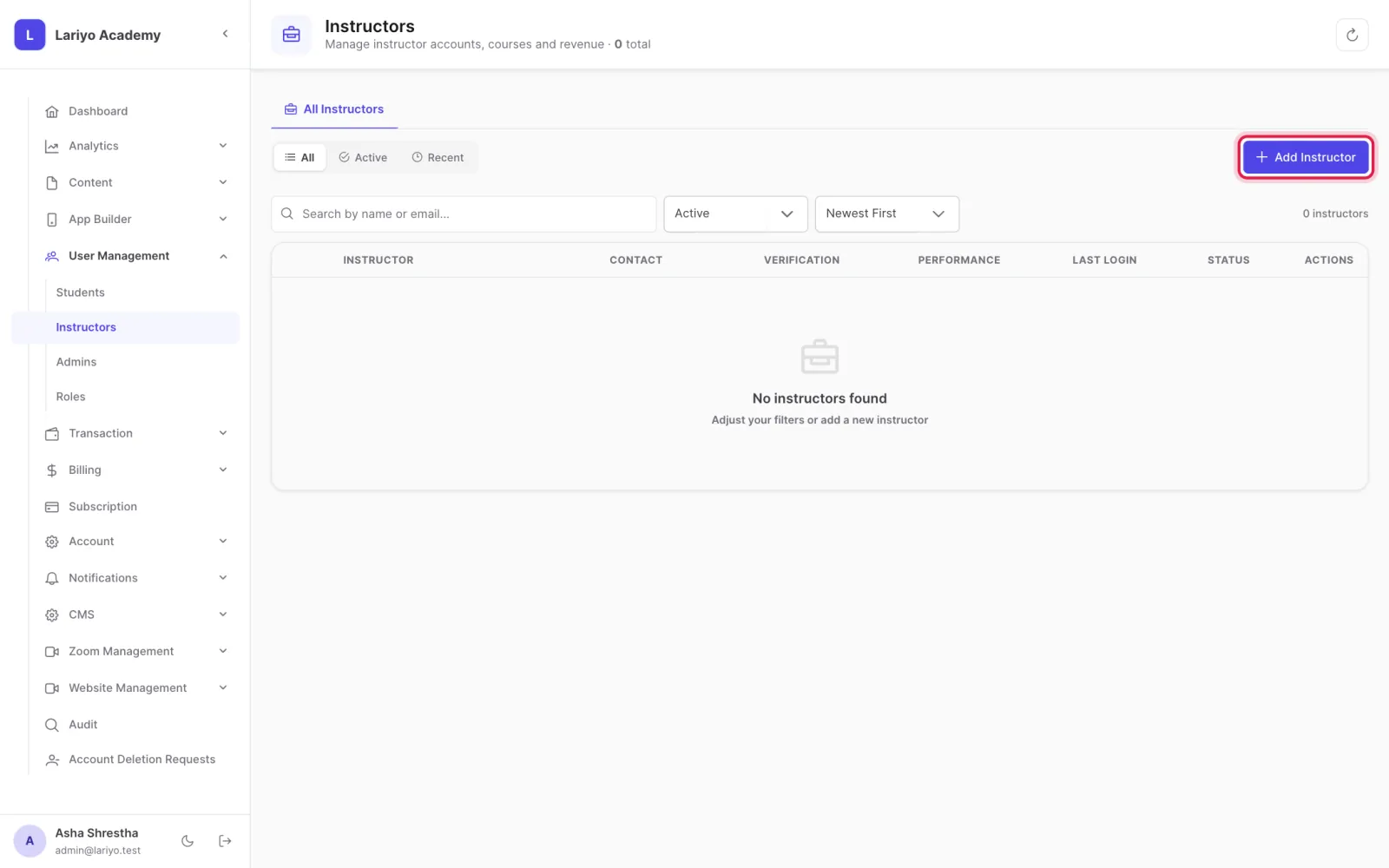
    Step 1 of 3 in the Lariyo admin panel (User Management → Instructors): Open User Management → Instructors and click Add Instructor. The control to use is outlined in red.
  2. Enter the name, email, password and an optional bio.
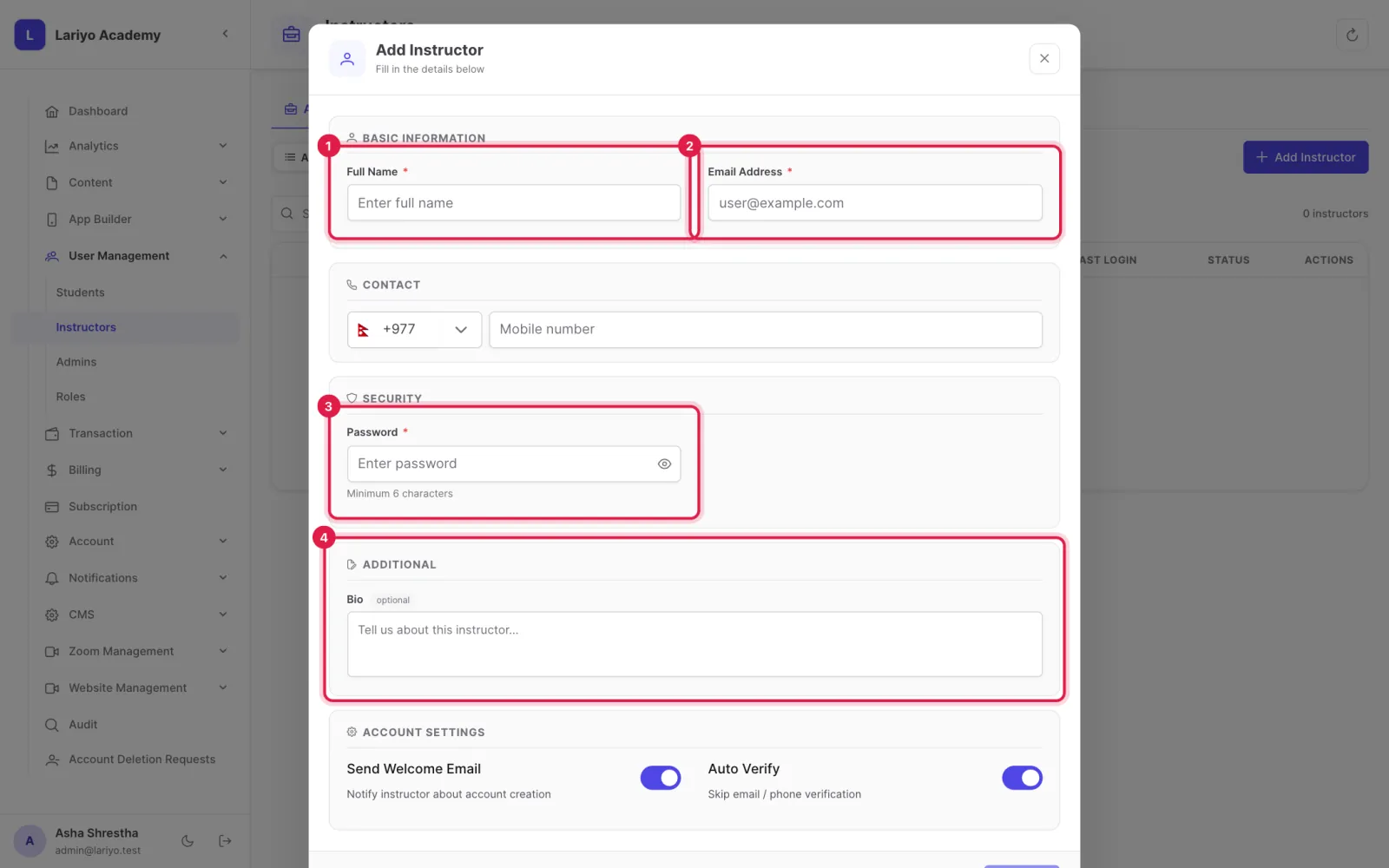
    Step 2 of 3 in the Lariyo admin panel (User Management → Instructors): Enter the name, email, password and an optional bio. The control to use is outlined in red.
  3. Assign the instructor to courses, live classes and subjective tests.
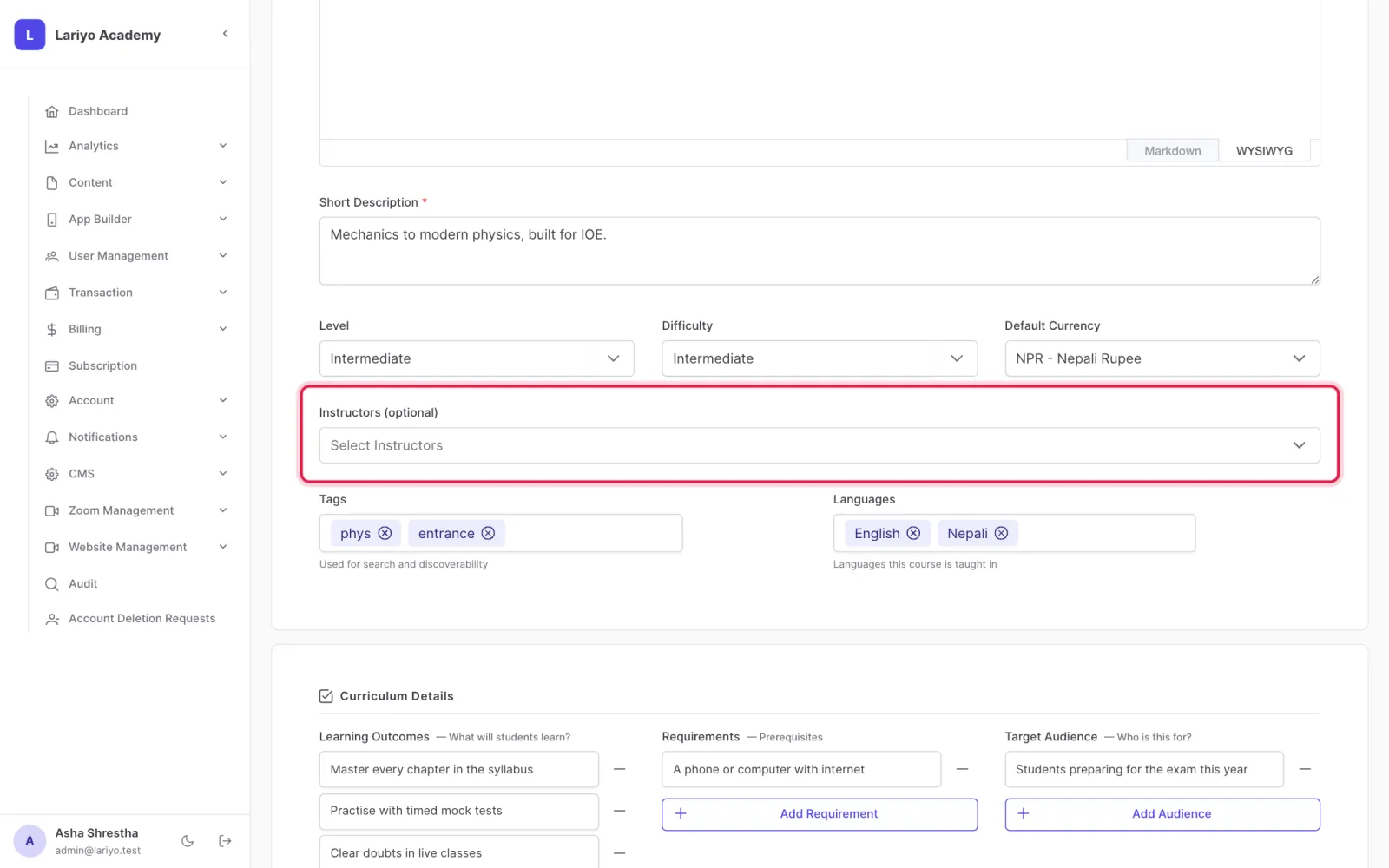
    Step 3 of 3 in the Lariyo admin panel (User Management → Instructors): Assign the instructor to courses, live classes and subjective tests. The control to use is outlined in red.

Updated 11 November 2026. Still stuck? Contact us.