

Add students one by one or in bulk
Students can sign up in the app, or you can add them yourself, one at a time or from an Excel file.
Where: User Management → Students
Steps
-
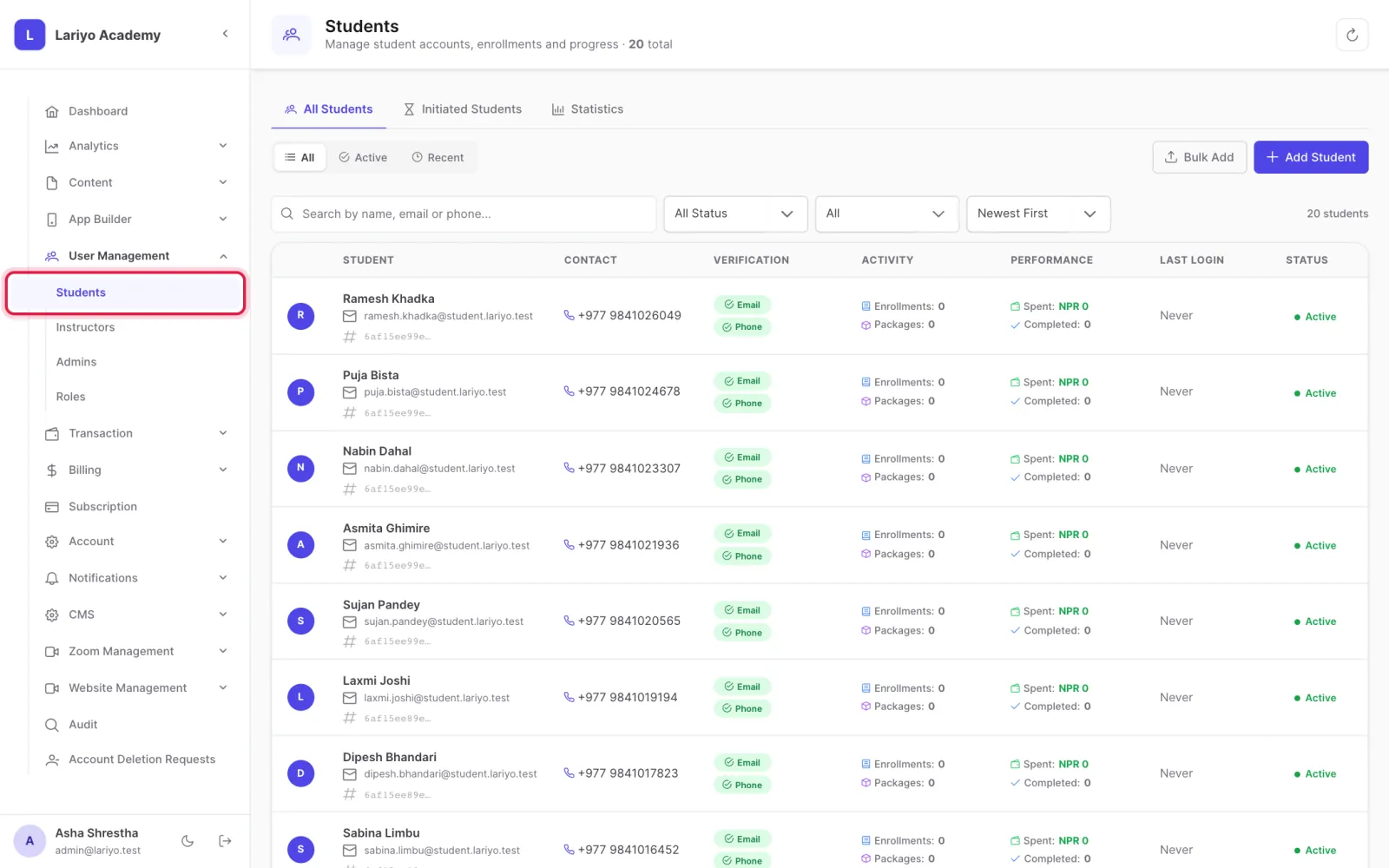
Open User Management → Students.
-
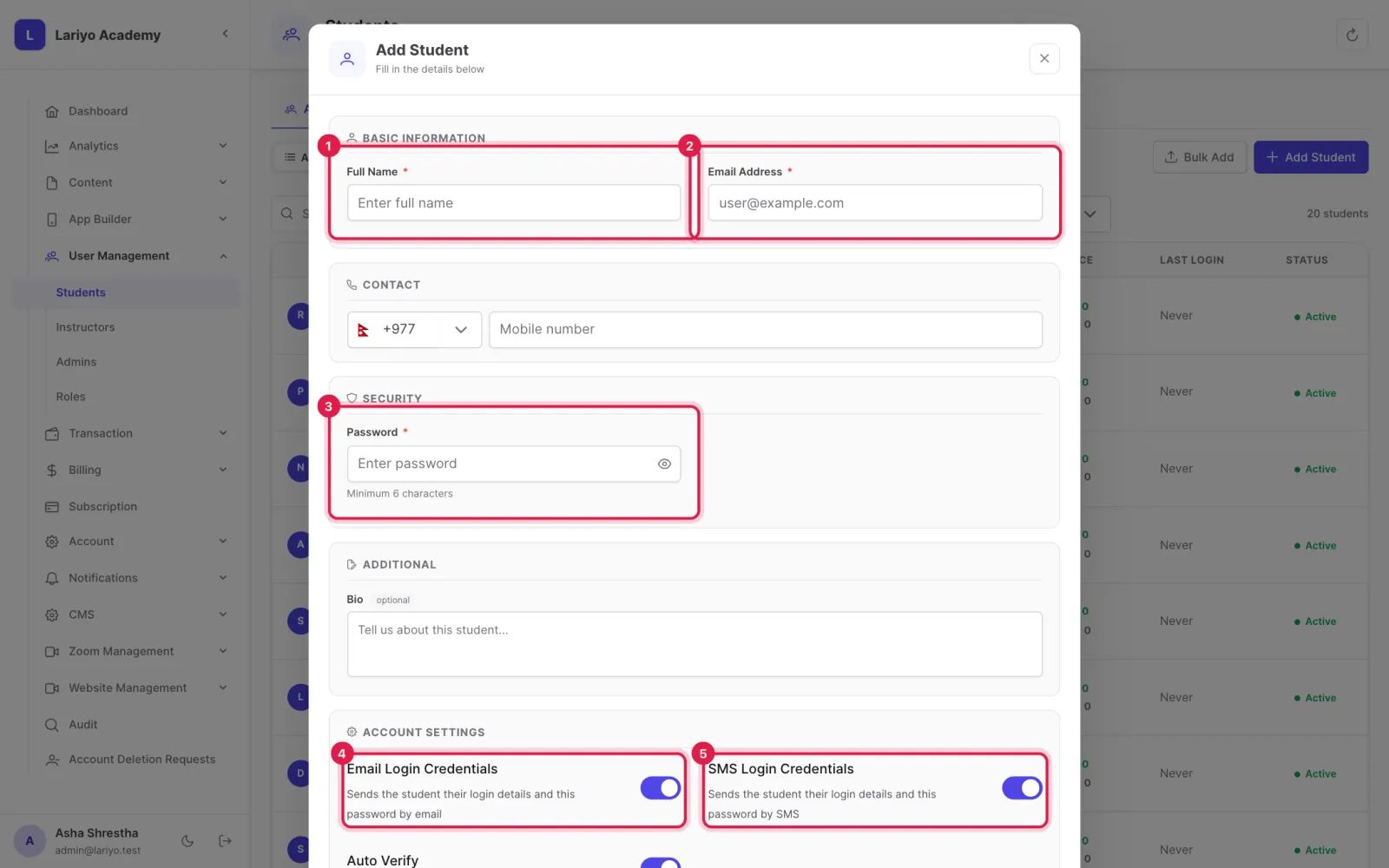
Click Add Student, enter the name, email, phone and a password, and choose whether to send the login by email or SMS.
-
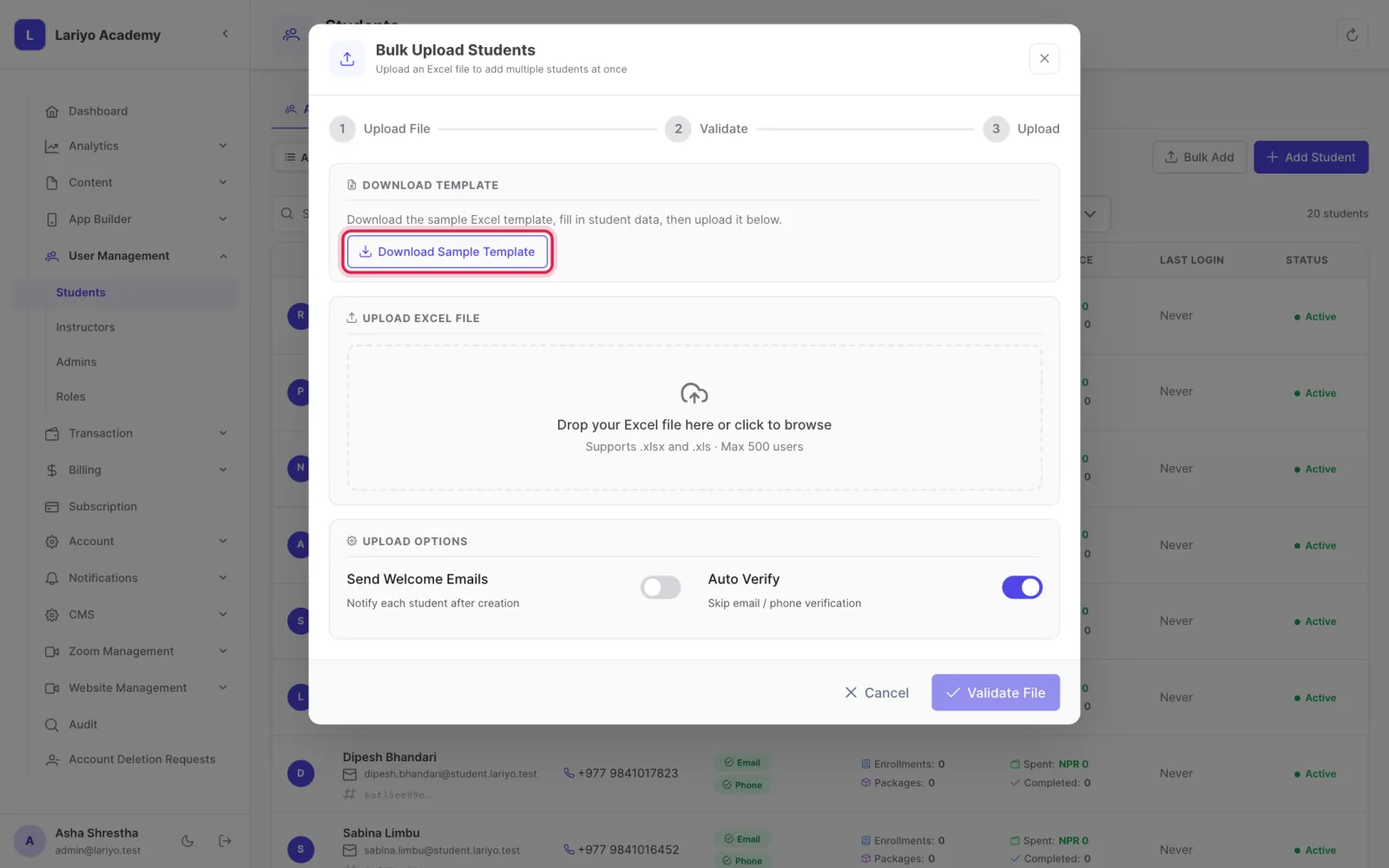
For many students, click Bulk Add, download the sample template, fill it and upload.
-
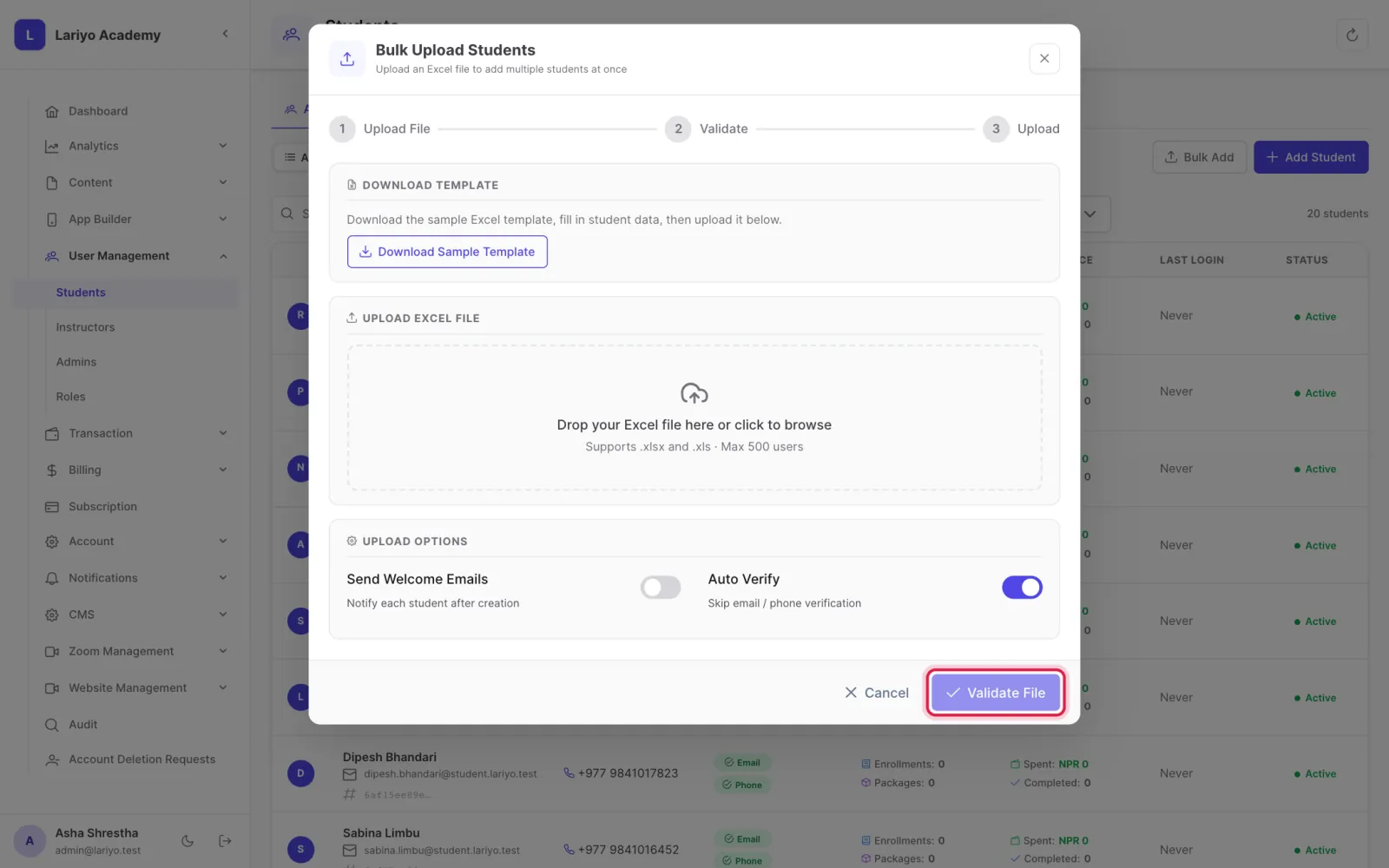
Click Validate File, check the summary, then add them.
Tips
Initiated Students lists people who started signing up but never finished.
Updated 11 November 2026. Still stuck? Contact us.