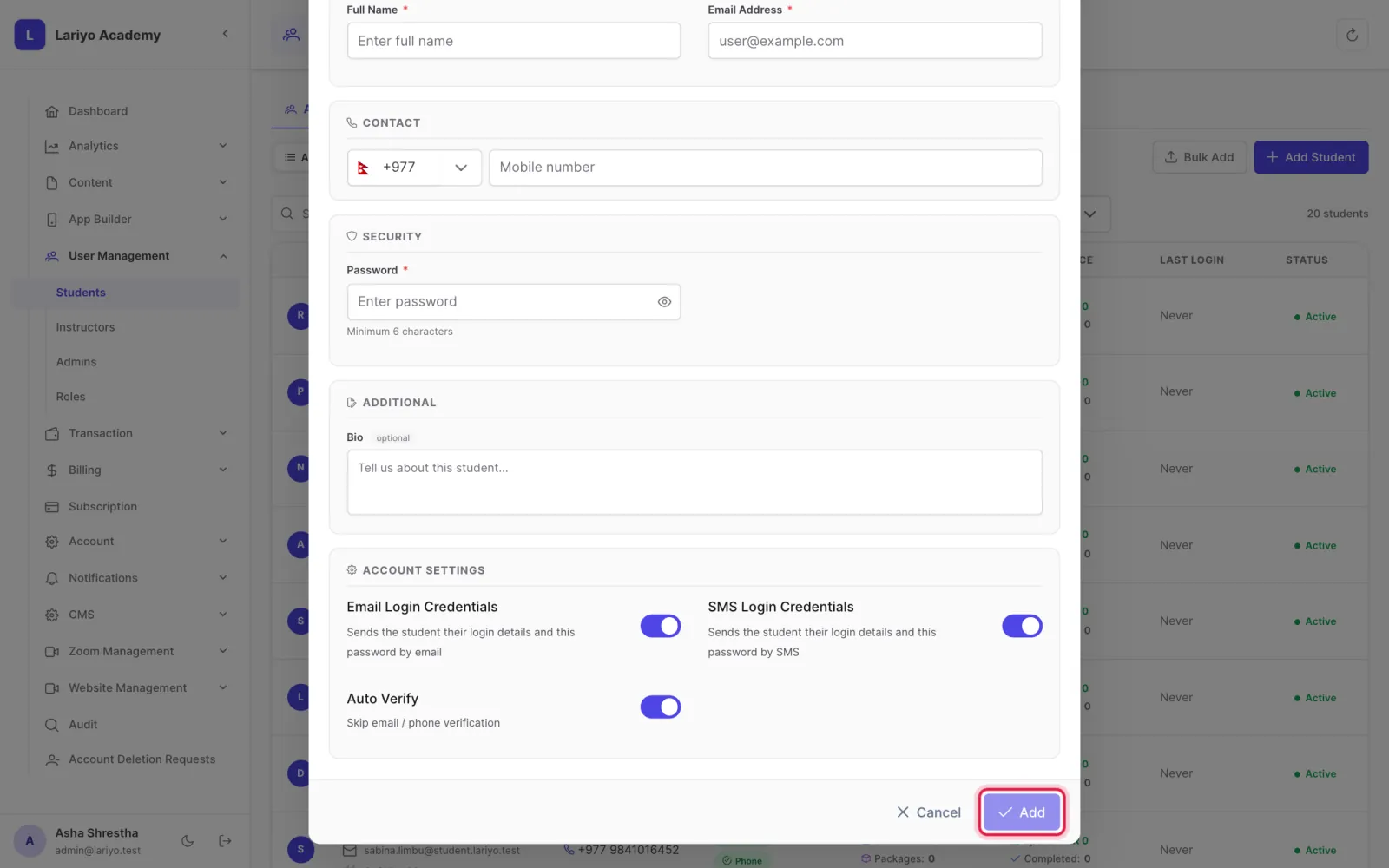
The add-student form

The form creates a verified student account and can send the login details for you.

Where: User Management → Students → Add Student

Steps

  1. Fill in the full name, email address and password.
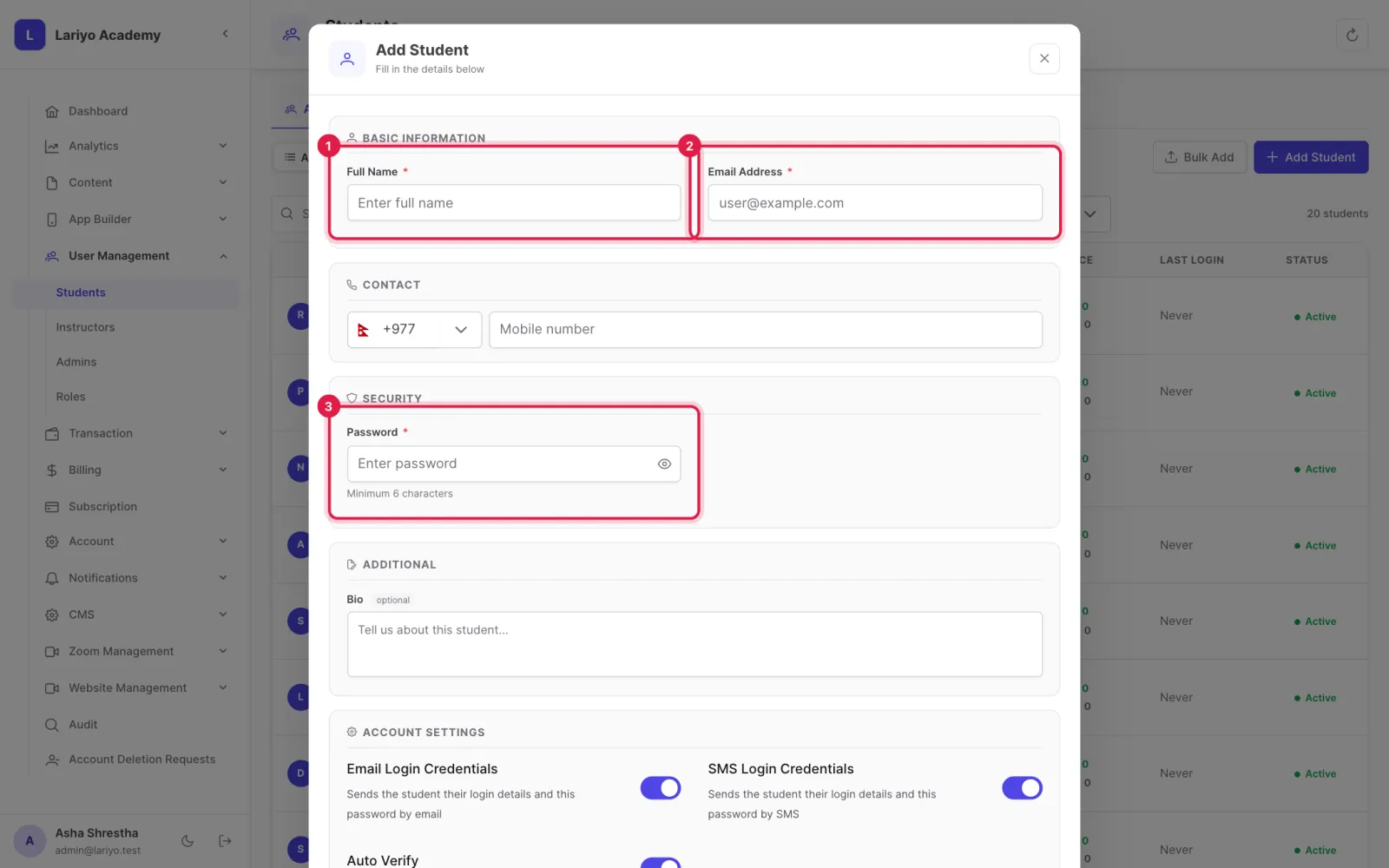
    Step 1 of 4 in the Lariyo admin panel (User Management → Students → Add Student): Fill in the full name, email address and password. The control to use is outlined in red.
  2. Tick Email login credentials or SMS login credentials to send them.
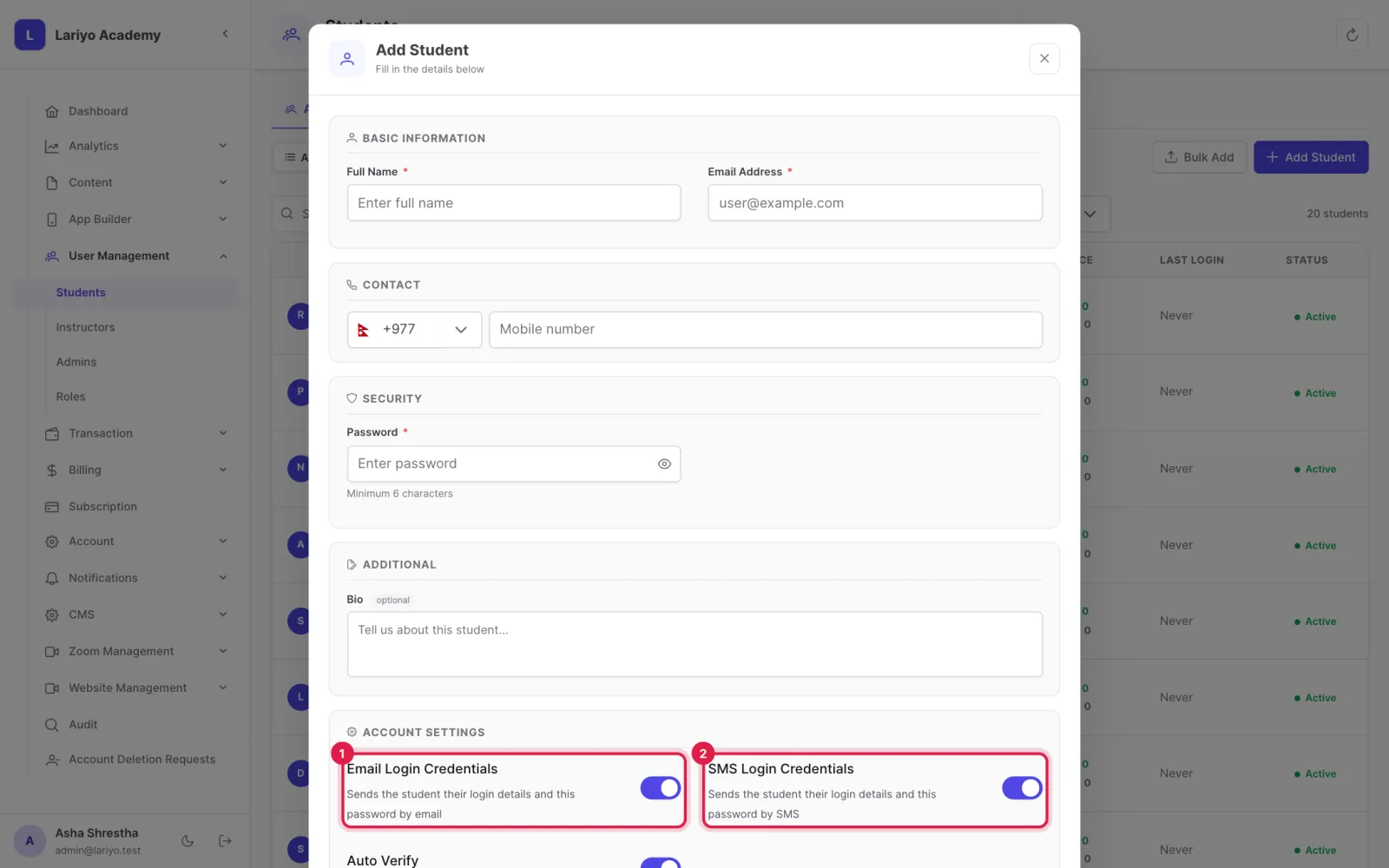
    Step 2 of 4 in the Lariyo admin panel (User Management → Students → Add Student): Tick Email login credentials or SMS login credentials to send them. The control to use is outlined in red.
  3. Tick Auto verify so the student can sign in straight away.
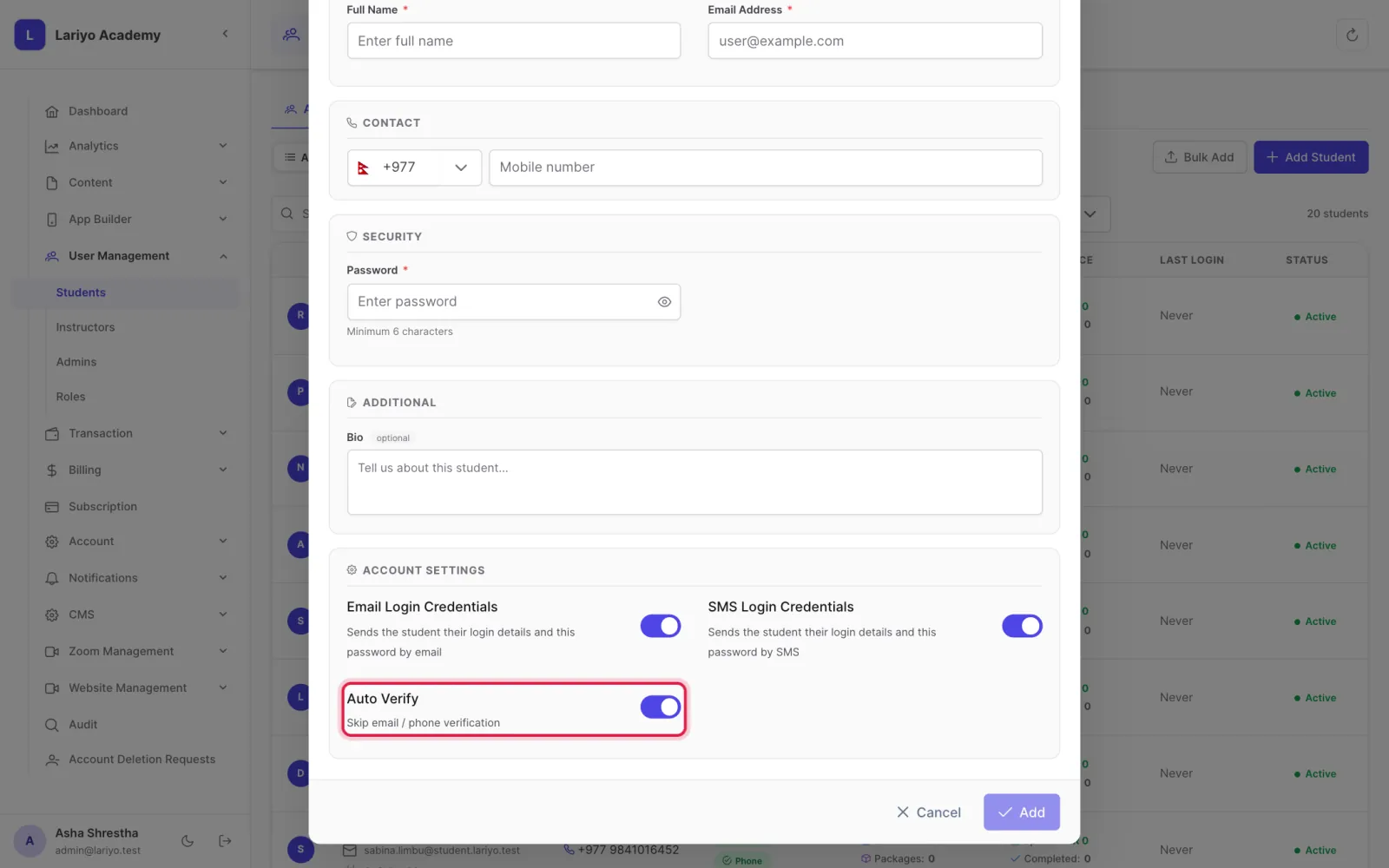
    Step 3 of 4 in the Lariyo admin panel (User Management → Students → Add Student): Tick Auto verify so the student can sign in straight away. The control to use is outlined in red.
  4. Click Add.
    Step 4 of 4 in the Lariyo admin panel (User Management → Students → Add Student): Click Add. The control to use is outlined in red.

Updated 11 November 2026. Still stuck? Contact us.