

Add admins

Admins can use the whole panel, or only what their role allows.

Where: User Management → Admins

Steps

  1. Open User Management → Admins and click Add Admin.
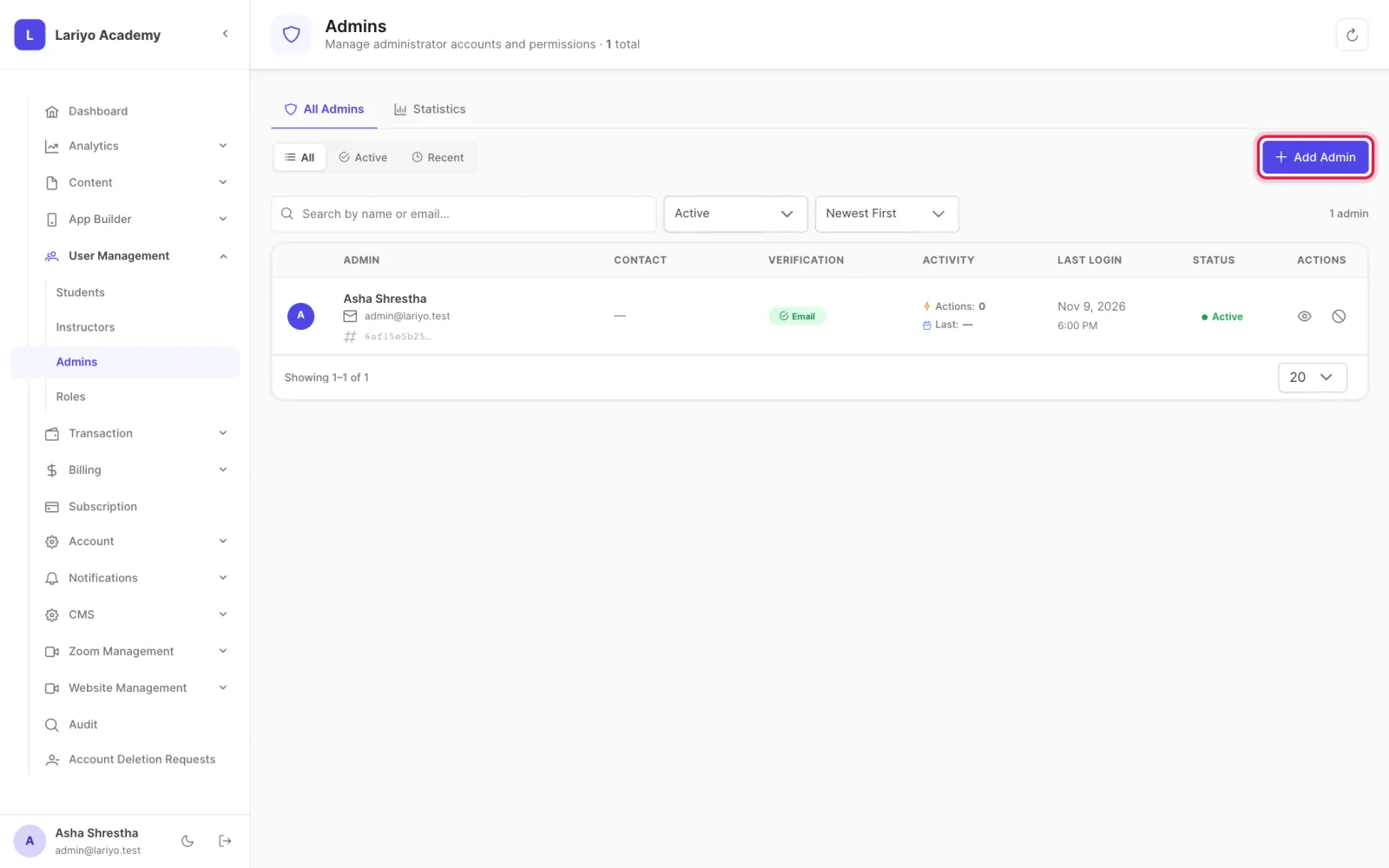
    Step 1 of 3 in the Lariyo admin panel (User Management → Admins): Open User Management → Admins and click Add Admin. The control to use is outlined in red.
  2. Enter the name, email and password, and pick a role.
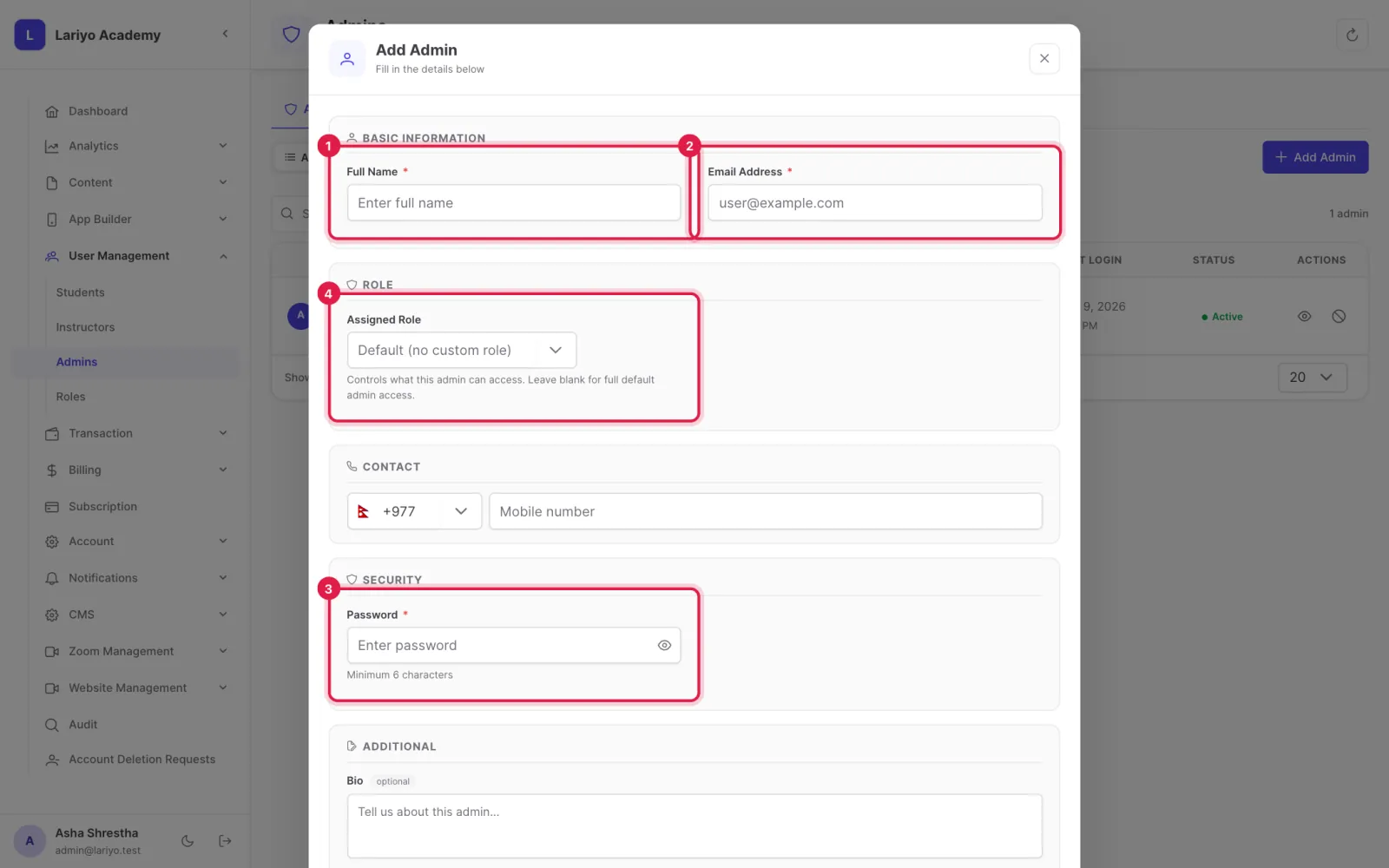
    Step 2 of 3 in the Lariyo admin panel (User Management → Admins): Enter the name, email and password, and pick a role. The control to use is outlined in red.
  3. Tick Send welcome email to send them their login.
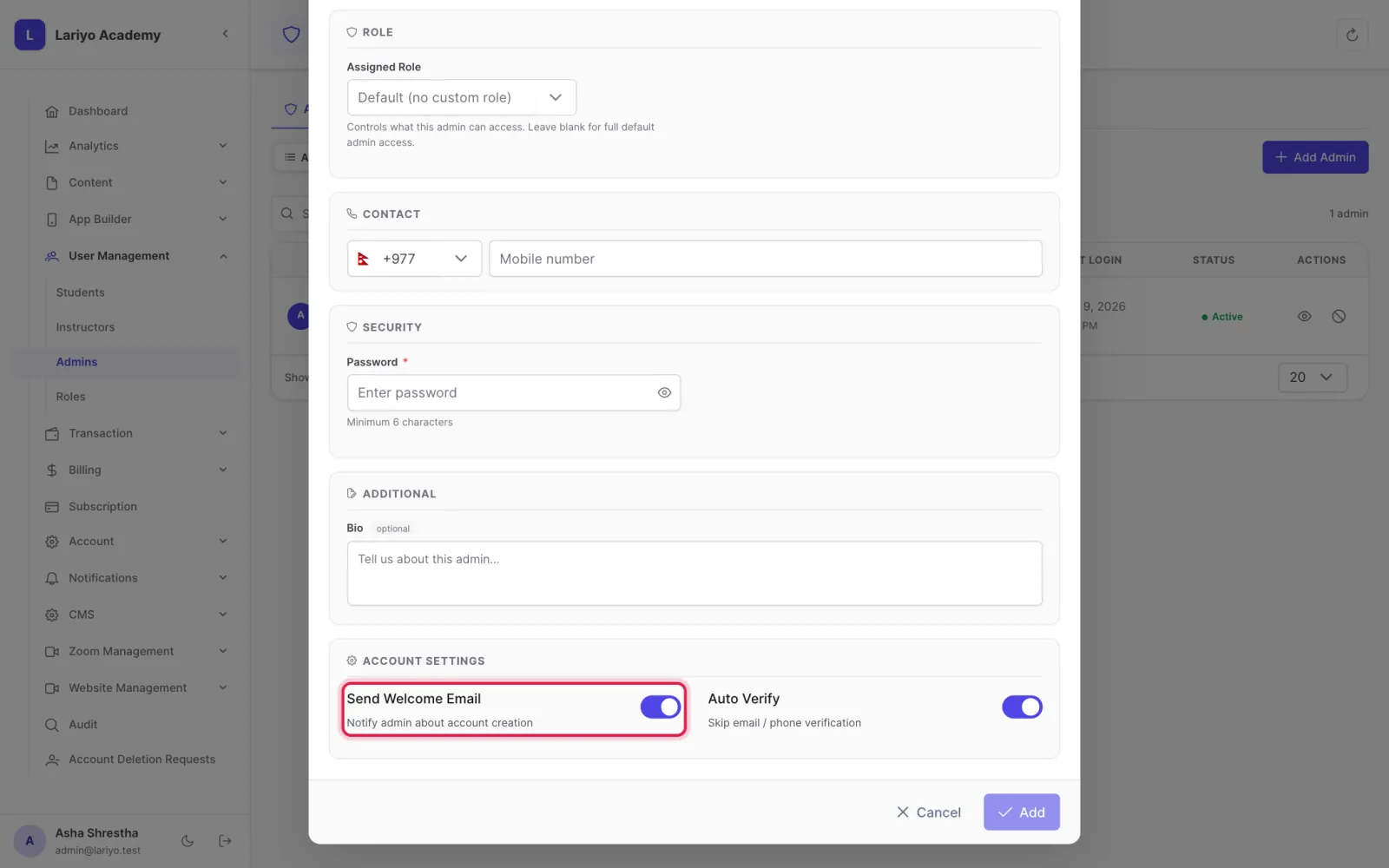
    Step 3 of 3 in the Lariyo admin panel (User Management → Admins): Tick Send welcome email to send them their login. The control to use is outlined in red.

Updated 11 November 2026. Still stuck? Contact us.