Download notification reports

Reports show what was sent and delivered over the last 7, 30 or 90 days.

Where: Notifications → Reports

Steps

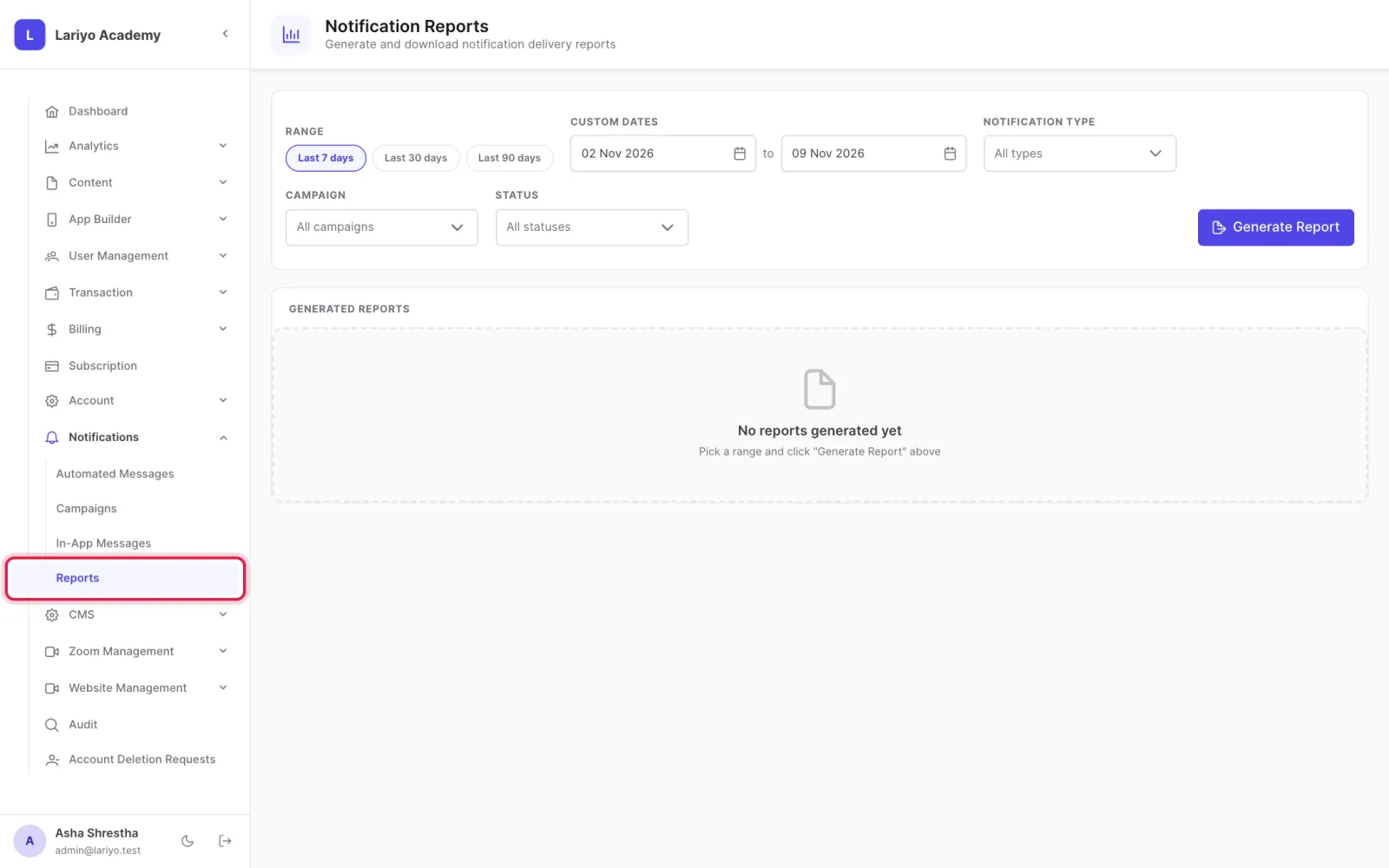
  1. Open Notifications → Reports.
    Step 1 of 3 in the Lariyo admin panel (Notifications → Reports): Open Notifications → Reports. The control to use is outlined in red.
  2. Choose the period and click Generate Report.
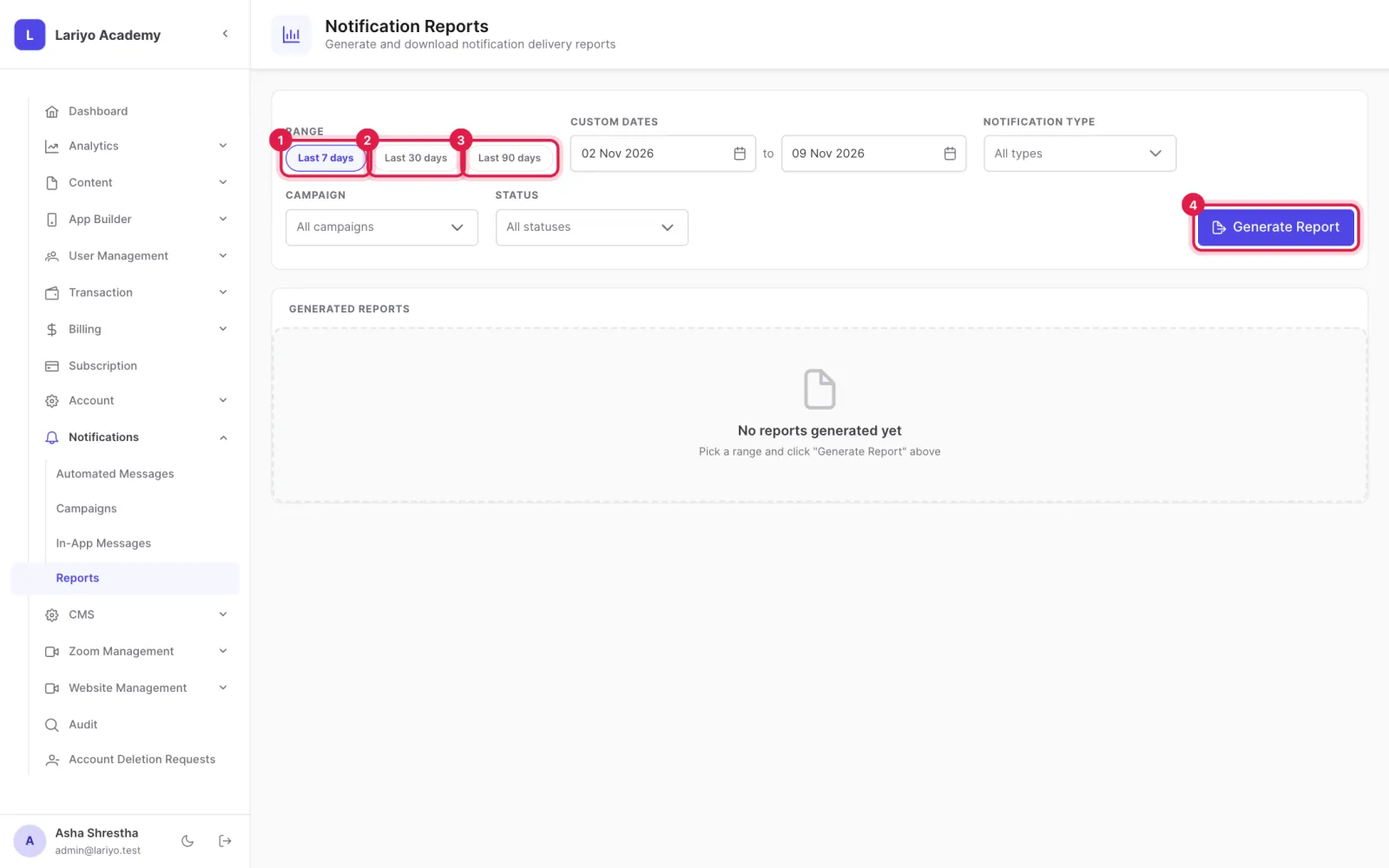
    Step 2 of 3 in the Lariyo admin panel (Notifications → Reports): Choose the period and click Generate Report. The control to use is outlined in red.
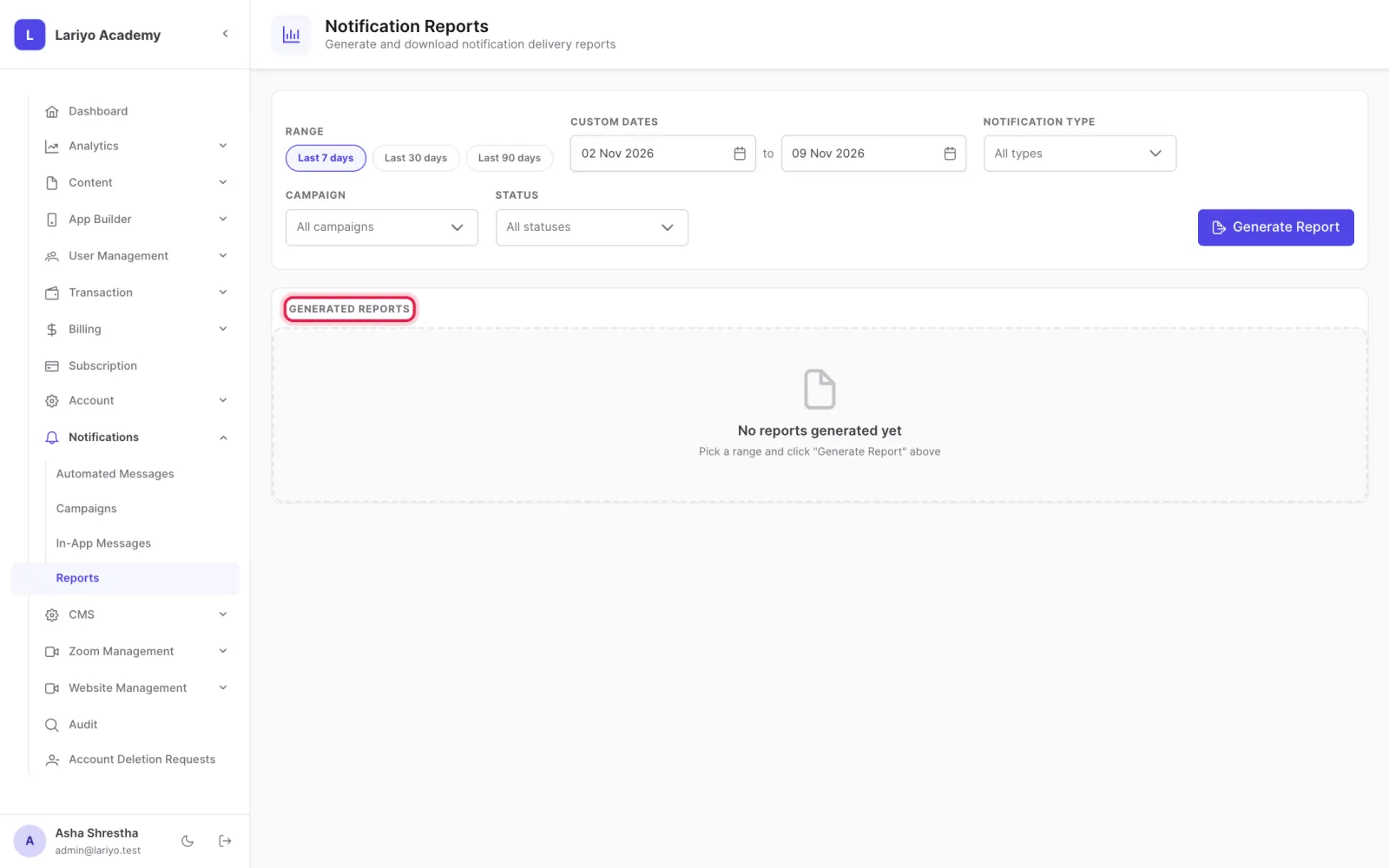
  3. Download it when it is ready.
    Step 3 of 3 in the Lariyo admin panel (Notifications → Reports): Download it when it is ready. The control to use is outlined in red.

Updated 11 November 2026. Still stuck? Contact us.