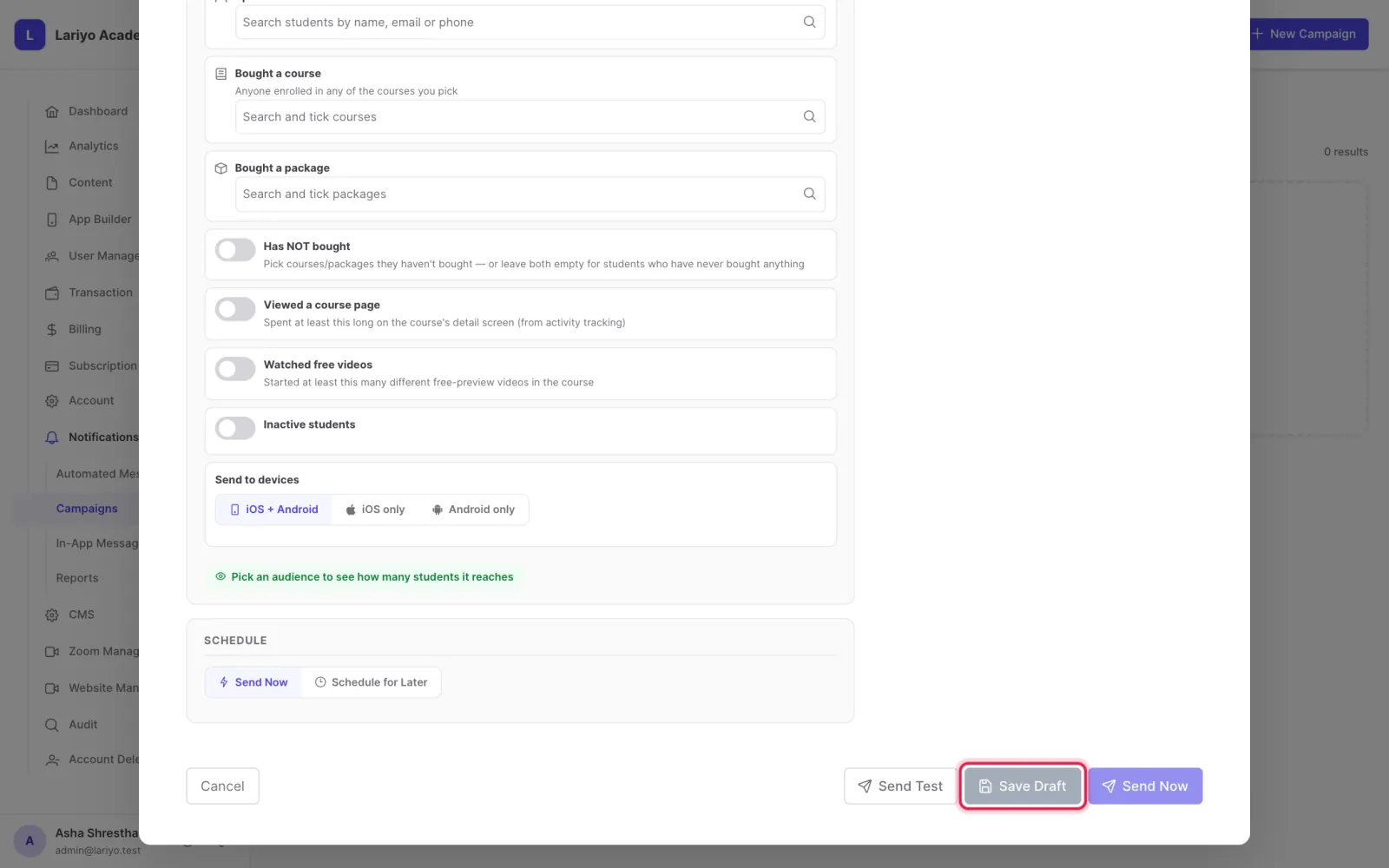
The campaign form

The campaign form holds the message, the tap action, the audience and the platforms.

Where: Notifications → Campaigns → New Campaign

Steps

  1. Choose iOS + Android, iOS only or Android only.
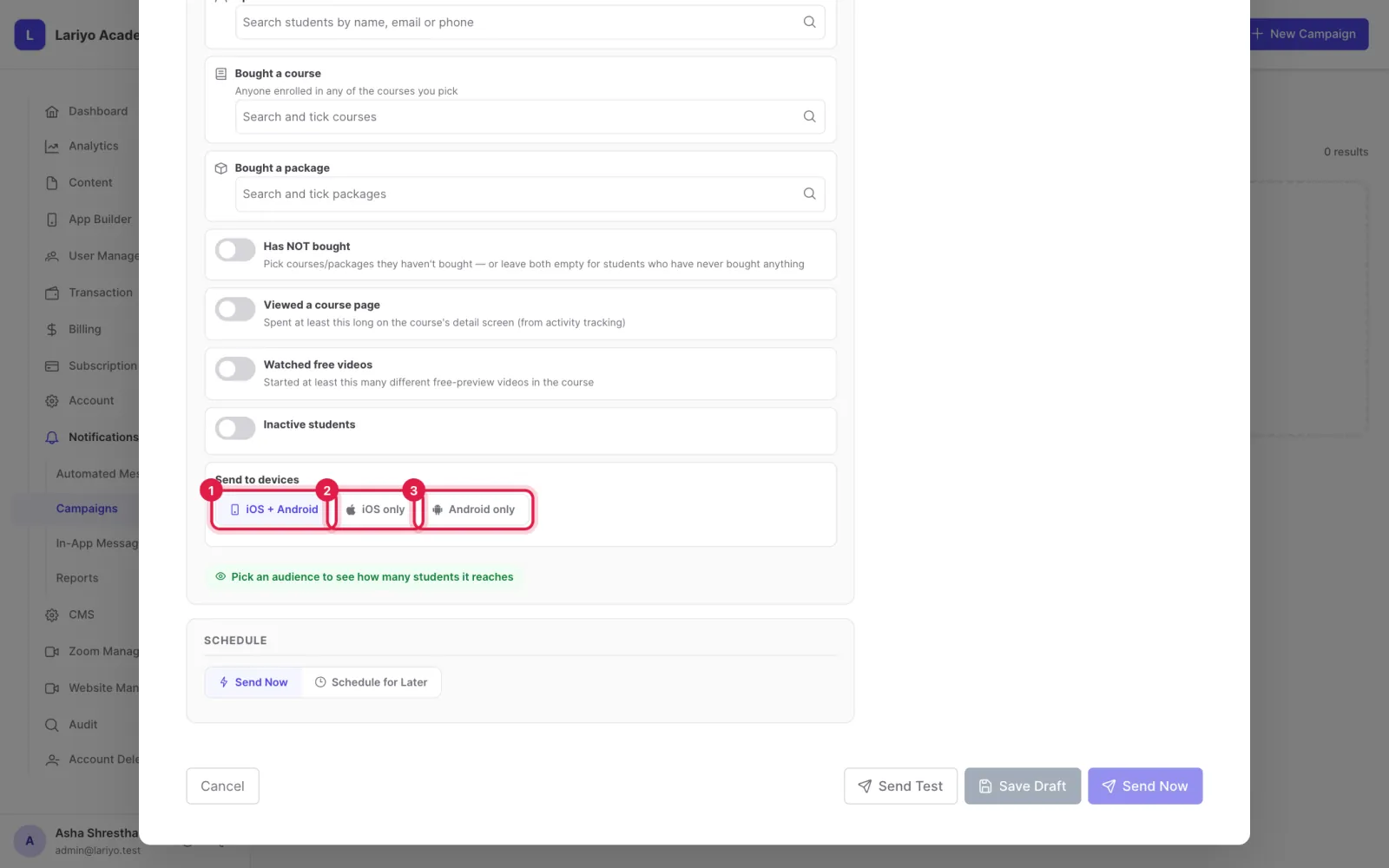
    Step 1 of 3 in the Lariyo admin panel (Notifications → Campaigns → New Campaign): Choose iOS + Android, iOS only or Android only. The control to use is outlined in red.
  2. Match students who meet ANY or ALL of the filters.
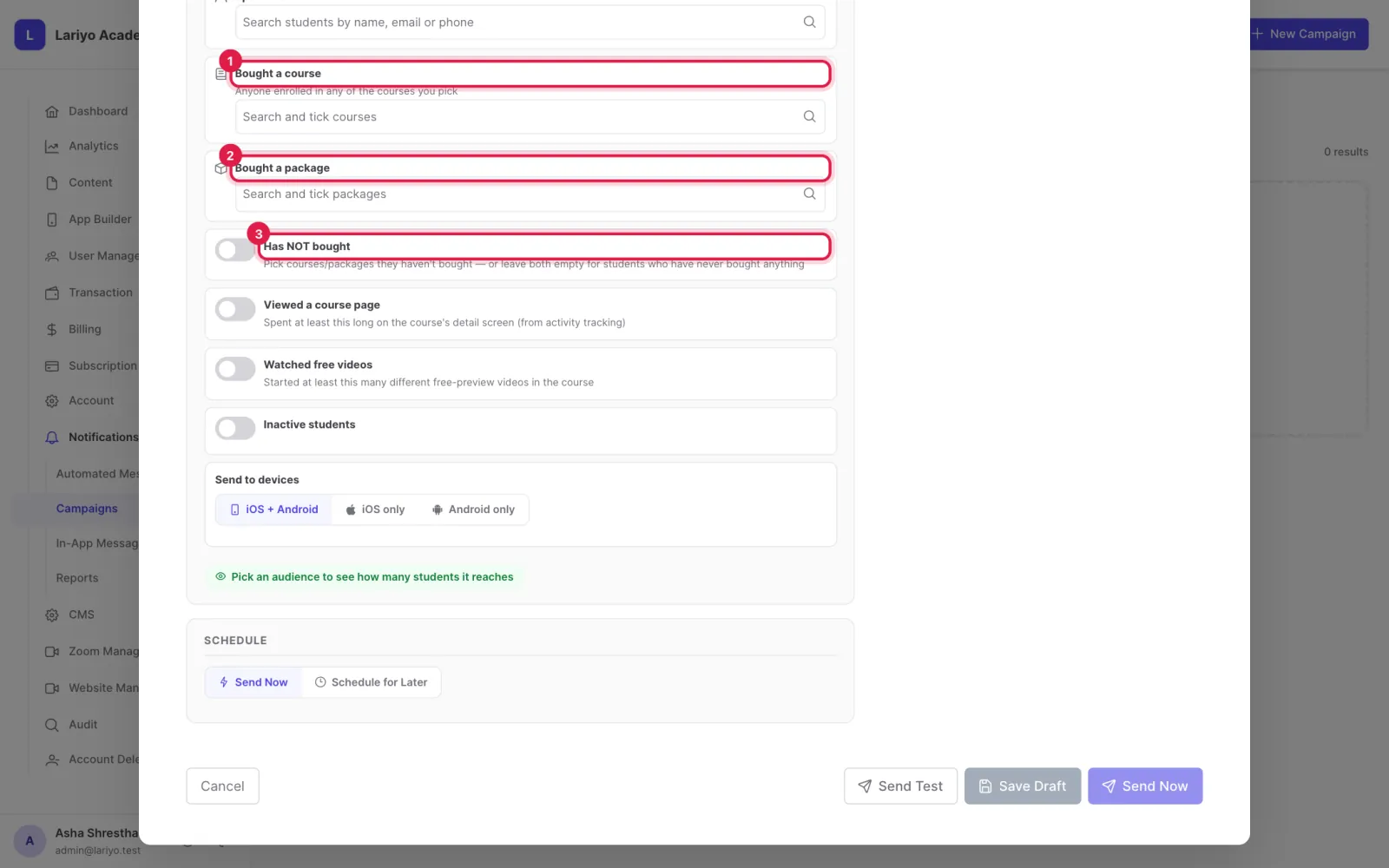
    Step 2 of 3 in the Lariyo admin panel (Notifications → Campaigns → New Campaign): Match students who meet ANY or ALL of the filters. The control to use is outlined in red.
  3. Save Draft keeps it for later.
    Step 3 of 3 in the Lariyo admin panel (Notifications → Campaigns → New Campaign): Save Draft keeps it for later. The control to use is outlined in red.

Updated 11 November 2026. Still stuck? Contact us.