

Schedule a Zoom meeting

Meetings are created on your Zoom account from the panel, with a topic, time, duration and host.

Where: Zoom Management → Meetings

Steps

  1. Open Zoom Management → Meetings and click New Meeting.
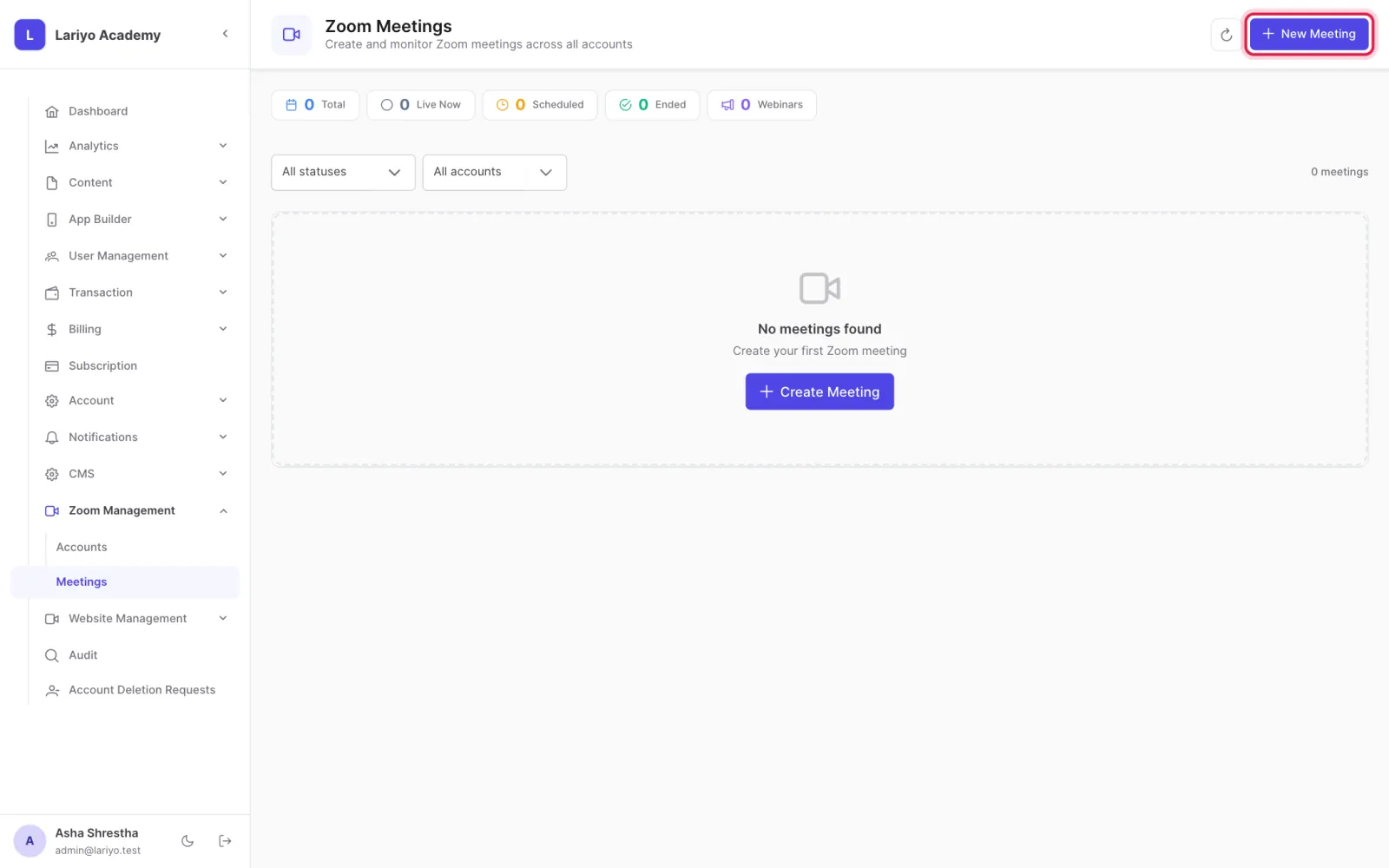
    Step 1 of 3 in the Lariyo admin panel (Zoom Management → Meetings): Open Zoom Management → Meetings and click New Meeting. The control to use is outlined in red.
  2. Enter the topic, time, duration, an optional password and agenda.
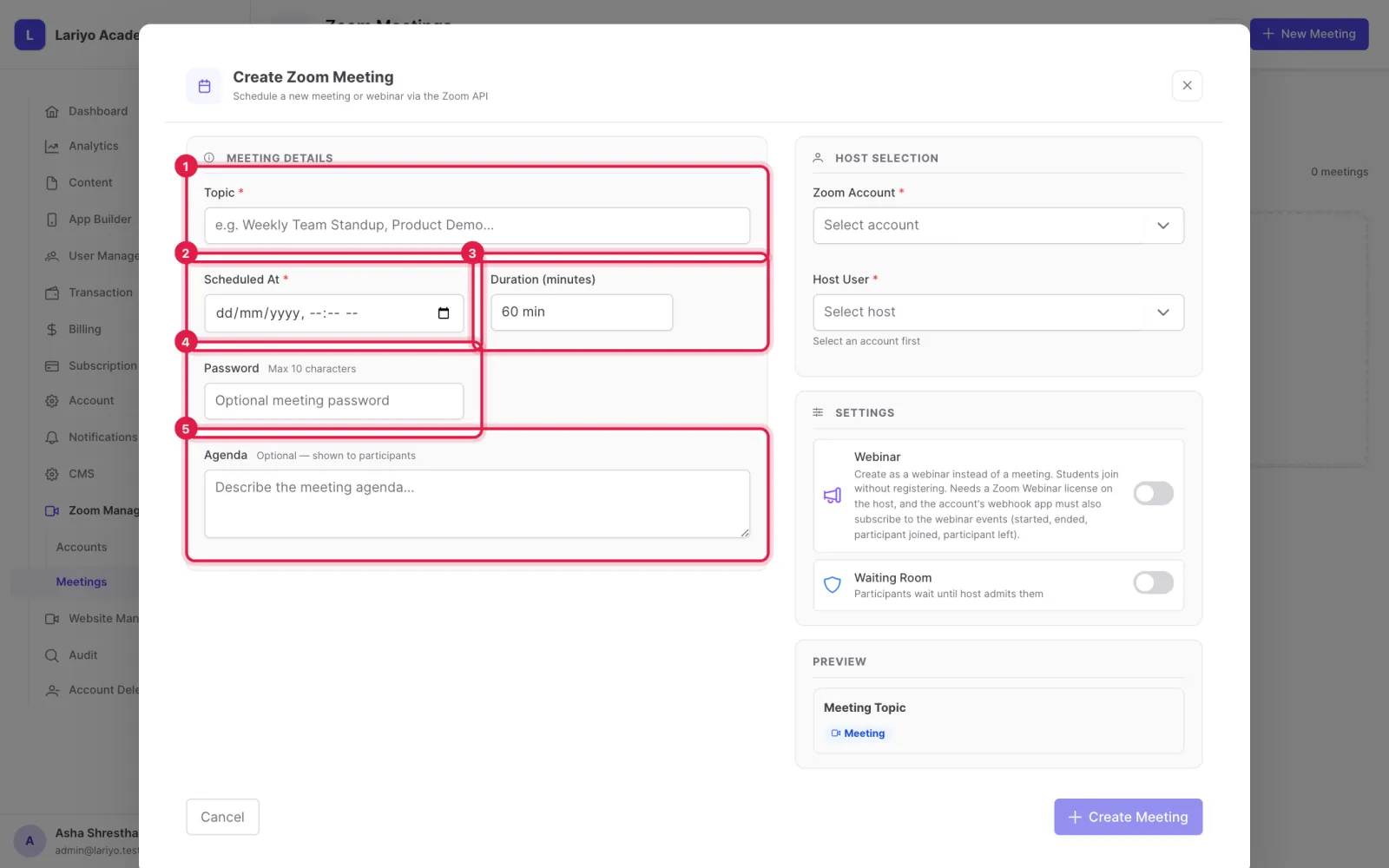
    Step 2 of 3 in the Lariyo admin panel (Zoom Management → Meetings): Enter the topic, time, duration, an optional password and agenda. The control to use is outlined in red.
  3. Choose the Zoom account and host user, then create it.
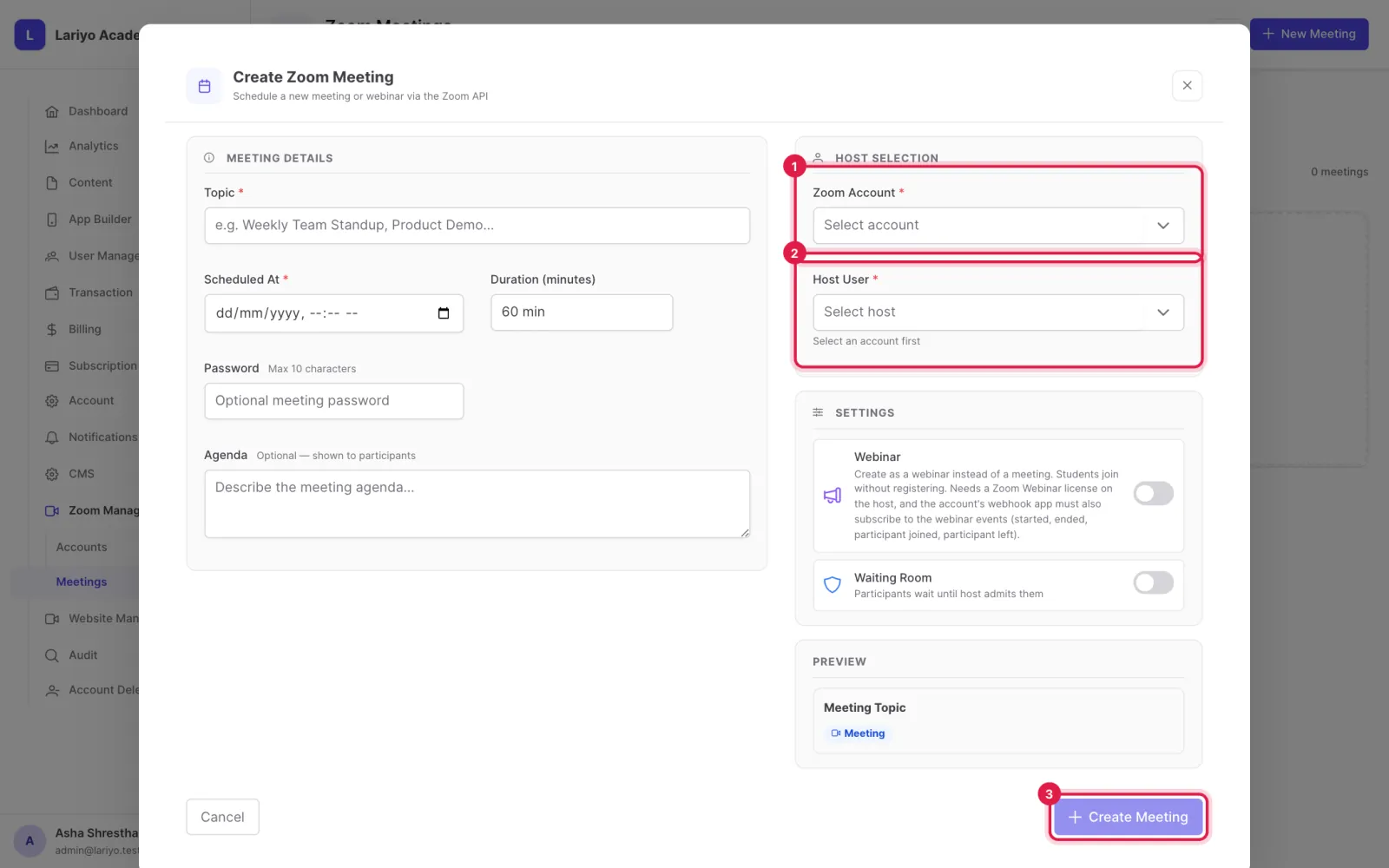
    Step 3 of 3 in the Lariyo admin panel (Zoom Management → Meetings): Choose the Zoom account and host user, then create it. The control to use is outlined in red.

Updated 11 November 2026. Still stuck? Contact us.