

Create a live class and add it to a course
A live class groups one or more meetings, opens joining a few minutes early and only for enrolled students.
Where: Content → Zoom
Steps
-
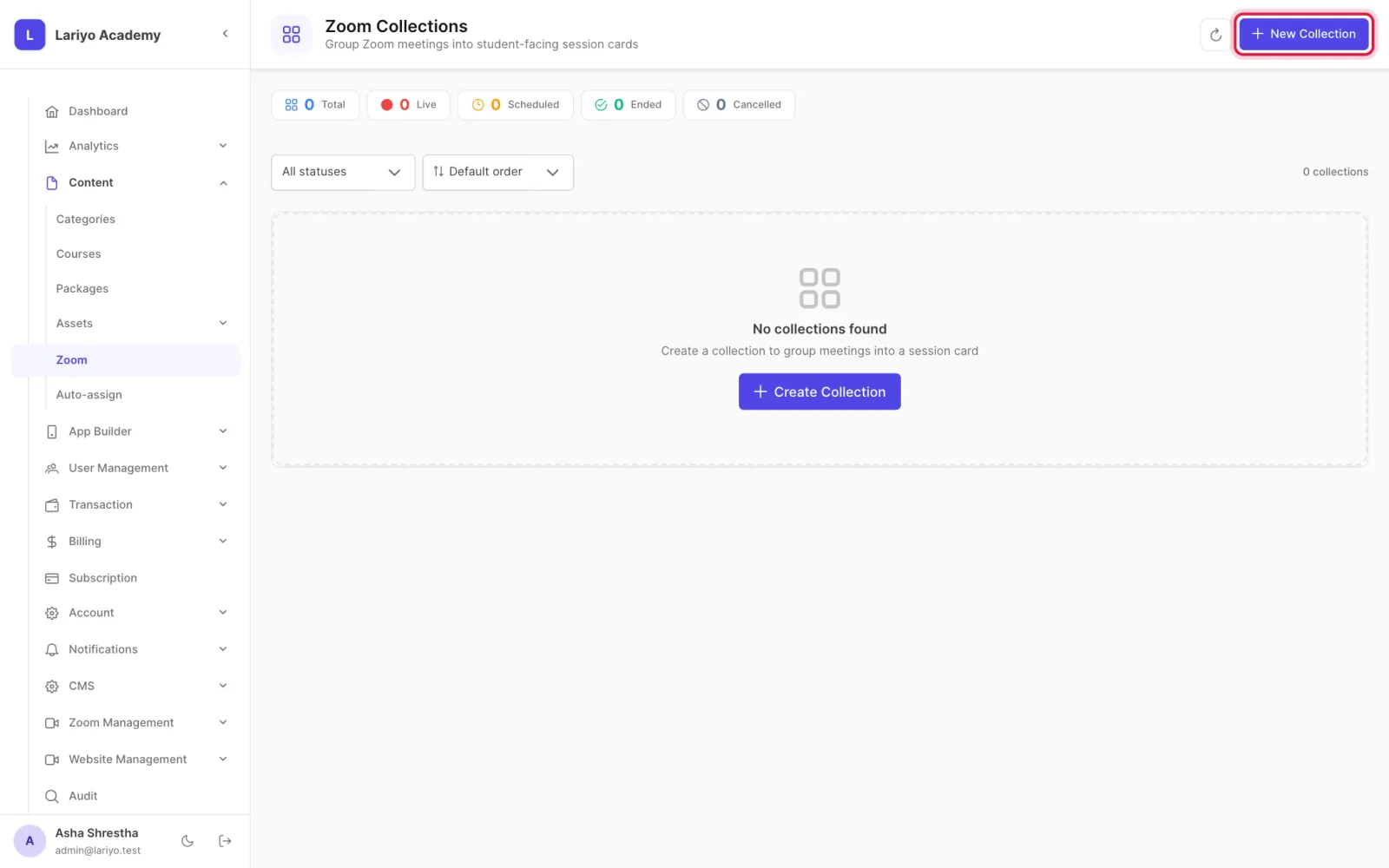
Open Content → Zoom and click New Collection.
-
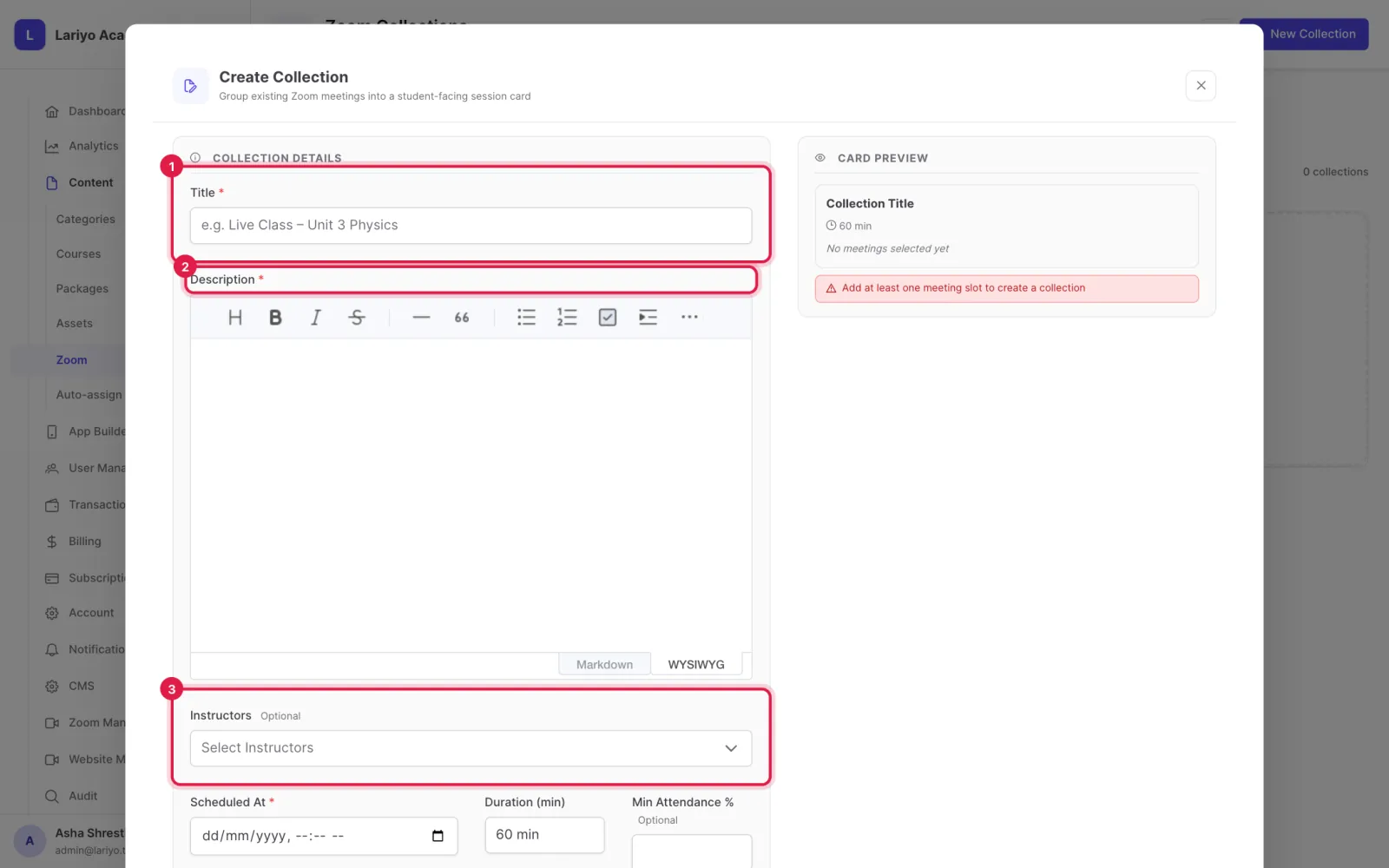
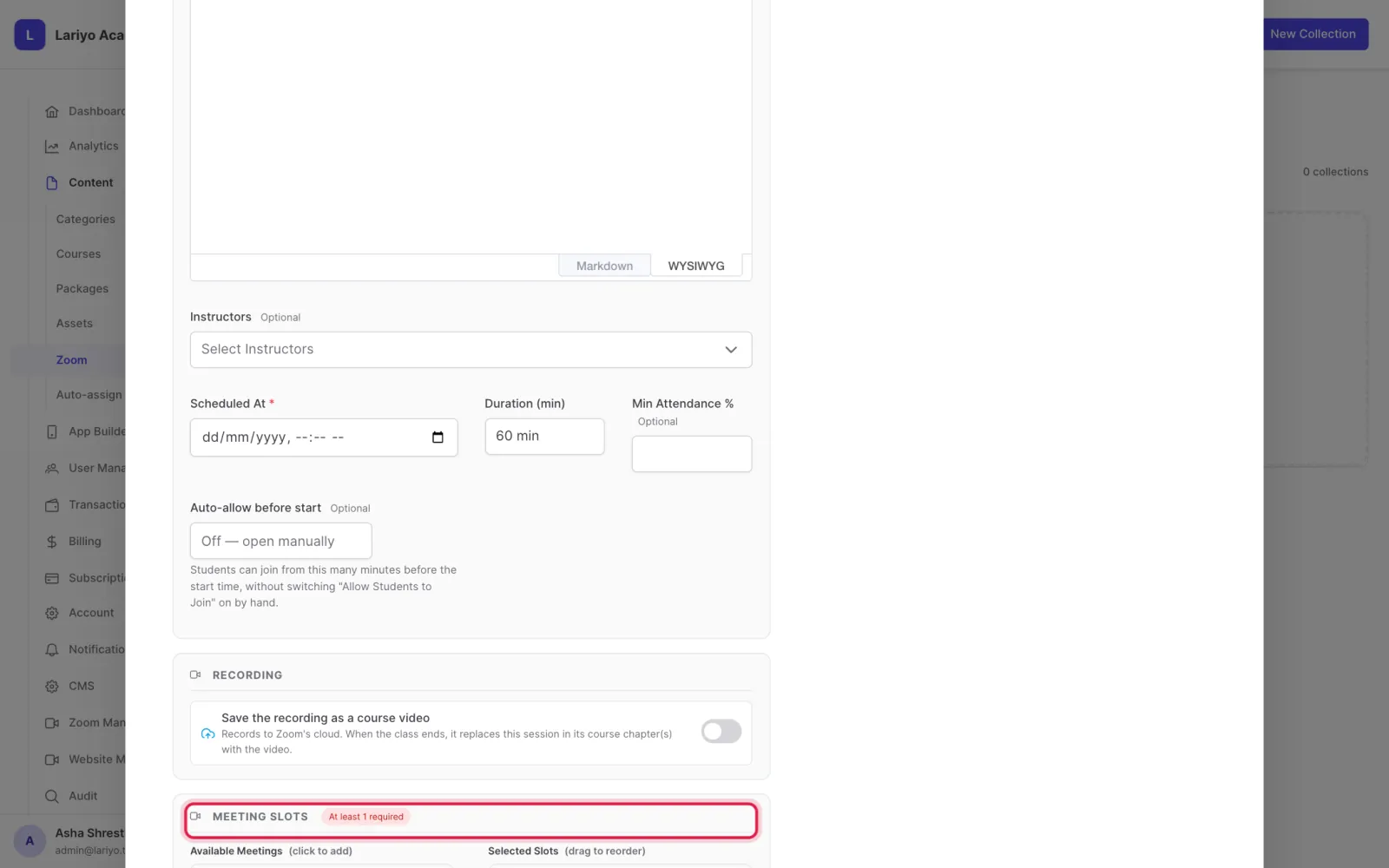
Enter the title, description, schedule and duration, and optionally instructors.
-
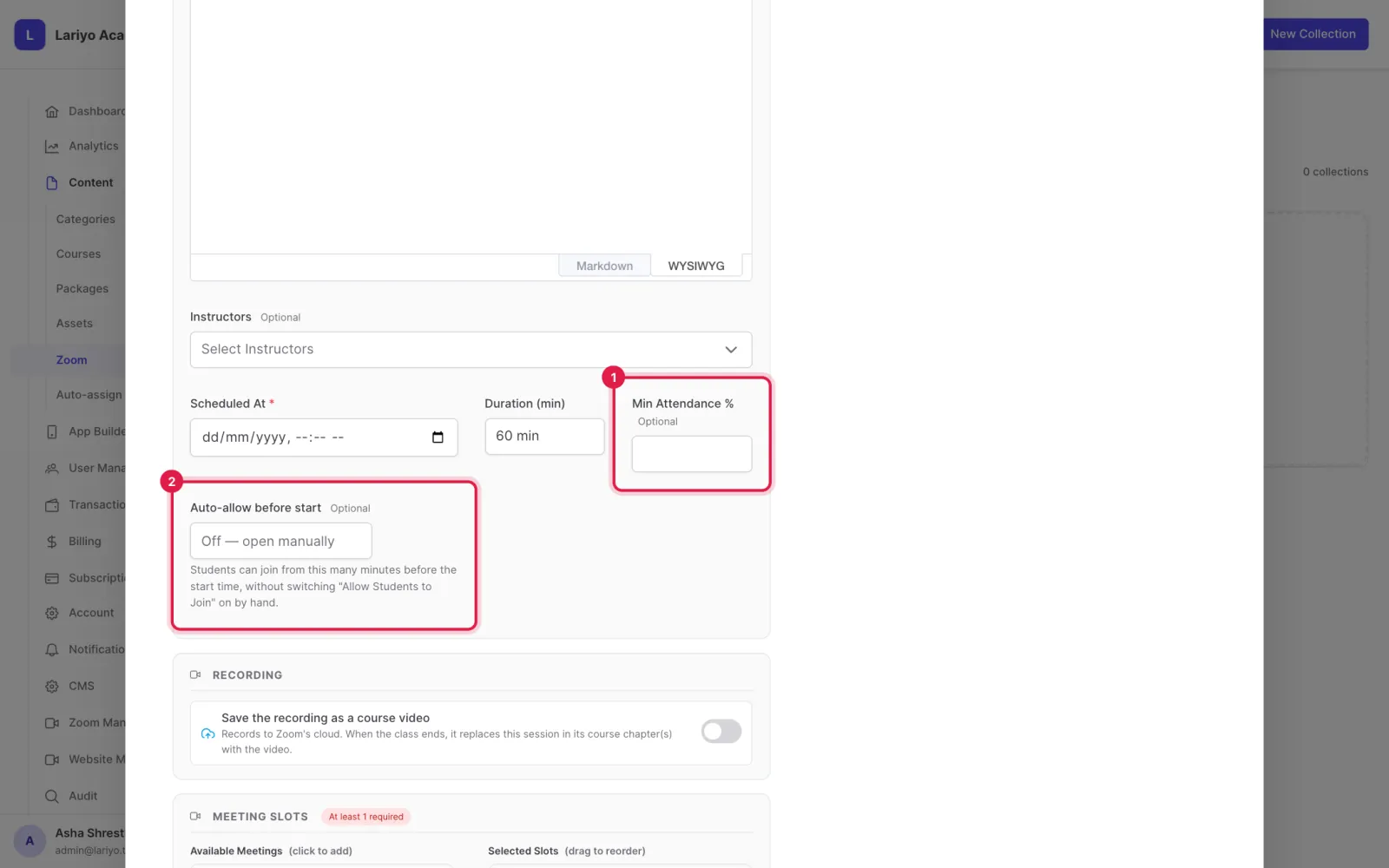
Set the minimum attendance % and how many minutes before the start joining opens.
-
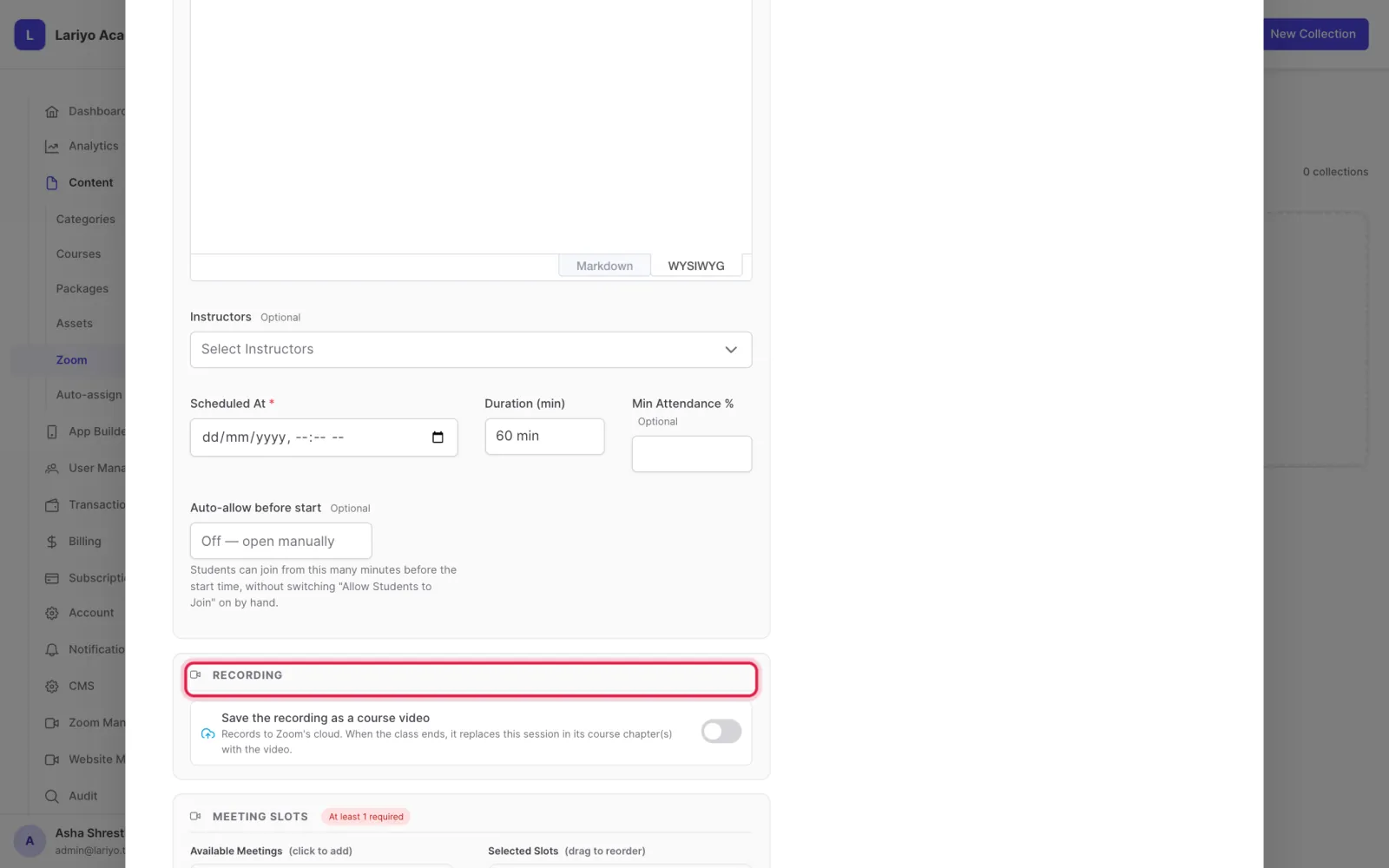
Choose whether cloud recordings are imported and the shortest recording to keep.
-
Add meetings as slots and save.
-
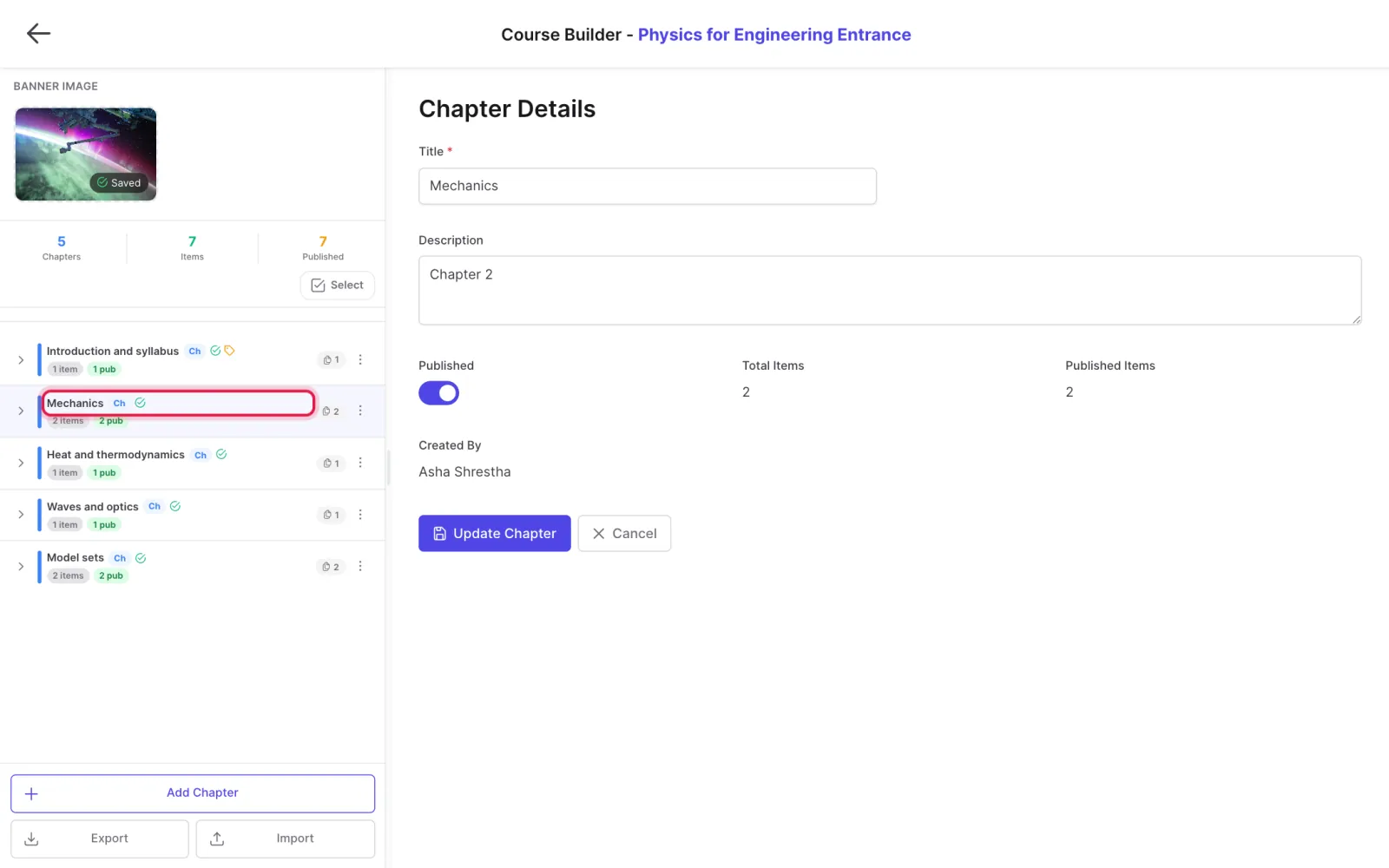
Place the live class in a course chapter so enrolled students can join from the app.
Updated 11 November 2026. Still stuck? Contact us.