See which content performs

Content performance ranks courses, videos, notes and packages by use, completion and sales.

Where: Analytics → Content Performance

Steps

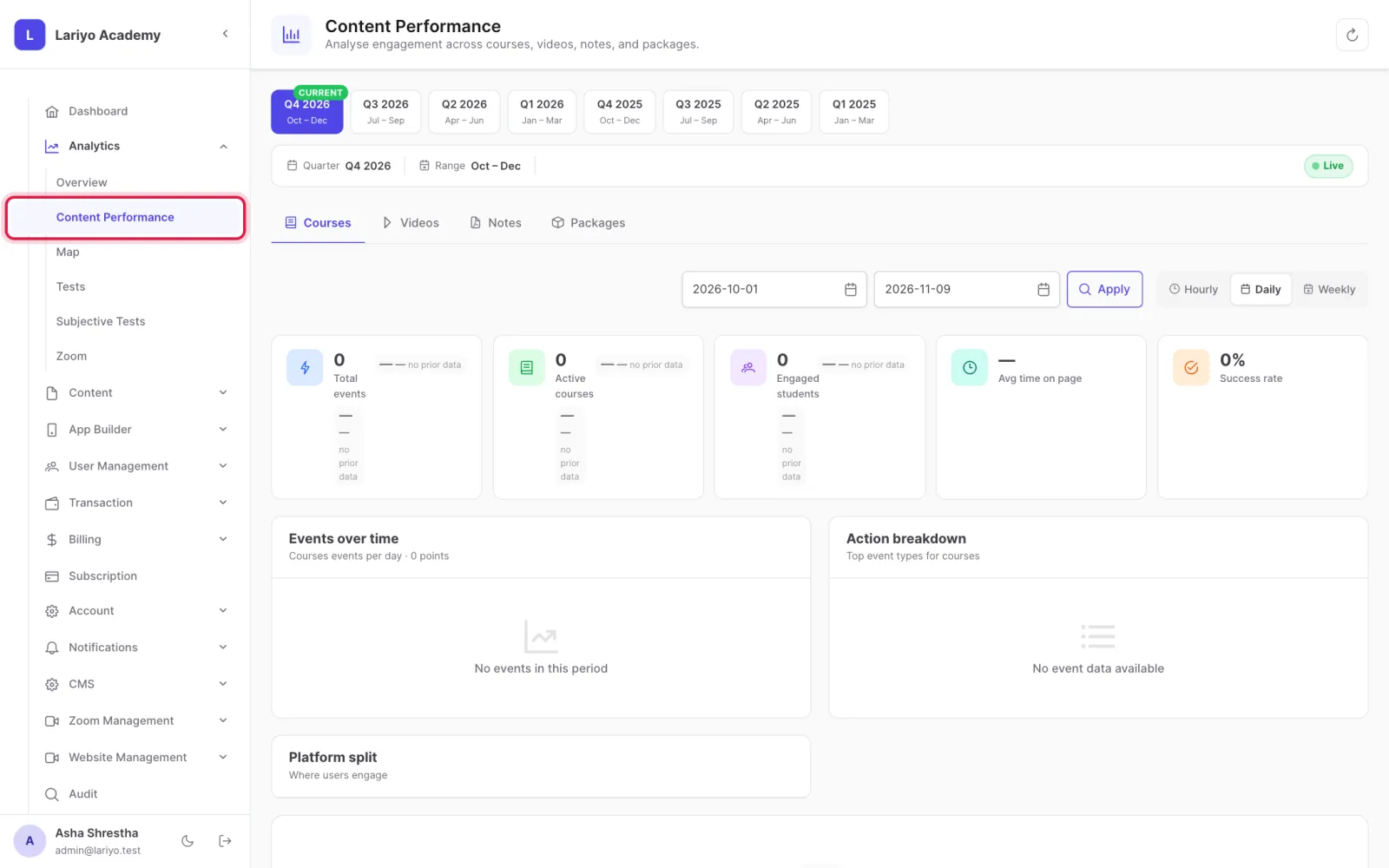
  1. Open Analytics → Content Performance.
    Step 1 of 3 in the Lariyo admin panel (Analytics → Content Performance): Open Analytics → Content Performance. The control to use is outlined in red.
  2. Switch tabs to compare courses, videos, notes and packages.
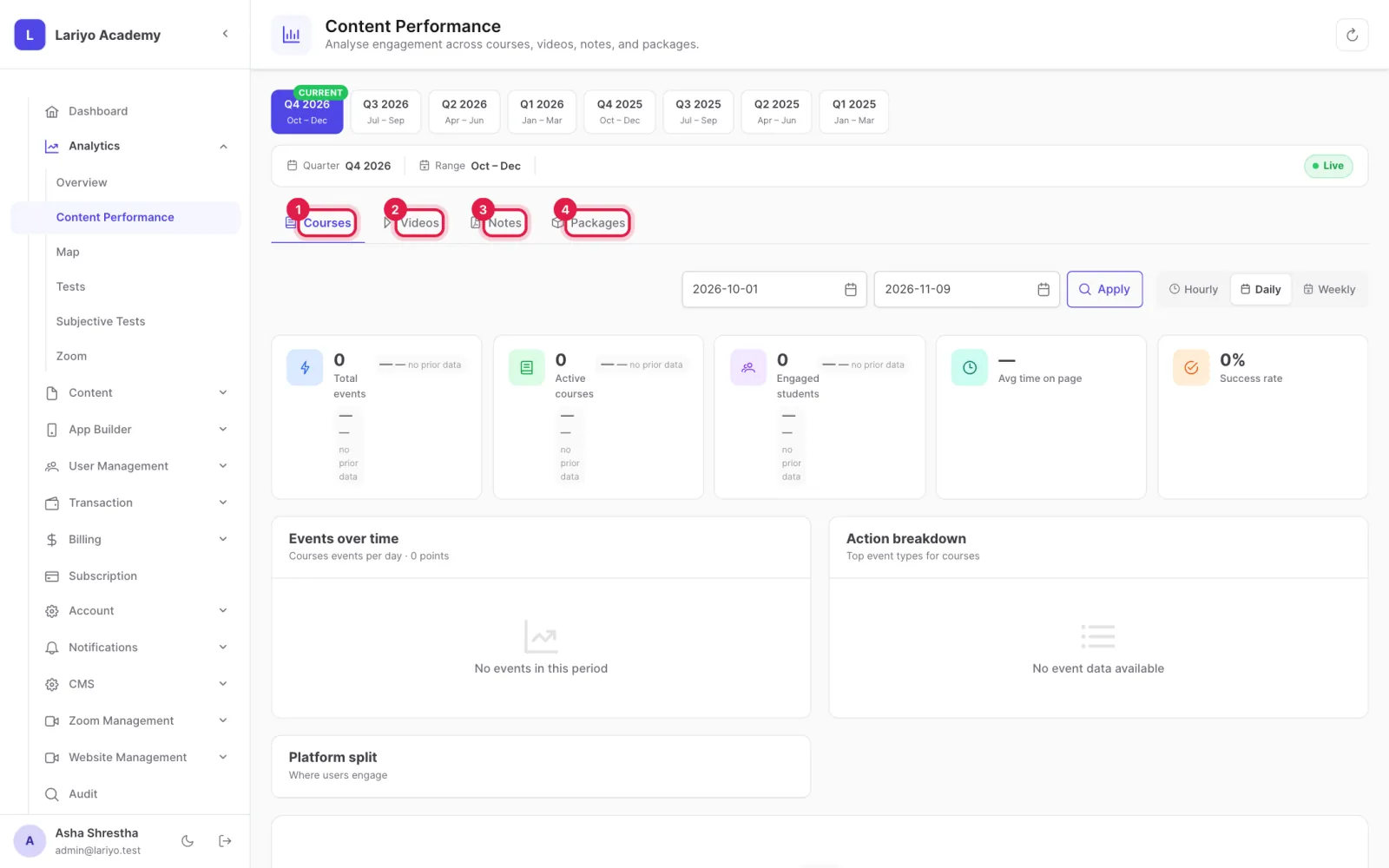
    Step 2 of 3 in the Lariyo admin panel (Analytics → Content Performance): Switch tabs to compare courses, videos, notes and packages. The control to use is outlined in red.
  3. Check watch %, completions, downloads and conversion to find what to improve.
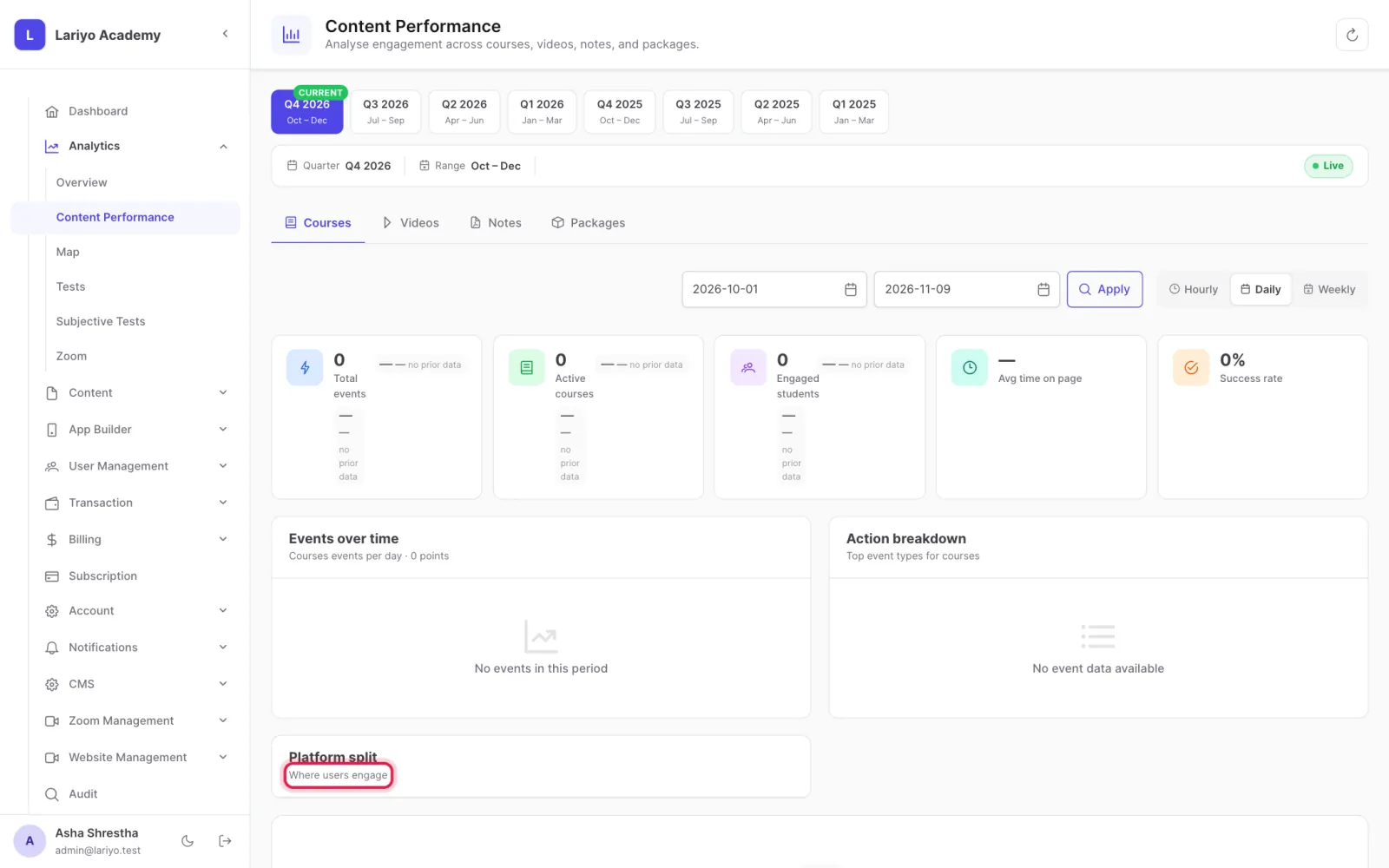
    Step 3 of 3 in the Lariyo admin panel (Analytics → Content Performance): Check watch %, completions, downloads and conversion to find what to improve. The control to use is outlined in red.

Updated 11 November 2026. Still stuck? Contact us.