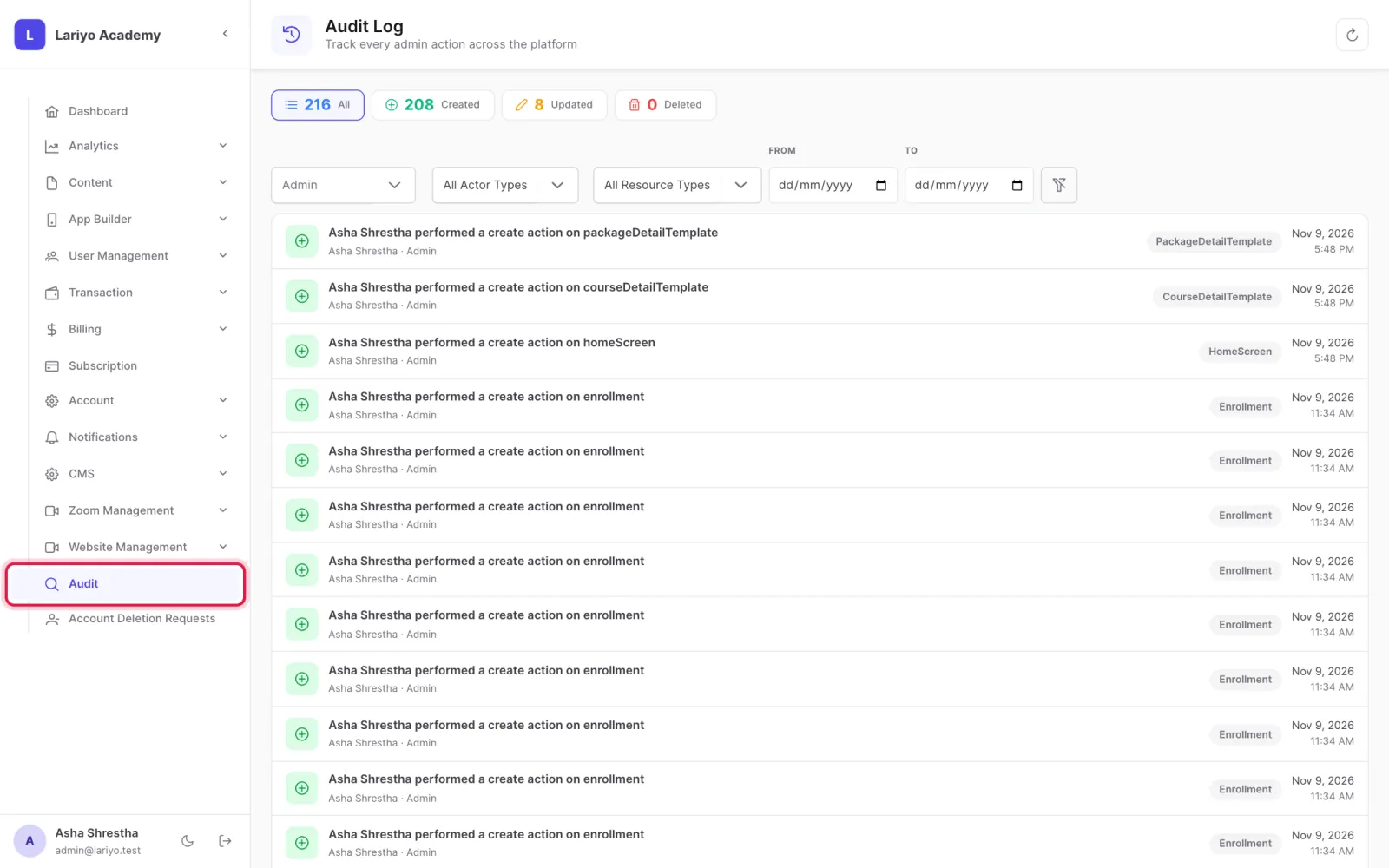
See who changed what (audit log)

The audit log lists every create, update and delete by your team, including the AI assistant.

Where: Audit

Steps

  1. Open Audit.
    Step 1 of 3 in the Lariyo admin panel (Audit): Open Audit. The control to use is outlined in red.
  2. Filter by Created, Updated or Deleted and by date.
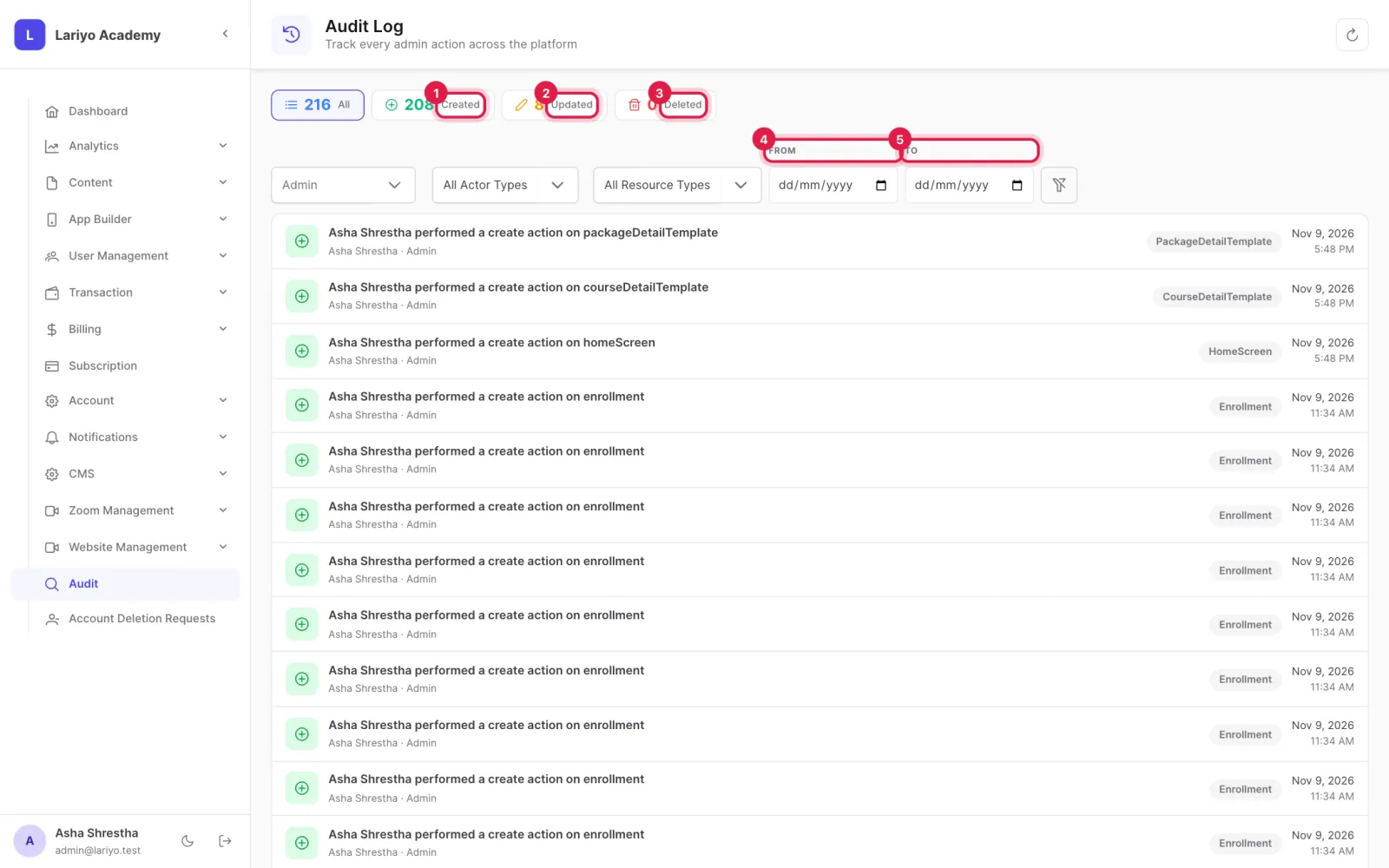
    Step 2 of 3 in the Lariyo admin panel (Audit): Filter by Created, Updated or Deleted and by date. The control to use is outlined in red.
  3. Open an entry to see who did it and what changed.
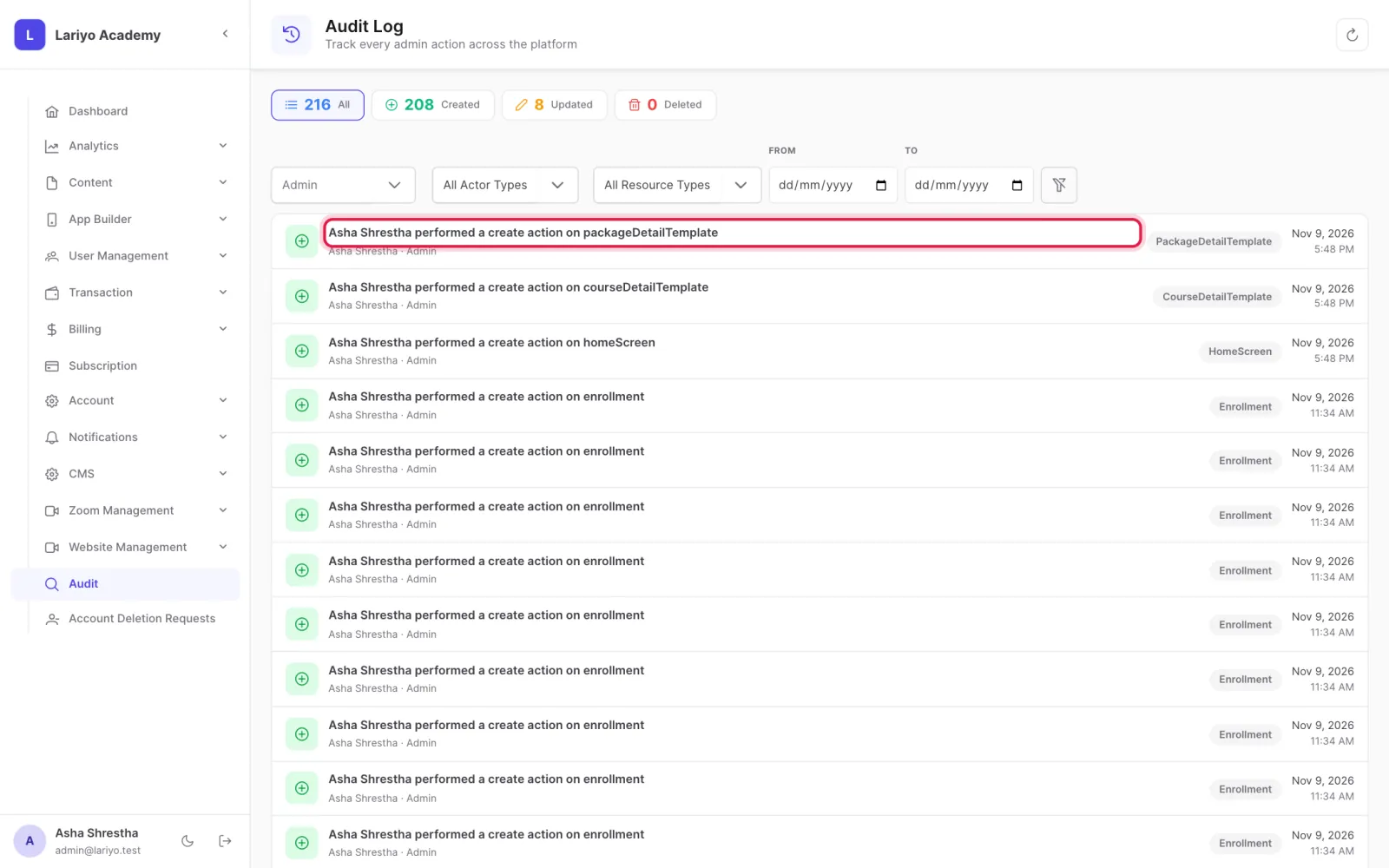
    Step 3 of 3 in the Lariyo admin panel (Audit): Open an entry to see who did it and what changed. The control to use is outlined in red.

Updated 11 November 2026. Still stuck? Contact us.