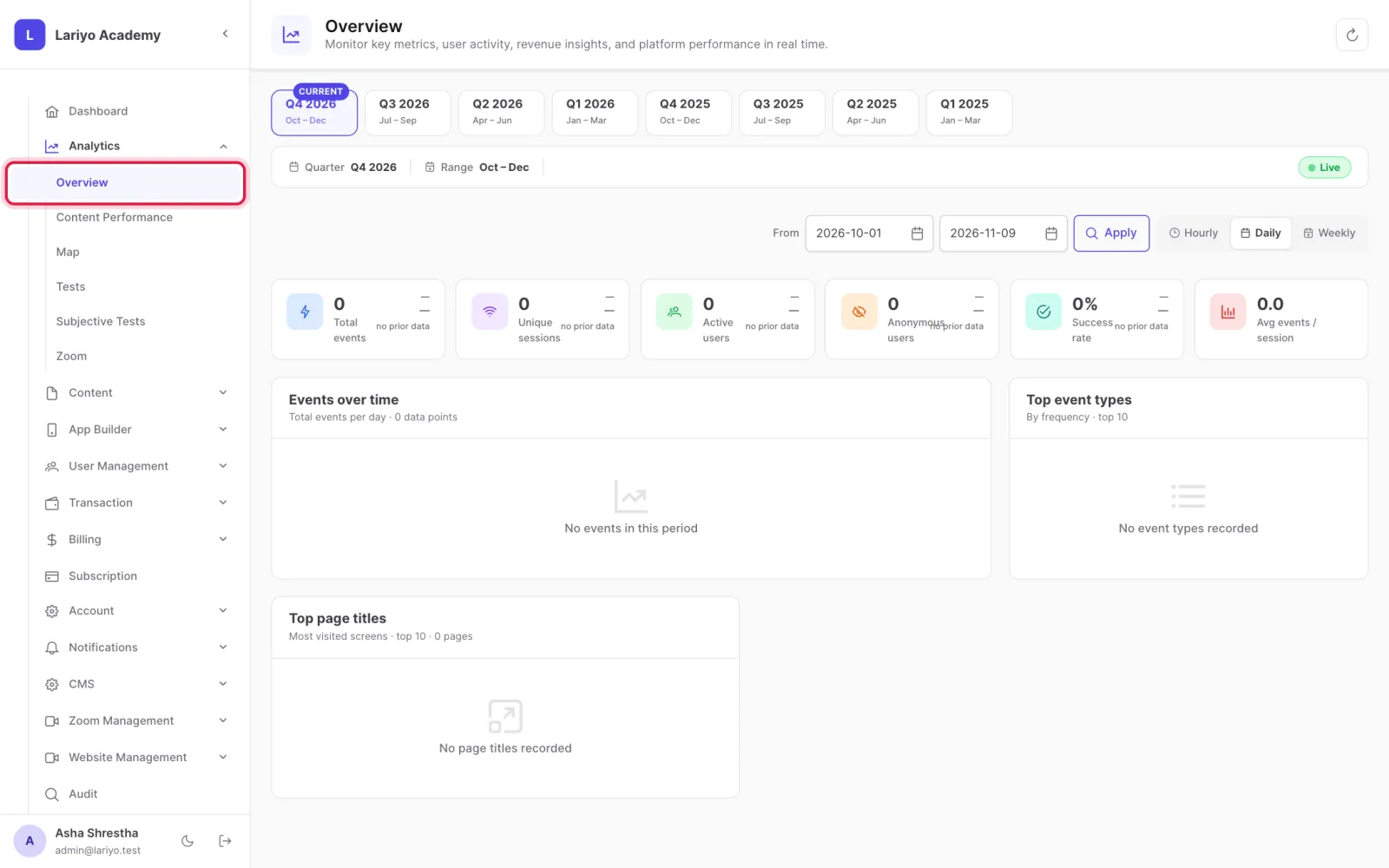
Read the analytics overview

Overview shows app events over time and the most used screens, by quarter.

Where: Analytics → Overview

Steps

  1. Open Analytics → Overview.
    Step 1 of 3 in the Lariyo admin panel (Analytics → Overview): Open Analytics → Overview. The control to use is outlined in red.
  2. Pick a quarter and an hourly, daily or weekly view.
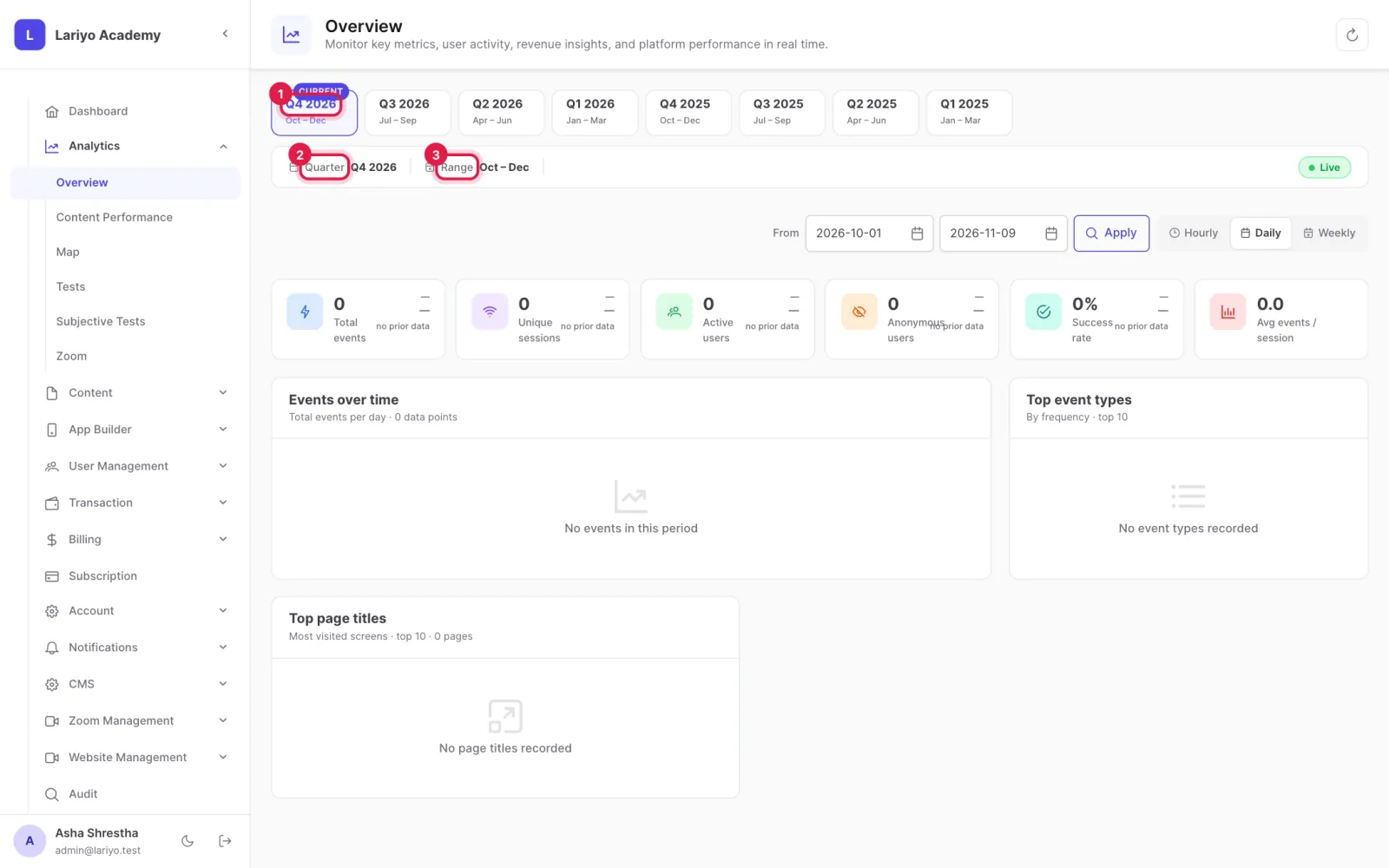
    Step 2 of 3 in the Lariyo admin panel (Analytics → Overview): Pick a quarter and an hourly, daily or weekly view. The control to use is outlined in red.
  3. Compare event types and the most viewed screens.
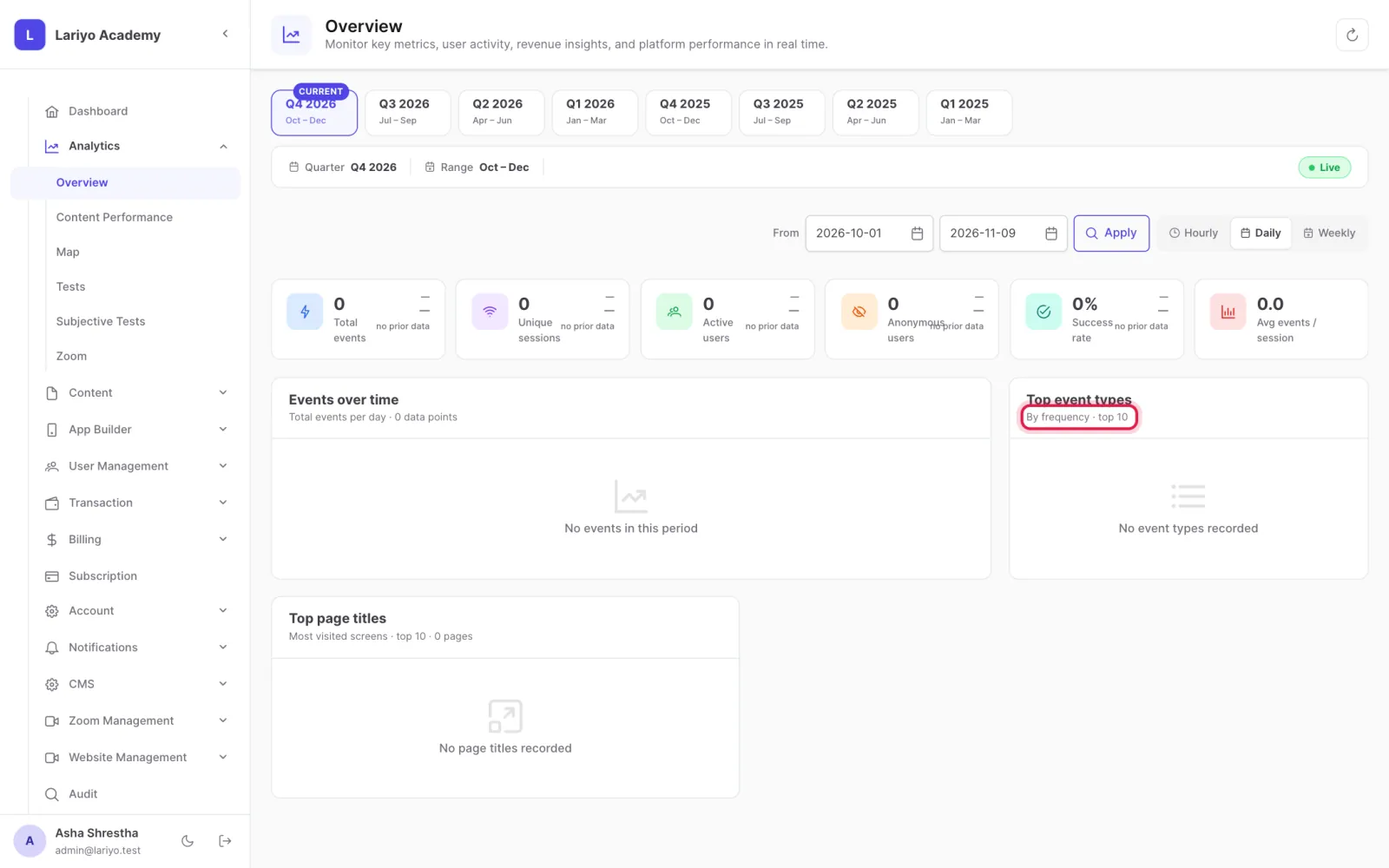
    Step 3 of 3 in the Lariyo admin panel (Analytics → Overview): Compare event types and the most viewed screens. The control to use is outlined in red.

Updated 11 November 2026. Still stuck? Contact us.